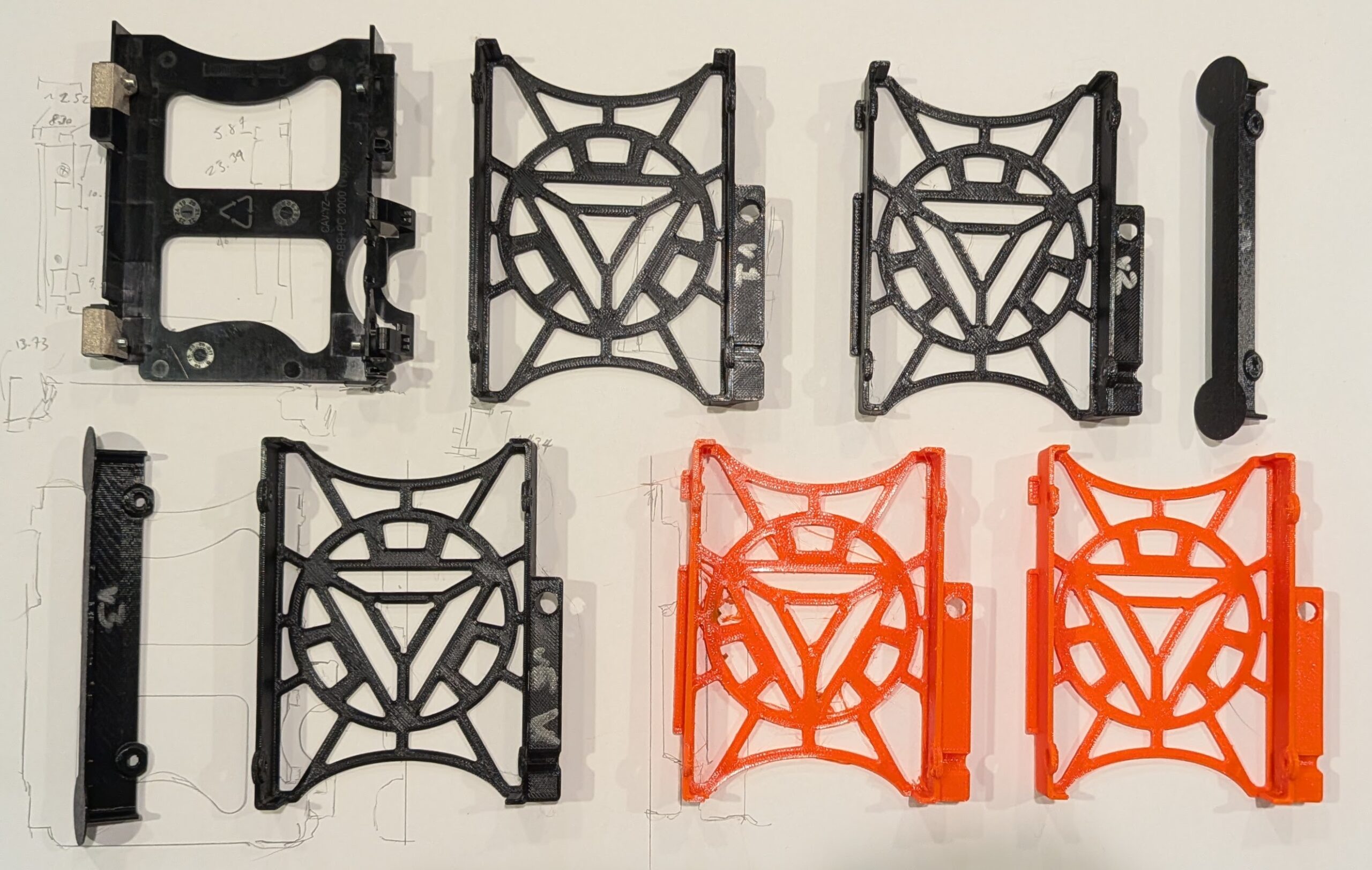
Five versions printed for testing and fitting, a failed orange PETG print, and a final orange PETG print
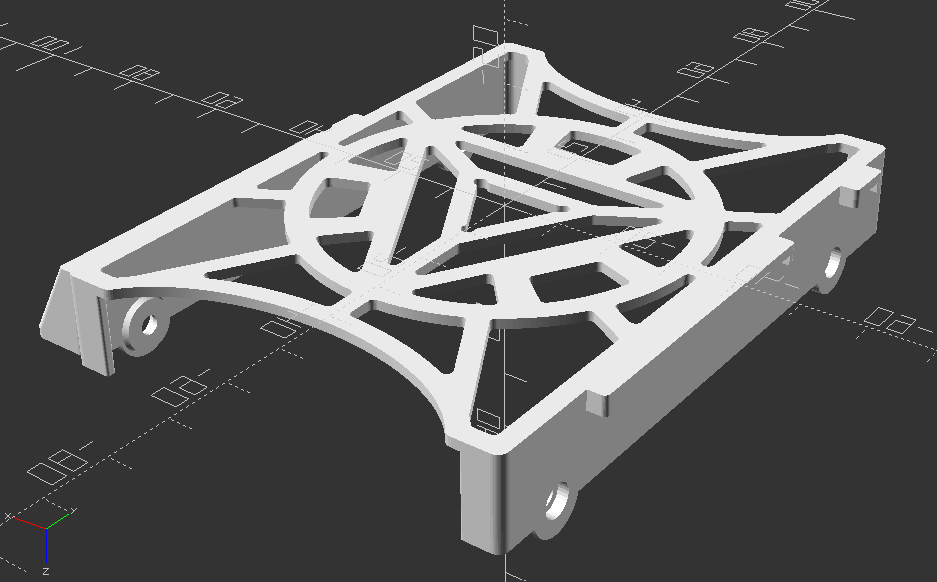
Final OpenSCAD render, top down view
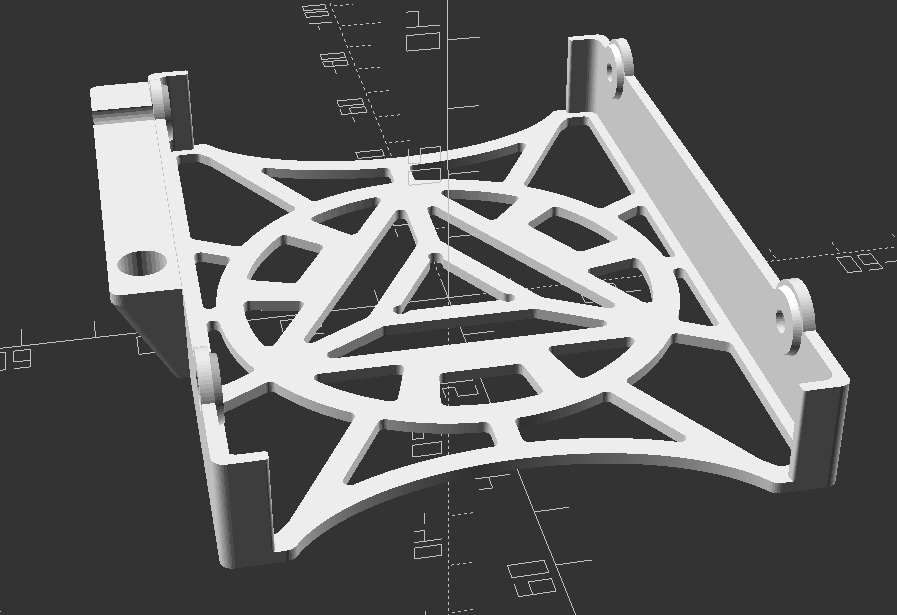
Final OpenSCAD render, oriented for printing
I couldn’t be happier with how this model and print turned out.
Fifth variation on the 2.5″ SATA hard drive caddy for the Lenovo ThinkCentre Tiny M70q case
The part pops into place snugly, even though it doesn’t include any snap-fit parts. The two tabs on the right fit over and around two bent metal tabs coming off of the frame, the beveled section on the left sits on a metal bar, with a hole for a bolt head which holds that metal frame in place. The design doesn’t include all the fancy fiddly bits that go in and around that metal bar, but it doesn’t wiggle with medium pressure. It’s easy enough to drop into place and remove without too much trouble.
In a perfect world, I would have printed it in a more appropriate color befitting an arc reactor, like glow in the dark, white, light blue, or some combination. However, while I have a medium sized collection of PLA in various colors, I’m fine with just using this one roll of PETG in it’s bright orange for those use cases requiring something that requires more flexibility or heat resistance than PLA.
I’m super happy to have this PC housing a drive that will likely last me a very long time. Our old external backup drive holds 2TB, is quite slow, requires a USB mini to USB A cable, and a huge wall wart power adapter. Now I can keep our files easily accessible inside this PC without no fussing with cables/adapters, taking up a USB port, and not requiring the additional space that’s literally larger than this entire PC.
In other news on this “Project Jarvis”… I haven’t been making much progress lately. I’m not able to run any reasonably capable local LLM’s at any exciting speeds, but it’s still at least possible at a 1-2 token per second rate. I think once it’s set up I’ll probably want to switch it to a “dumber” smart assistant kind of system where it helps me answer basic verbal queries about the weather, date, schedules/cron jobs, and any sensors I might create.
TLDR: I designed and 3D printed a caddy for my Lenovo ThinkCentre Tiny M70q to accommodate a 15mm HDD instead of the stock 7-10mm caddy.
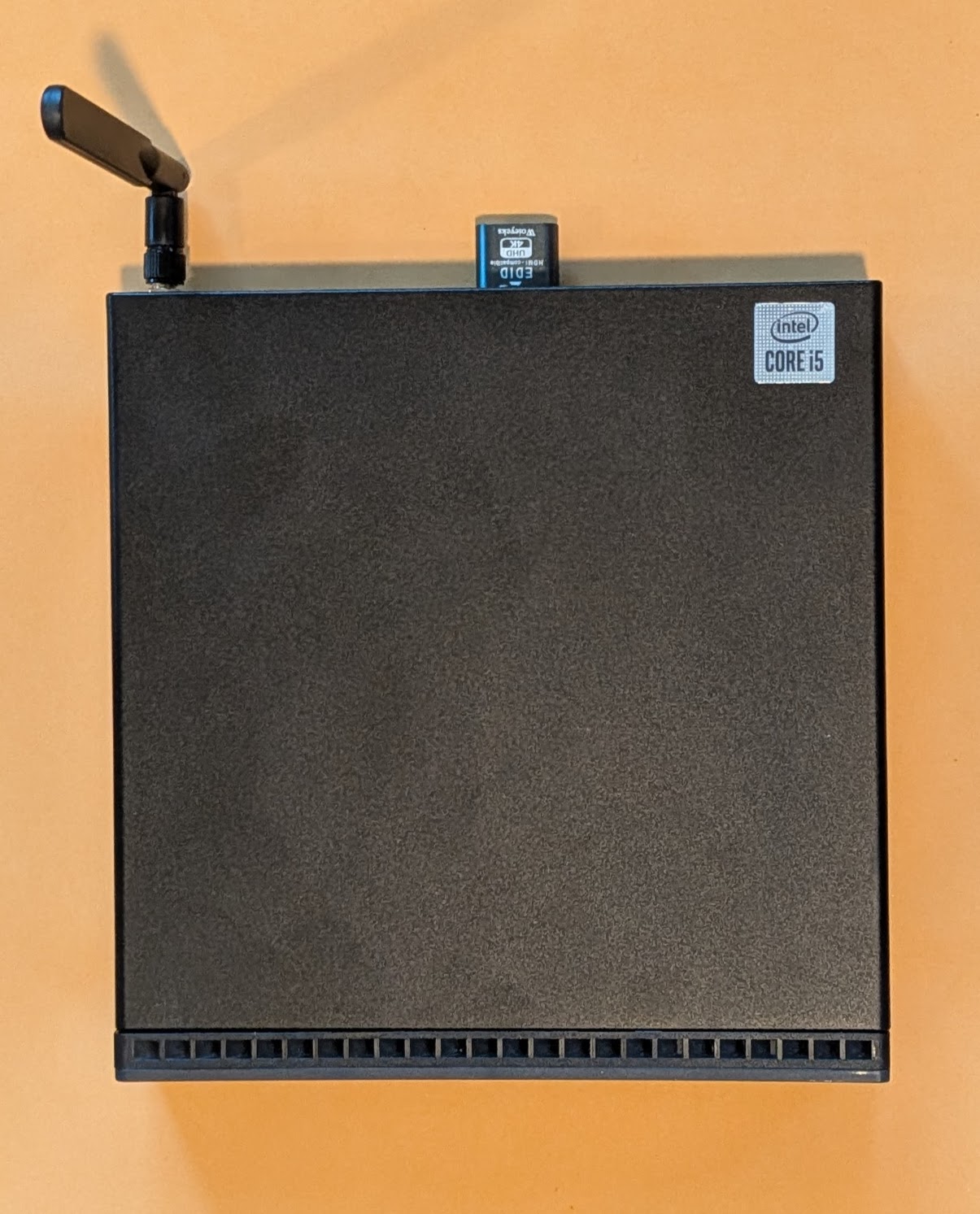
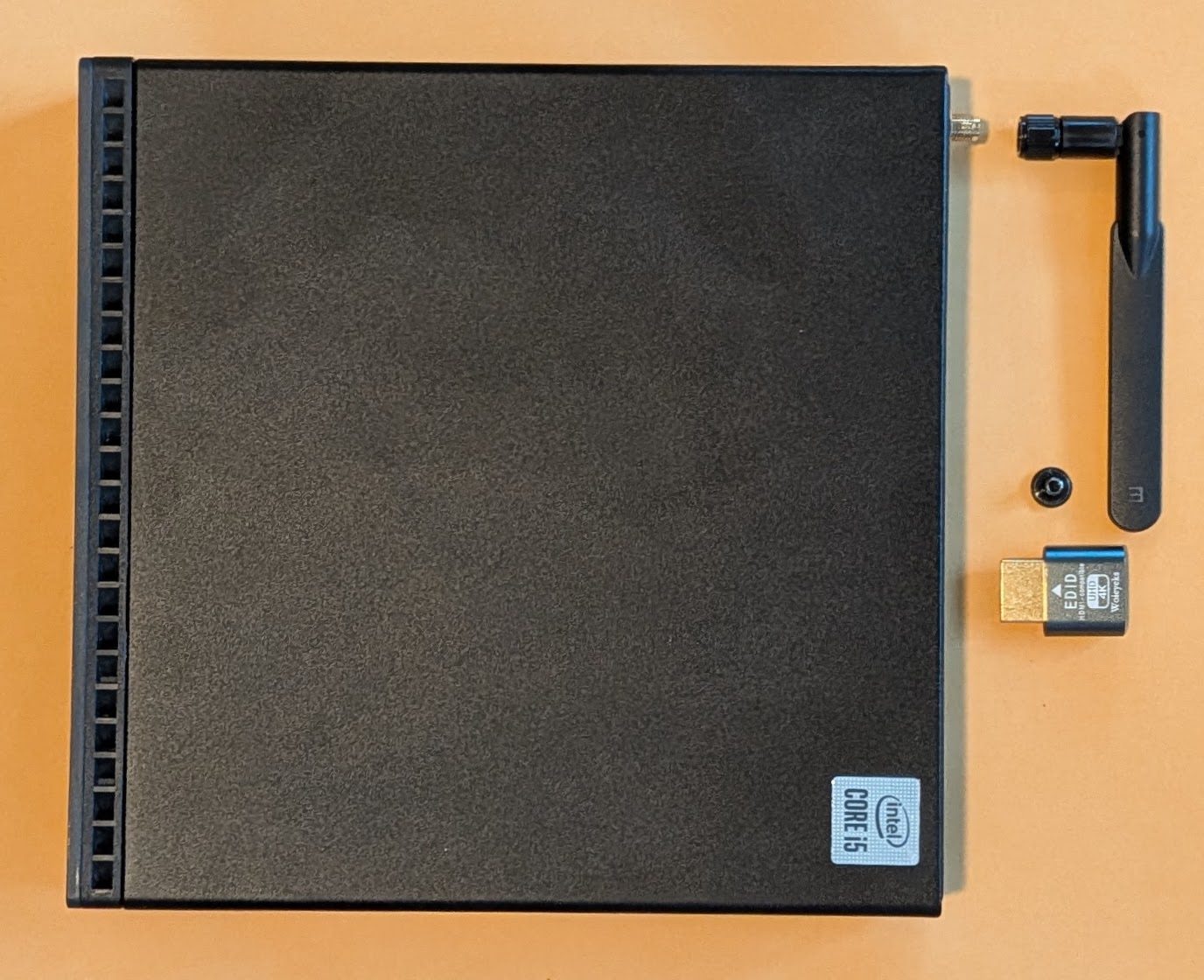
Lenovo ThinkCentre M70q, with antenna and HDMI dummy plug
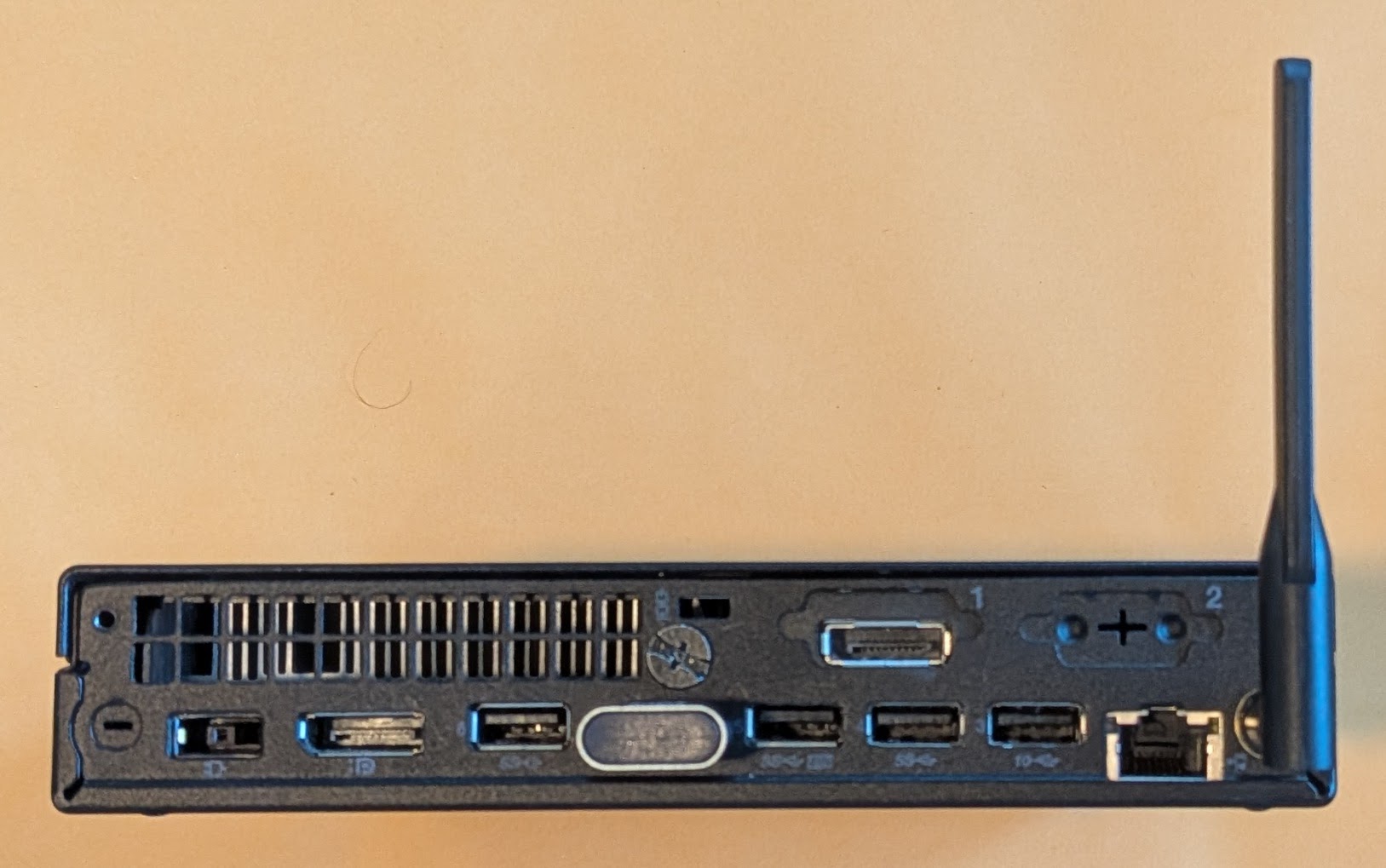
Backside
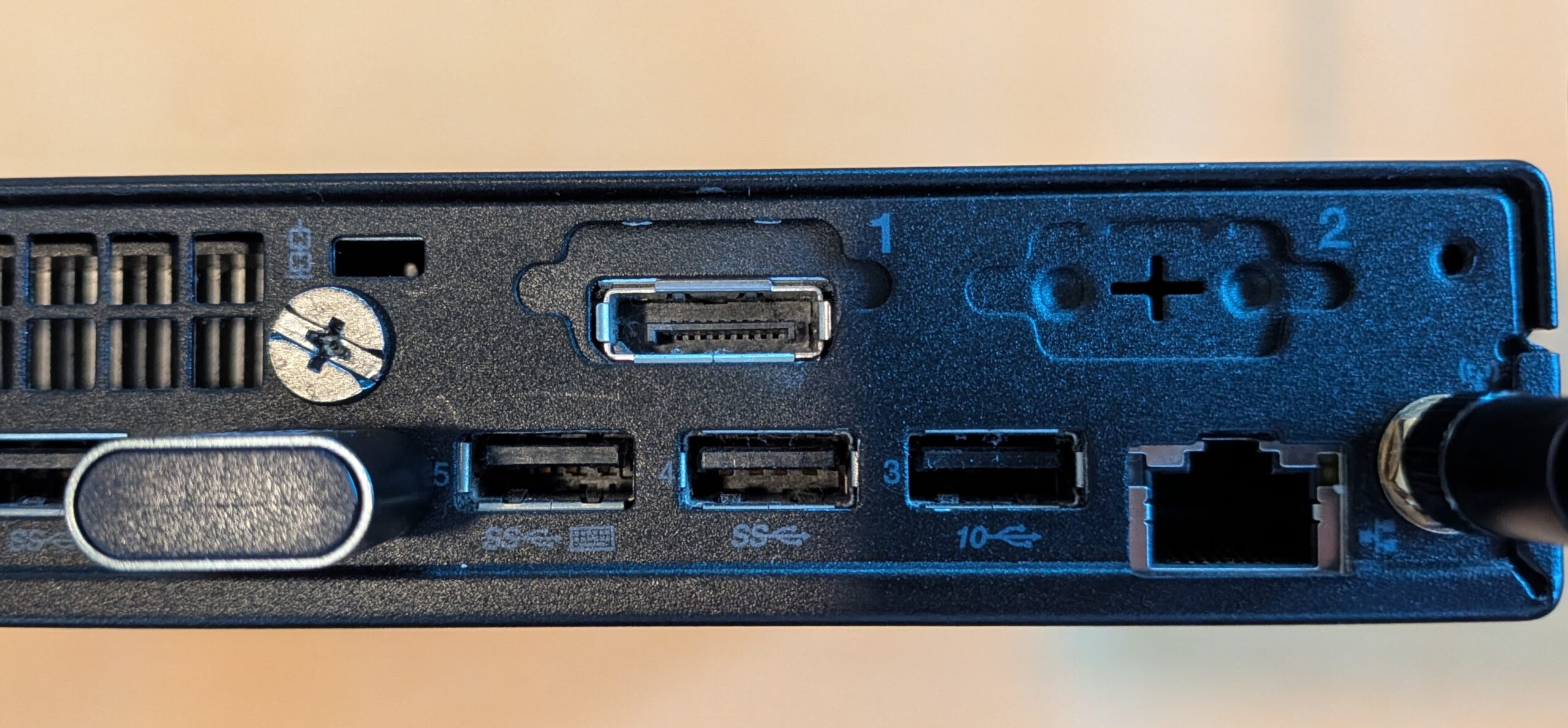
Close up of the two expansion ports
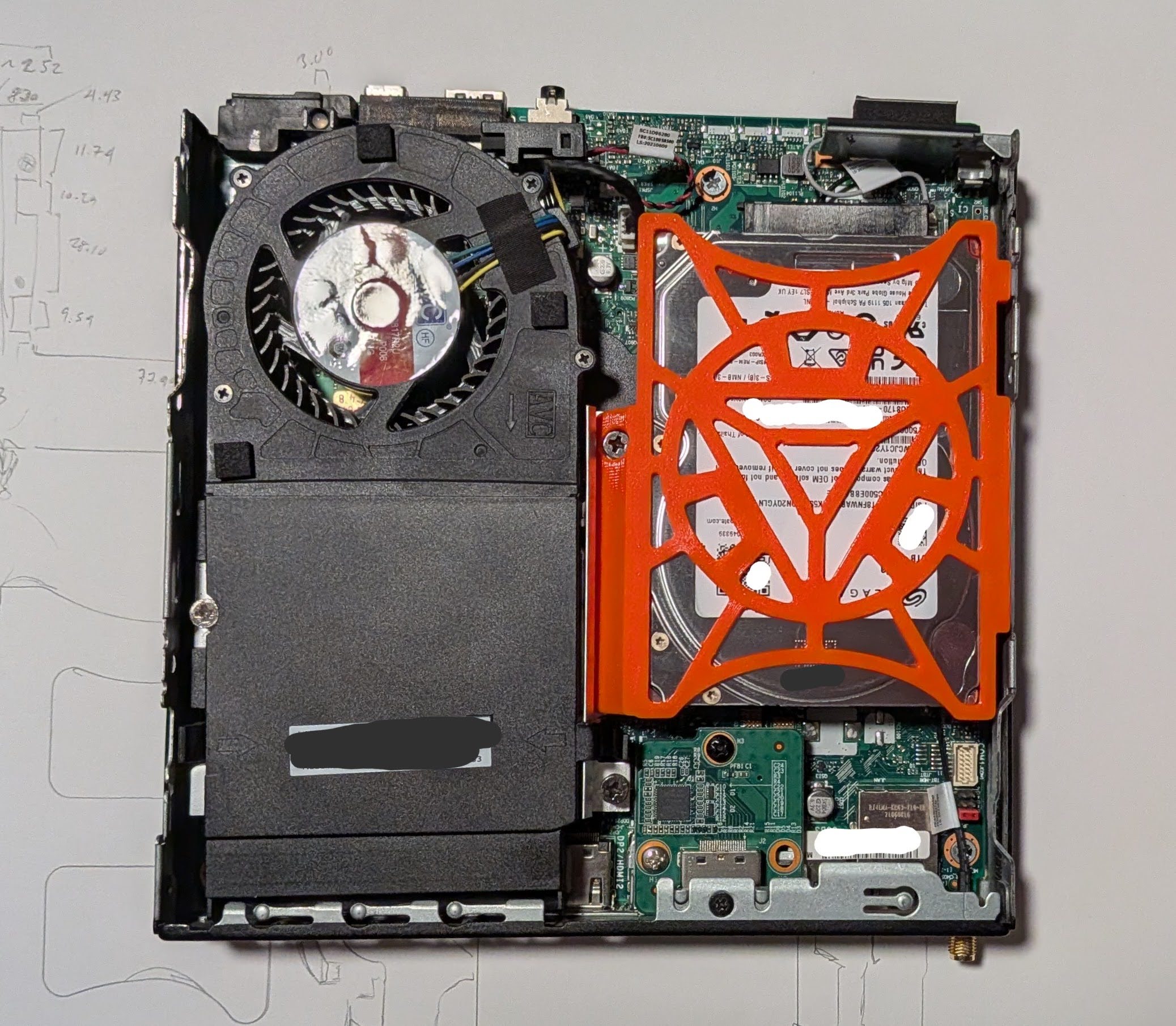
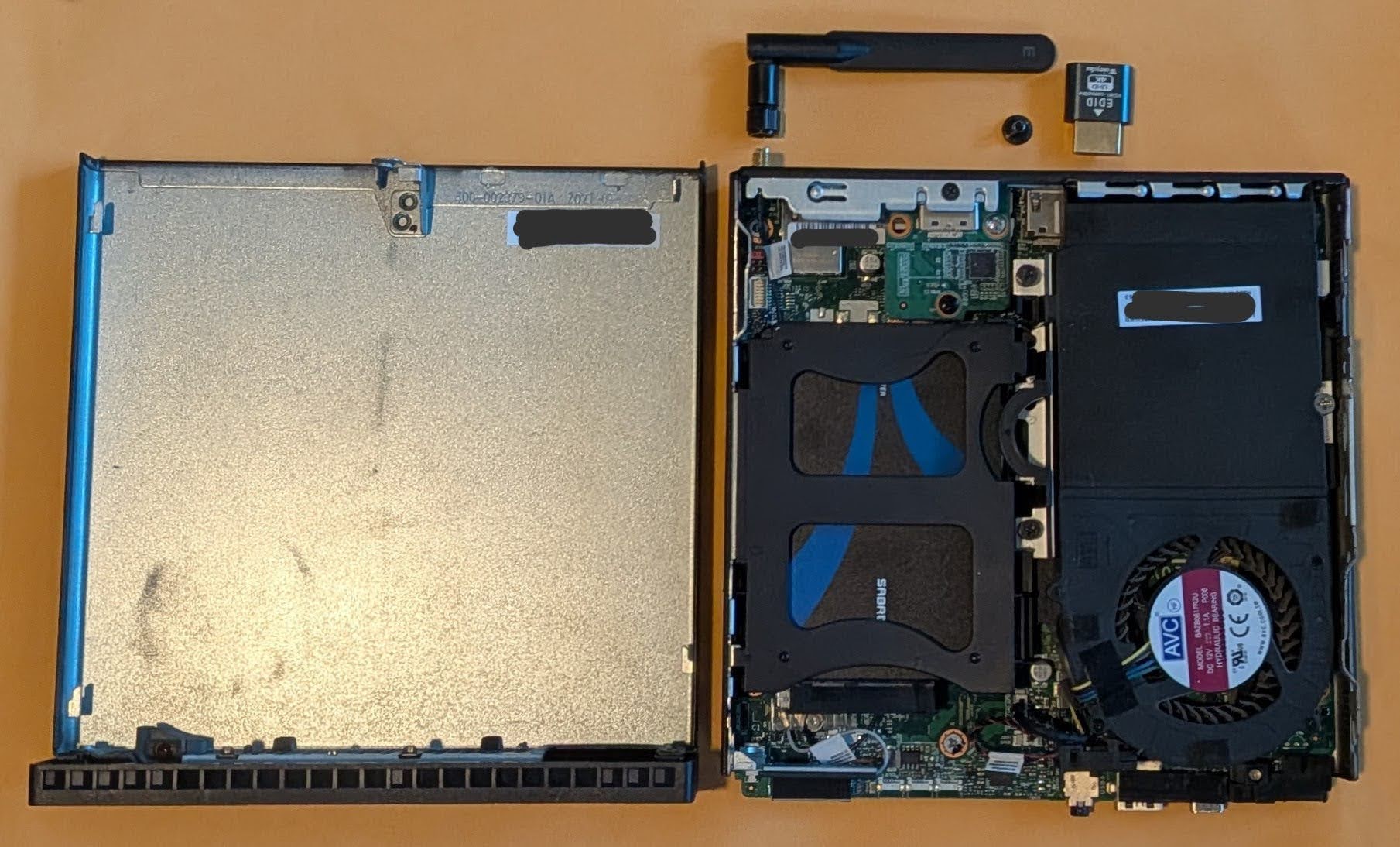
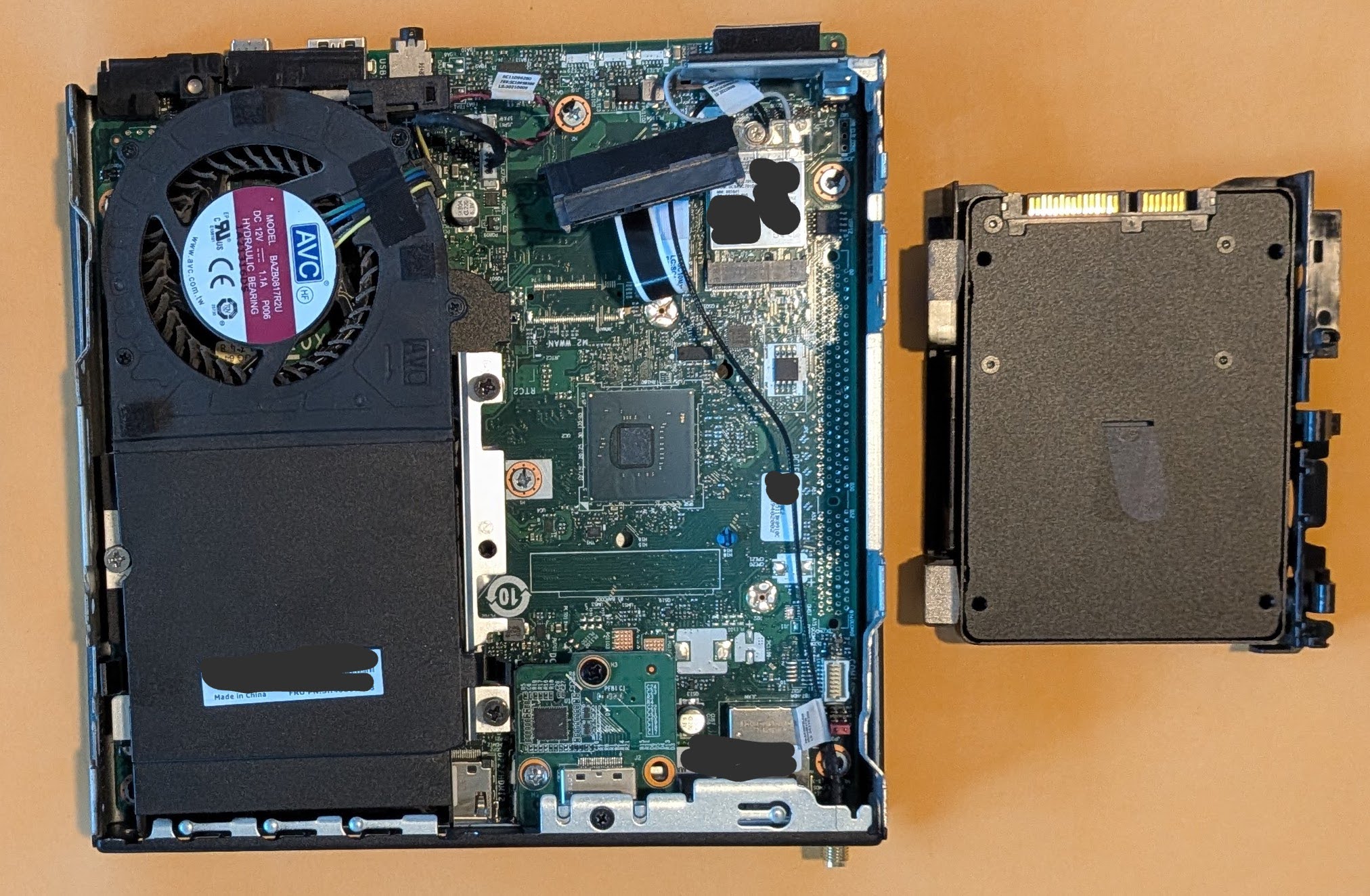
Inside the PC, showing off the hard drive caddy (with SSD inside an adapter)
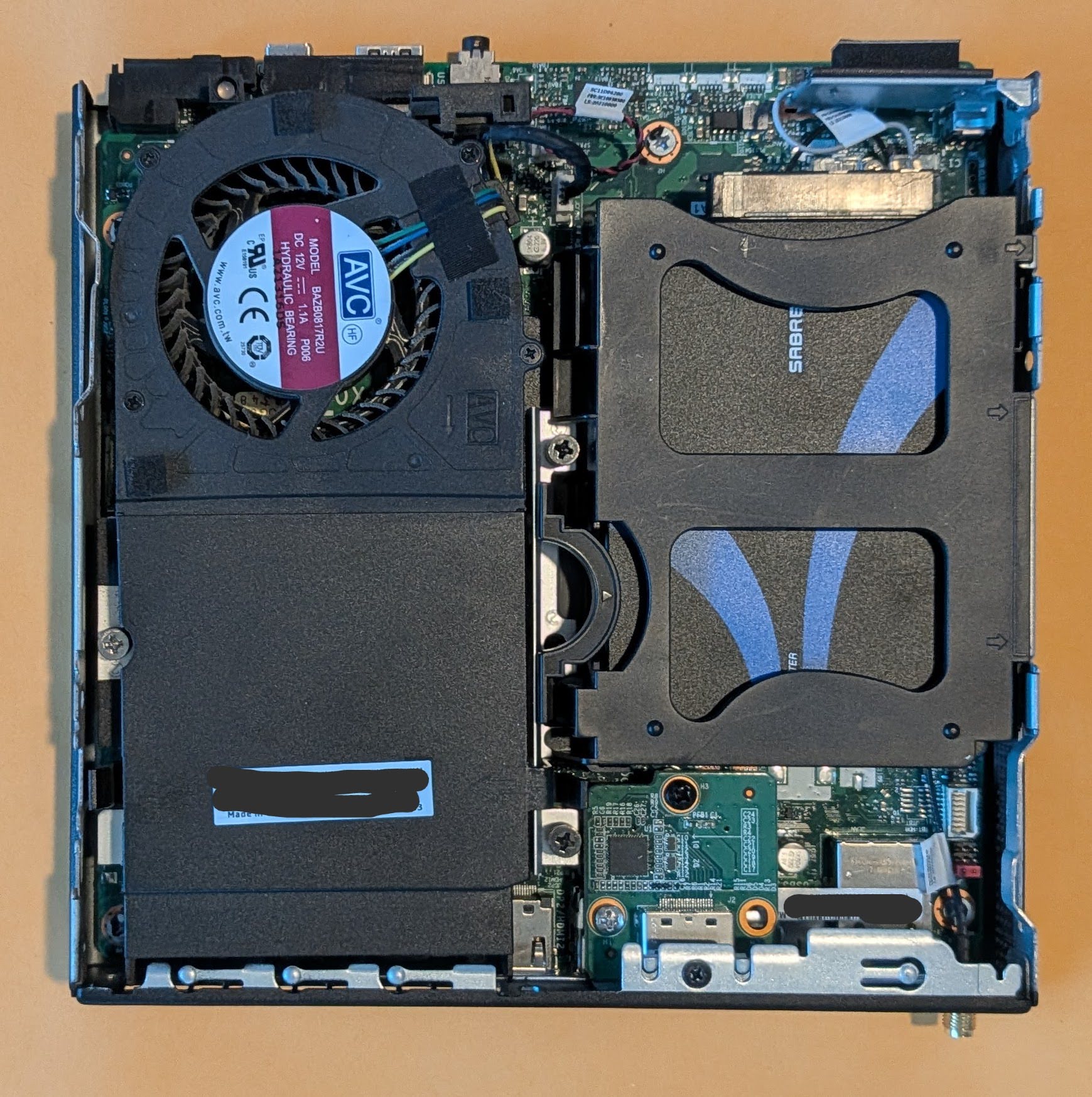
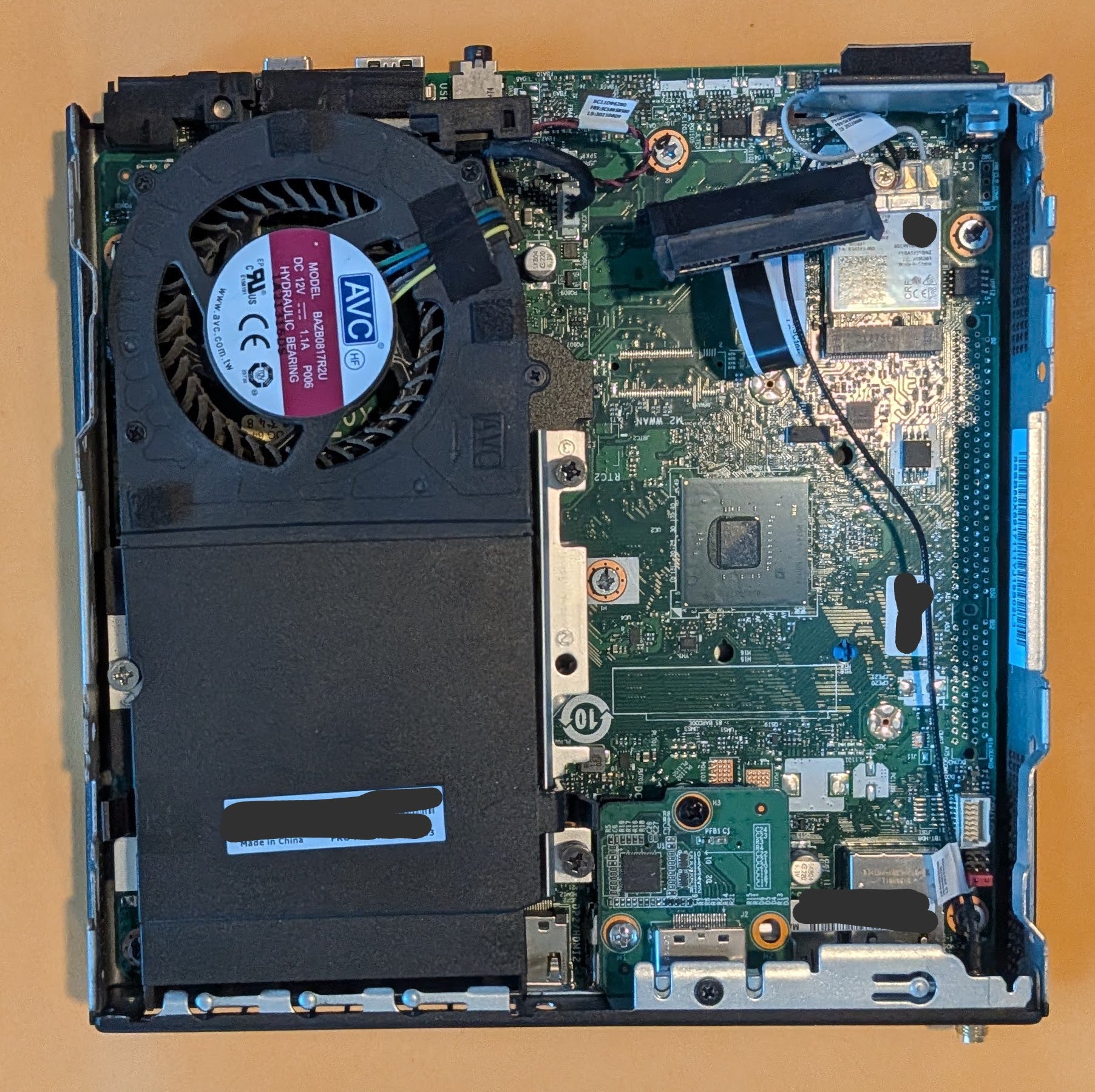
Just the inside of the PC
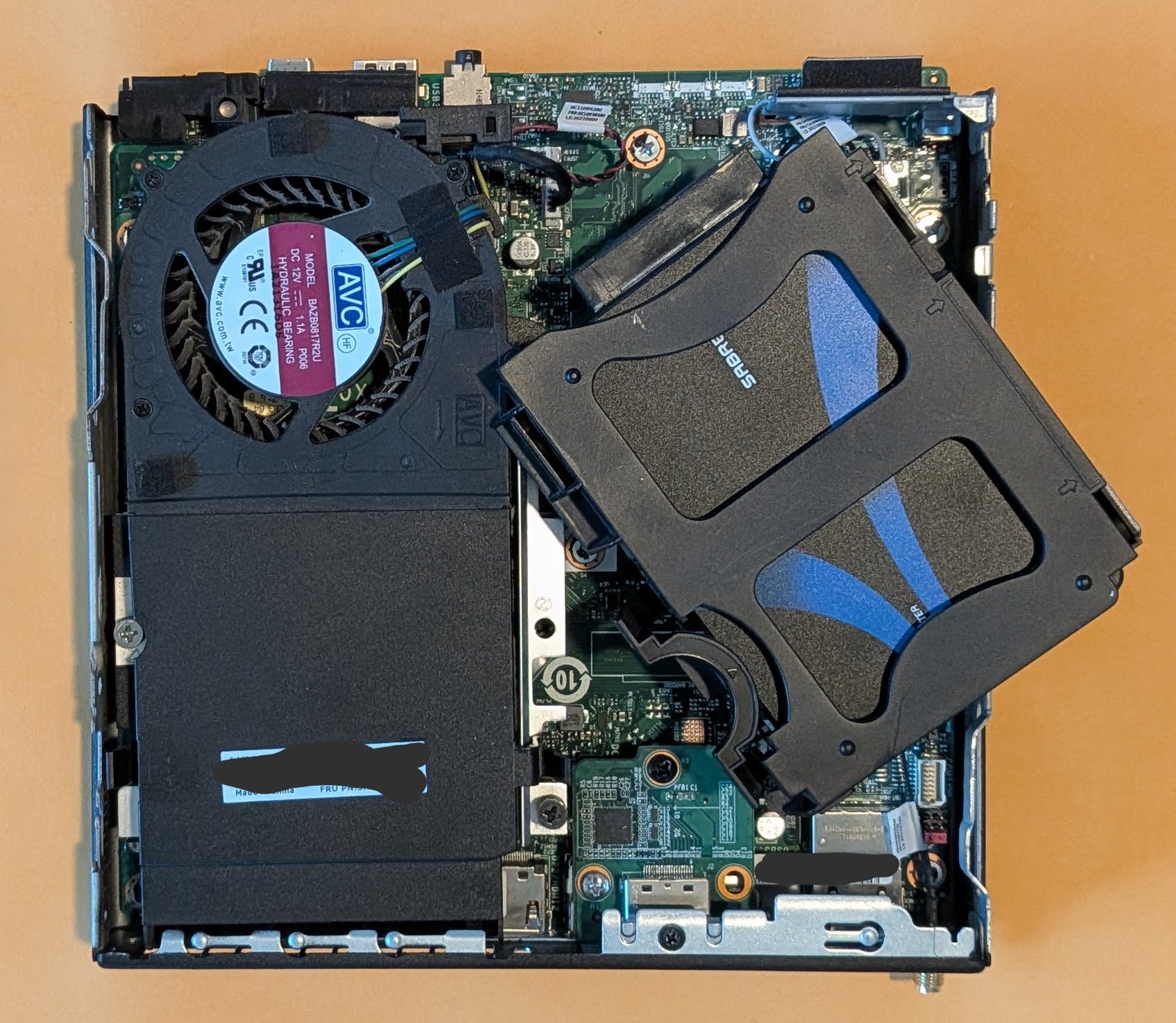
Unclipping the hard drive caddy
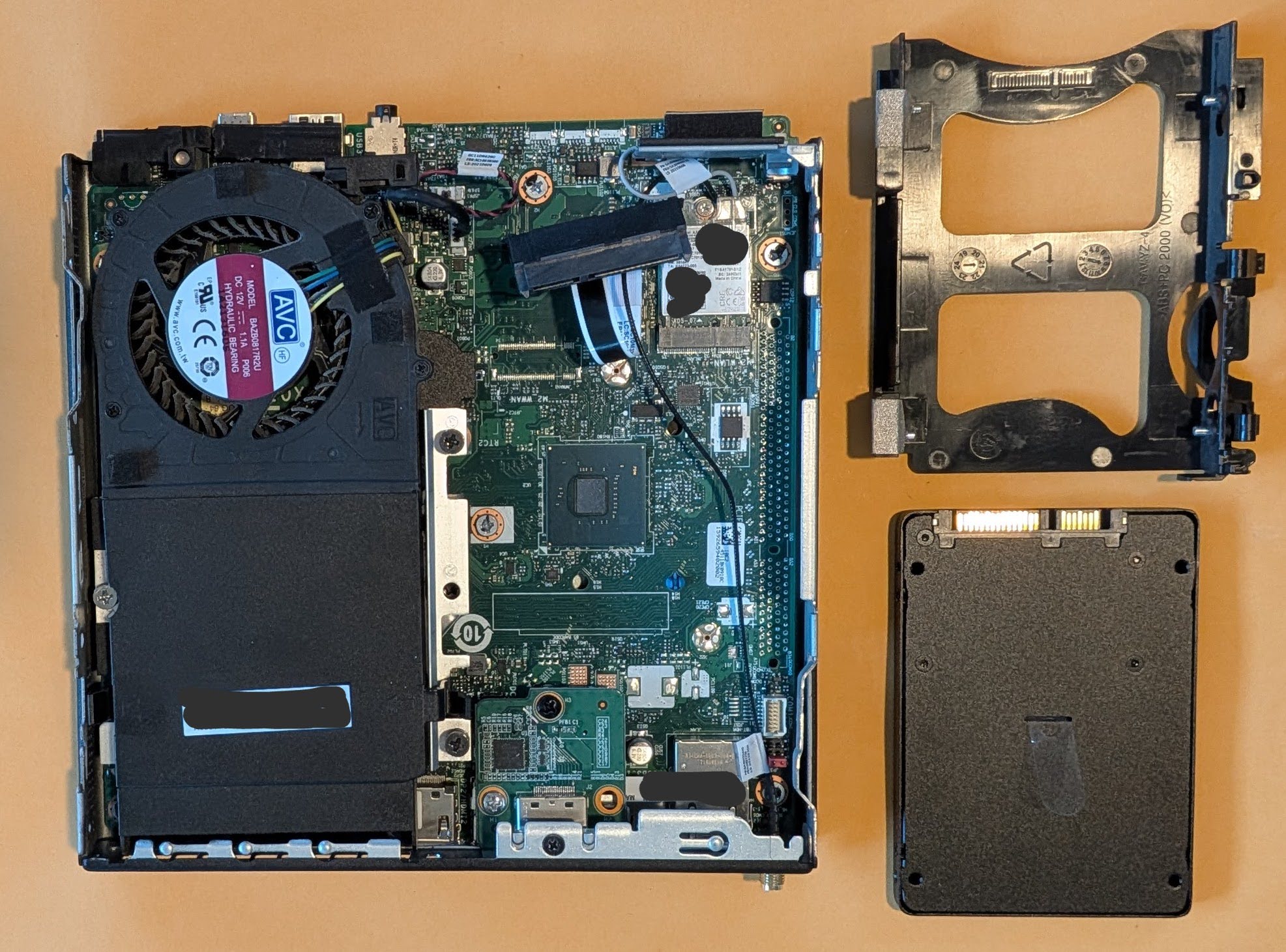
Hard drive caddy, removed
Hard drive removed from caddy
Lenovo ThinkCentre without a SATA hard drive
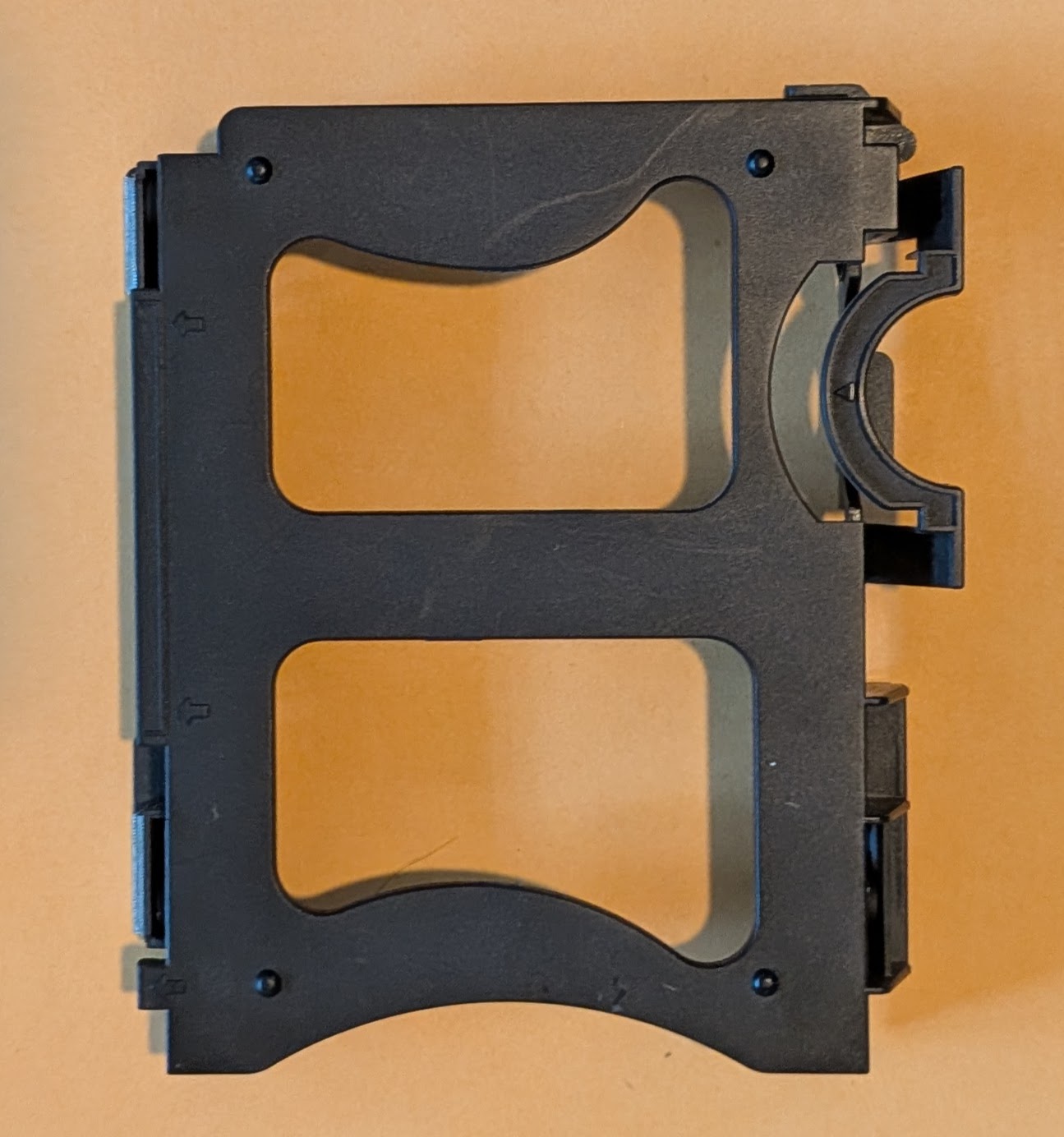
Stock hard drive caddy
I spent way too long designing and redesigning this part before I ever even printed a single version. I consulted the spec sheets for 2.5″ drives, took measurements, approached the design from different angles, and then started over again several times. Sometimes figuring out a design means I have to attack it from different angles. I tried designing it by modeling the entire enclosure, by designing a model of the SATA drive itself first, and by designing a duplicate of the caddy. The caddy that came with my PC has a lot of little fiddly bits and parts that clip onto, over, or into different parts of the case.
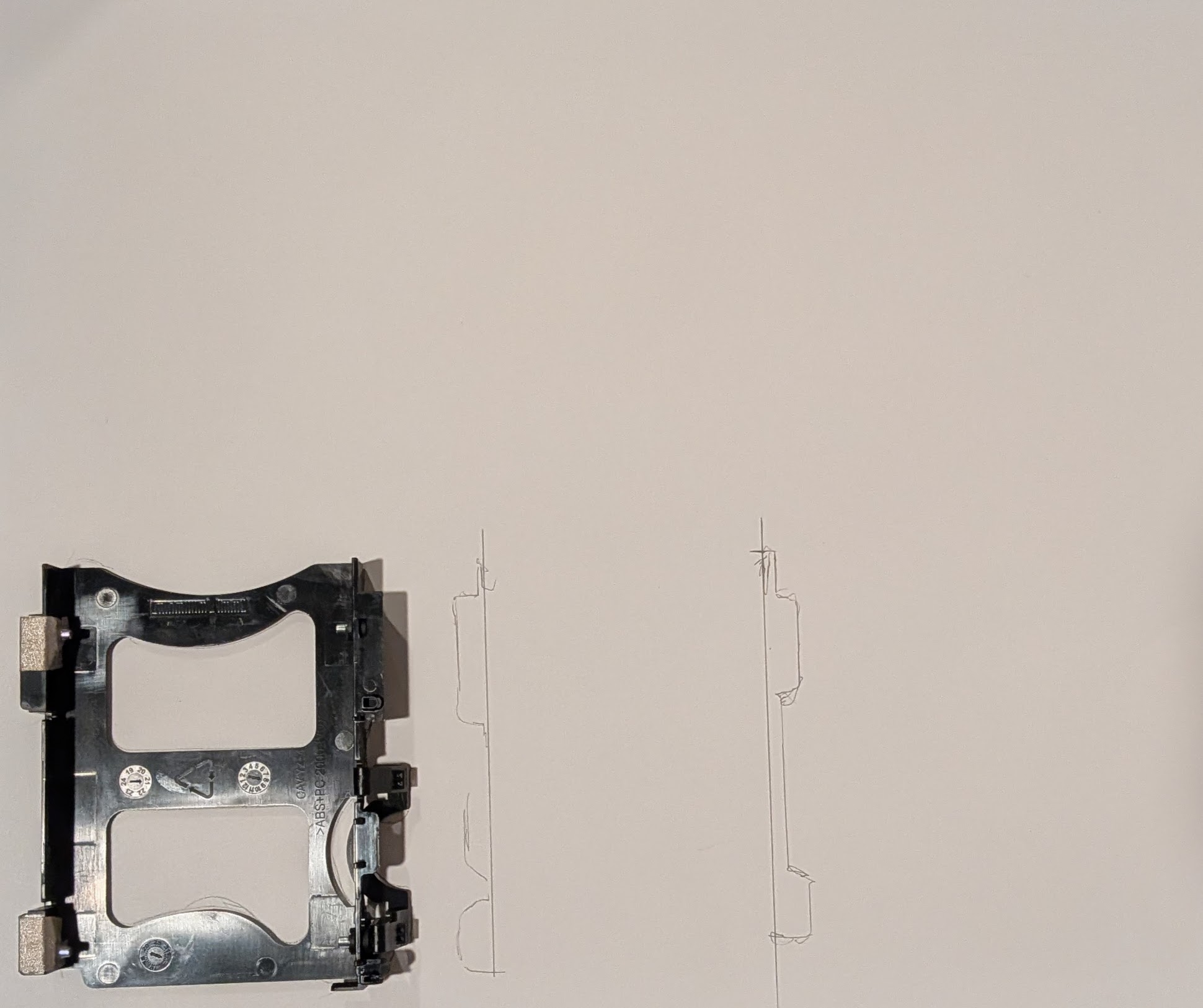
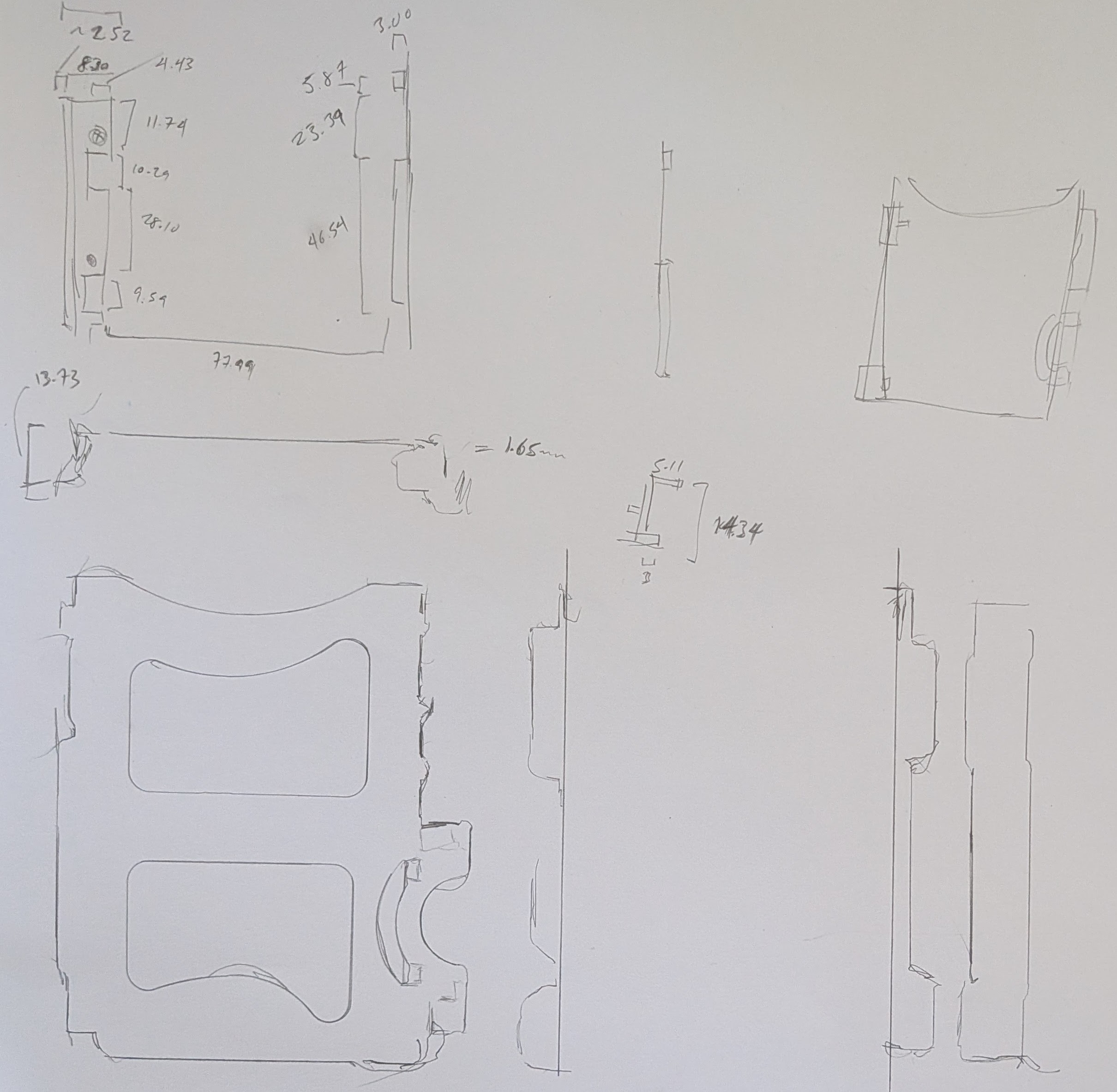
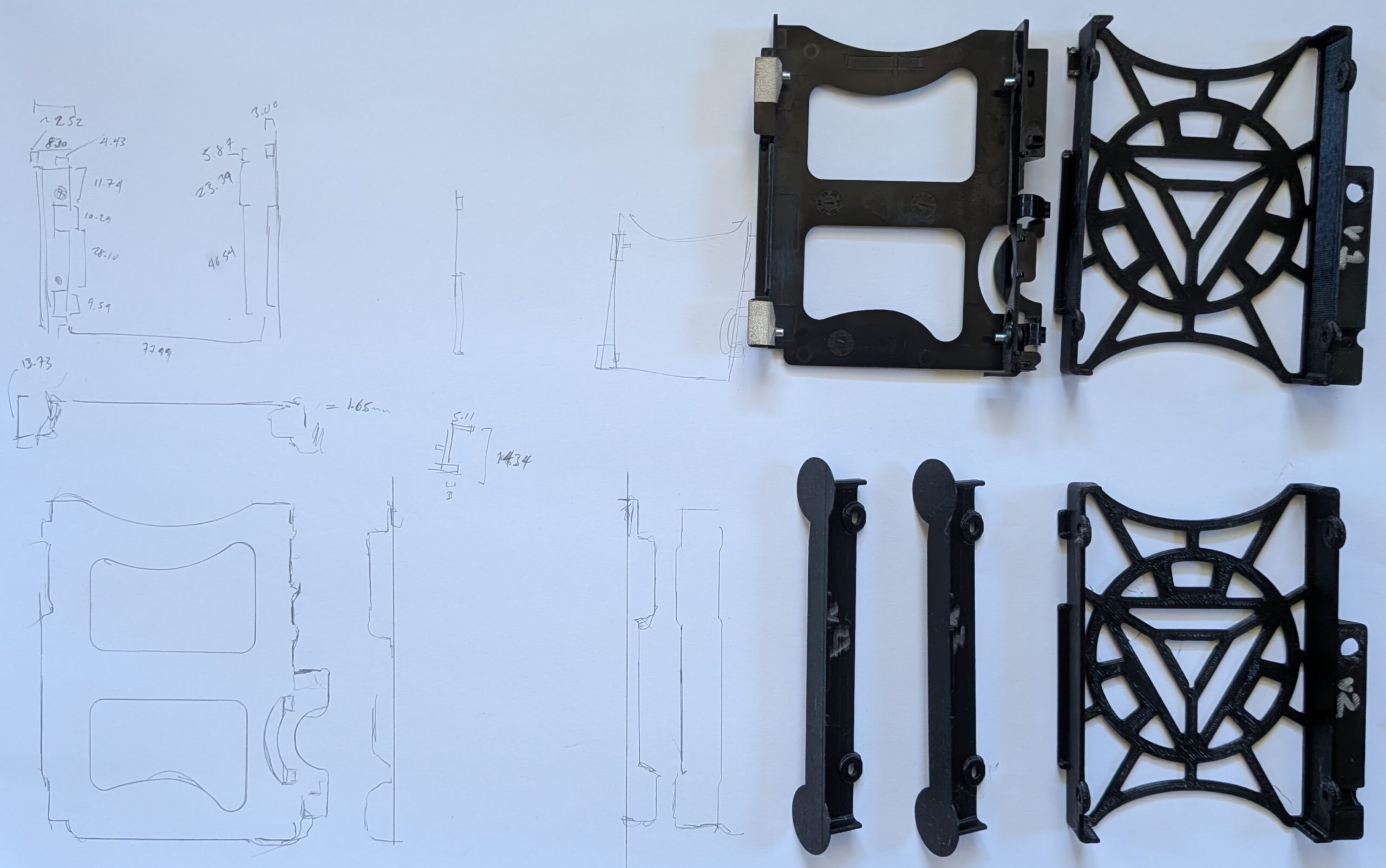
Rather than sketching the entire existing or planned part out, I traced different parts of it onto a large sheet of paper and then annotated it with measurements. I don’t think these ended up helping that much in the final designs, but they did help me have a better sense of how things fit together.
Tracing the hard drive caddy
Hard drive aspects traced out
After many iterations, I decided to design the part based on the rough external dimensions of the existing caddy and scrapping all of the fiddly and clip-on parts. The design includes a void where a bolt screws into a metal bracket to help constrain things in place. I’ve printed the entire caddy three times and parts of it twice more in PLA. While I pride myself on being able to take measurements, design a part, and obtain a successful print in one go … some projects require a bit more trial and error. Some of my measurements were off and I’d made a few incorrect assumptions in my initial design approaches, but I’m really happy with the result.
Sketches and prototypes 1-4
Final OpenSCAD render, top down view
Final OpenSCAD render, oriented for printing
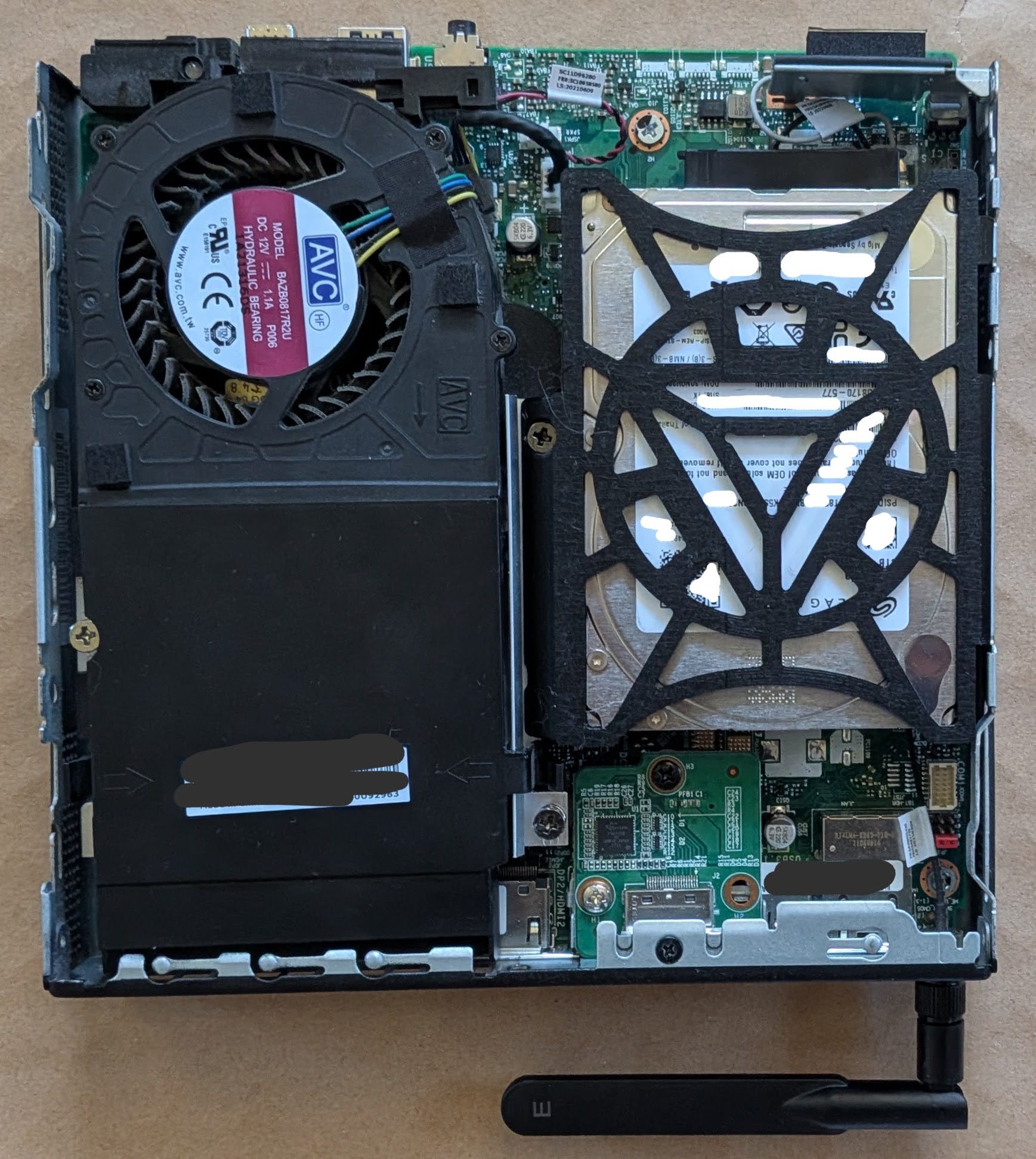
New hard drive caddy, holding a 15mm hard drive, installed
I am very happy with the fit of the final part. With screws holding the drive in place, everything stays very snug, and the part wedges precisely into place. All of the prototypes and the version I fit into the PC are all printed in black PLA, but I’m printing another version in orange PETG since it’s glass point temperature is so much higher than standard PLA and I don’t want the hard drive caddy softening up inside the case. I don’t anticipate anyone other than me will ever open this case up, but if they ever do they’ll get to enjoy the Iron Man arc reactor inspired motif to the hard drive frame.
Despite owning this printer and spool of PETG for nearly 5 years, this is my first time printing with this material. Although it’s been in it’s vacuum sealed pouch all this time, the initial printing looks slightly stringy. I’m hoping it ends up as clean and dimensionally accurate as the PLA prototypes.
Now that this is out of the way, I think the next project is getting the little voice robot to work.
This little banjo ditty from Sesame Street circa 1979 permanently lives in my brain. I’ve played the video for my kids and it’s even become something of a “meme” in our household when someone needs more room.
Anyhow… I want to add more storage space to my Lenovo ThinkCentre Tiny M70q computer. The problem, as one might infer from the name of this particular form factor PC, is that it is pretty tiny and there’s limited space inside. Even so, I have to say it is a very well designed PC case. The PC cover comes off after loosening a single screw in the back1 , hard drive caddy clips into place, the cover for where the RAM sticks are located can also be removed by hand without any tools. It’s just so incredibly modular that swapping out either RAM or a drive would easily take less than a minute. These particular kinds of PC’s appear to be marketed towards office and corporate systems, where there’s an IT department with a box of parts, that can just quickly disconnect a PC, drop in a replacement, or apply a quick fix. With their quiet operation, sturdy metal frame, stock features2, modularity, and price point make them a perfect choice for any office environment. I’m guessing the reason these haven’t taken over the consumer market is because they’re not sexy and don’t have any flashy LED’s.
It also has two small features which I love. The PC comes with a small integrated speaker – so you can play a small sound or sound file without any peripherals. 3 Also, you can buy these very inexpensive little expansion boards to give your PC an extra HDMI, DP, or COM port. I know this might sound like I’m shilling for Lenovo, but I picked this thing up on the secondary market for a hair over $200.
The problem I’m running into is that the stock PC hard drive caddy can only accommodate drives up to about 7-10mm thick and the most storage space you can get in a 7mm drive is 2TB and anything above that pretty much necessitates a 15mm thick drive.
From just a visual inspection456 I believe I can physically insert a 15mm thick drive into the SATA drive area. A quick search of Reddit suggests the only way to do this is to be a complete maniac. One Redditor said he sanded out the tabs which would normally hold a 7mm drive in place, flipped the drive upside down to pop into the metal pins, then had to twist the SATA cable around to connect to the upside down drive. The drive caddy I have doesn’t have those tabs, so it should be possible to mount a thicker drive upside down and put a half twist7 into the ribbon cable, but… I’m not excited about twisting that thin delicate ribbon cable. They’re not super expensive, but they are proprietary and the hassle of putting the device out of commission for a few days while a replacement arrives is not something I feel like risking.
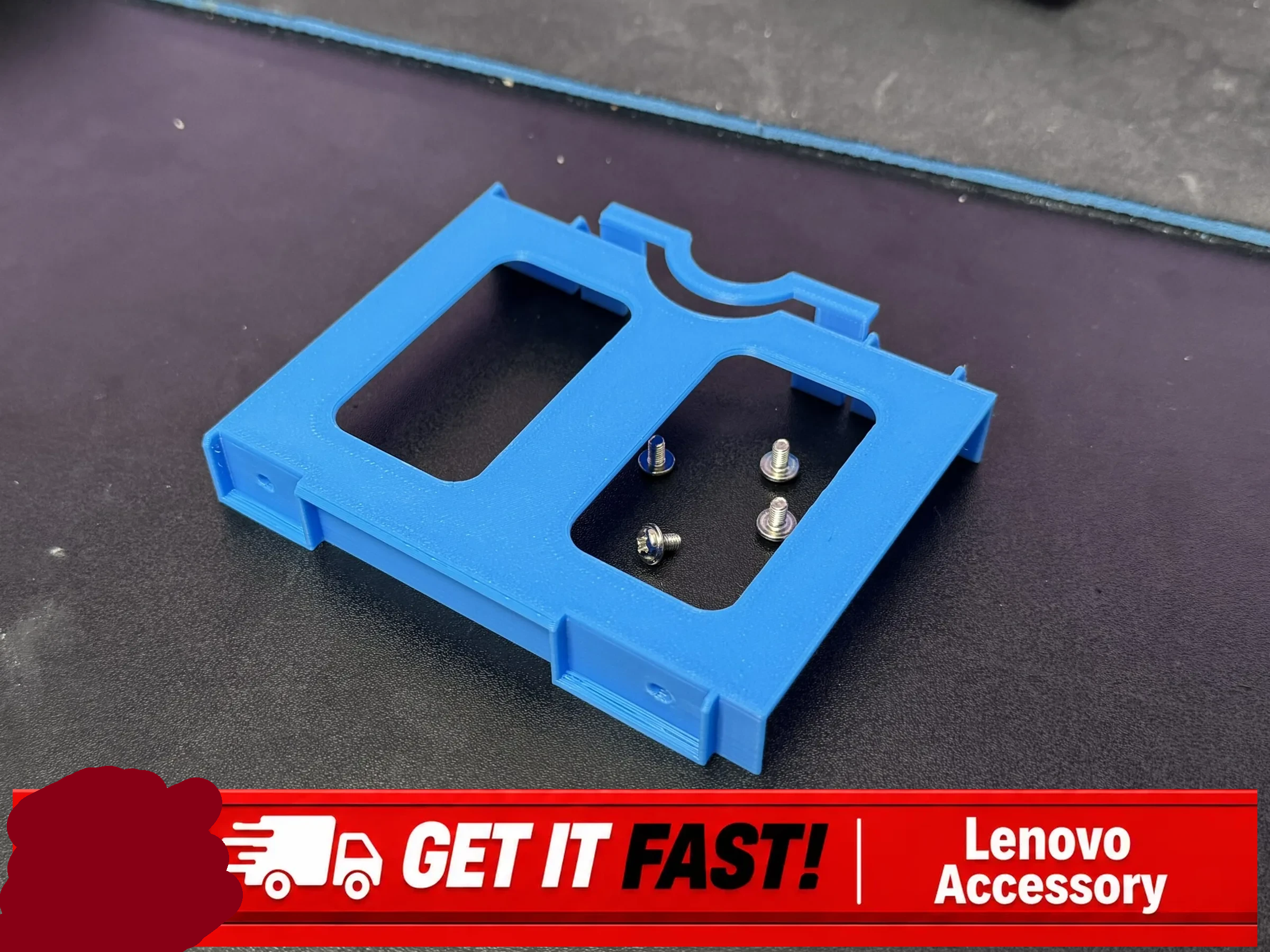
I started searching ebay to see if there were any off the shelf parts to drop a 15mm drive into a ThinkCentre Tiny without success. I did, however, discover this absolute gem for sale on ebay for $20 plus $10 shipping:
Lenovo ThinkCentre Tiny 2.5″ SSD Tray/Caddy by Ropsu11 on MakerWorld
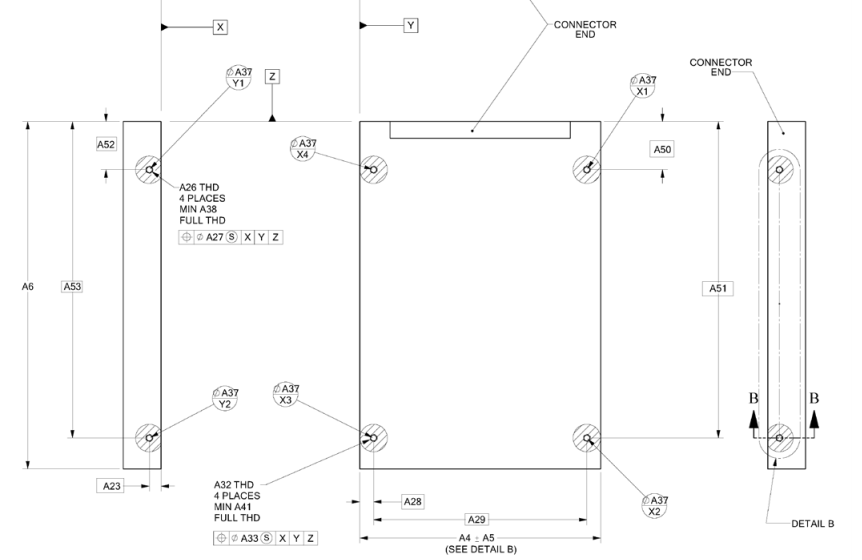
I express no opinion on whether $30 is a good deal for this product, but I couldn’t help notice it certainly has the look of a 3D printed part, which lead me to what I believe is the original file by Ropsu11 on MakerWorld. This looks perfect for my purposes, except that the design would still need to be altered slightly so that I could make it work with a 15mm drive without having to flip it on it’s back.8 I tracked down the specifications for 2.5″ SATA drives so I could figure out just how to adjust the 3D model file. Apparently the screws for SATA drives, irrespective of whether it’s a 5mm or 15mm tall drive, are located 3mm from the bottom of the drive.
2.5″ Form Factor Drive Dimensions (SFF-8201, established 01/19/2018)
The 3D model file was available on MakerWorld as an 3MF file, which I rotated slightly and then converted into an STL using PrusaSlicer. By using a little bit of OpenSCAD magic, I can take the model to center it on the origin. In doing so I discovered the various holes/tabs don’t really seem to line up properly. In an ideal world, I’d be able to adjust the original design files and failing that email or message the creator. Since the creator doesn’t enable messages from users with less than a level 7 on MakerWorld, it looks like I’ll need to try and either adjust or redesign the file myself. The specific locations of the mounting holes should be determined by the SATA drive specifications above – rather than slightly offset by various small amount. By taking the model and mirroring it over the X and Y axes and using the “%” background modifier, I can make sure it’s perfectly centered – but ended up discovering the various holes don’t seem to really line up with one another.
After some fiddling with the STL for that file, I find myself where I usually do after inspecting someone else’s model. I think I’ll just design it myself. Yes, there will be some measurements, possible repeat printing, but I’ll be certain it will fit my machine and new drive – and I can customize it as well.
The only things I have plugged into this device are the stubby wifi antenna, the dummy HDMI plug, the power cable, and sometimes a USB flash drive or device I’m working on. I just want this PC to exist invisibly and silently in the back of my home office doing it’s thing. [↩]
I had one incredibly pompous “doctor” use the word “oculometrics” to describe how he was able to perform a medical examination and make particular measurements. In looking up the word now, it appears it refers to the measurements of eye movements – not one’s ability to measure with just their eyeball perception aided by their brains. [↩]
That, of course, would be considered “cerebral aided oculometrics” 🤮 [↩]
I say “doctor” not because this person was a time traveler with dubious credentials, but because they held themselves out as a doctor of chiropractic. I’m sure people find relief through chiropractic manipulations, but as an orthopedic surgeon once told me … “90% of all back pain goes away on it’s own. So, just because you rub bleu cheese on your back and pain goes away, doesn’t mean it worked.” [↩]
Trigger warning: This post (and potential series) is going to discuss some AI/LLM stuff. That’s only a part of what’s going on, but if you hate all things LLM, then maybe this post isn’t for you.
Reasons for Building a PC
I haven’t built a PC in probably 25 years now. Even then, I had the kind assistance of two friends who knew a lot more about PC building than I ever did. More recently I’ve been interested in building a PC for a variety of reasons:
The intellectual exercise of building something, mostly out of parts, all by myself
Having a PC running Ubuntu / Linux, something I’ve toyed with now and then, but never really tried in earnest. I already eschew most closed source software in favor of open source alternatives1 , so moving to an open source operating system seems almost natural.
Some of my personal information currently resides on a computer I use for work – and I’d like to create a clean separation of these things for a variety of practical reasons.
Having an inexpensive and dedicated box would let me sandbox certain programs, try out different new ideas, and still let me access all this information and processing power remotely, if set up properly.
Yeah, I wouldn’t mind an Iron Man style Jarvis virtual assistant / butler, but the technology is still a fair bit aways as are my own skills and budget for such things.
Building in Parallel
I’ve taken to “building in parallel” for several recent projects. With the recent remote temperature sensor system, I tried taking measurements with an infrared heat gun, then an ESP32C3 module with lots of wires, then several Wemos D1 Mini modules each separately sending data back to my PC. While the ESP32C3 systems were still (mostly) working, I recognized some of the weaknesses and failure points and began working on the Wemos systems and didn’t take the ESP32C3 sensors offline until the Wemos sensors were up and running. There was certainly overlap for a little while, but this also let me calibrate both systems. I enjoyed working on these things, so building an entire second set of sensors in exchange for doubling the price and quadrupling the soldering wasn’t a horrible experience. I’m reminded of a quote from Contact, “First rule in government spending: why build one when you can have two at twice the price?”
As with those sensors, I’ve had some automated projects running constantly lately. Something that downloads a huge work calendar daily, a few simple reminders, something that sends me reminders over a messaging platform, and a few other assorted digital doodads. I’m keeping all of these online, on my work PC, until I can get the Linux box going – then I’ll look forward to closing these down.
Pricing Things Out
As with nearly any learning experience, you end up paying for it one way or another – money, tuition, wasted attempts and materials, time. Partially because I’m just starting out and partially because I’m fairly frugal, I set a budget of ~$2502 If I’m going to spend any money at all, I wanted something that would work – but I’m not ready to drop $5k on RAM/GPU/newest processors. My needs are still modest – and largely covered by my equally modest work computer. It’s an Intel i7 with 32GB RAM in a very small mini PC case, handles email, big spreadsheets, graphic programs, python projects, and even 3D modeling and rendering with OpenSCAD if you give it enough time. It cost $550 before tax, new from Amazon, nearly 4 years ago, and is still going strong.
For this project I contemplated going with a fanless headless system, but these seemed to require special aluminum cases and appeared to be little harder to come by. I thought about tracking down some e-waste resources, Facebook Marketplace, and Craiglist – but all of these require a fair bit of legwork and I feel like they’d also have more than a modest possibility of wasted time. Any new PC would set me back at least $500 through either Amazon or Costco, so I turned to eBay since the rating system provides at least a modicum of quality assurance – if not in the product, at least the seller.
There are a ton of options for older PC’s that can be given a new lease on life with Ubuntu and some extra memory. I’m still pretty biased against Dell, HP, and Gateway for producing sub-par consumer grade computers for myself, family, and friends. Some noodling about and half-hearted research suggested that these brands may produce significantly better enterprise machines than their consumer grade lines. This only irritates me even more, if true. This pretty much left me with Lenovo.
I ended up going with a “Lenovo ThinkCentre M70q Tiny i5-10500T 2.30 GHz” and paid a little extra to have the eBay seller customize it with 32 GB DDR4 RAM total, a 512 GB M.2 NVMe SSD, and throw in the antenna. Besides being fairly accommodating and helpfully communicative, I went with this listing because it fell squarely in my price range / project budget, it already came with the power adapter, they were California, and it could ship very quickly. While I could have easily spent another week or three trying to find a better deal on better and newer equipment, this was always going to be a project running on low end / older equipment and I valued the immediacy of getting to work over the incremental value of a better system. Frankly, just not having to hunt for a compatible power adapter was a huge plus for me.
In the end I purchased the main system from the eBay seller, paid an extra $36 to make sure the system had 32GB of RAM, ordered a used 512GB SSD (they threw in the antenna) from them in a second purchase for $55, a SATA SSD enclosure to re-use an old 500GB SSD, and $7 to grab some HDMI dummy plugs off Amazon. I knew the system would come with 16GB of RAM, but the benefit of “buying up” to 32GB also meant that I knew the machine wouldn’t have two 8GB sticks instead of a single 16GB stick. I could later upgrade from 16GB to 32GB if I had a single 16GB stick to start – but having two 8GB sticks would mean I would later have to get two 16GB sticks.
Anyhow, for those of you playing along at home, here are all the parts for my $284.30 computer system.
Part
Cost
Shipping
Tax
Total
M70q Gen 1(i5-10500T, 16GB, Adapter Incl., No SSD), upgraded to 32GB
$185.99
$5.93
$14.41
$206.33
M.2 SATA SSD to 2.5” SATA adapter enclosure
$10.79
$0.84
$11.63
512 GB NVMe M.2 SSD, antenna
$55.00
$4.13
$59.13
Dummy HDMI Plug
$6.69
$0.52
$7.21
$284.30
I didn’t have to buy the SSD enclosure – but it seemed like a very inexpensive way to double the storage and repurpose my old drive. I didn’t realize I’d need to get an HDMI dummy plug, or even what they were, until I tried to “remote” into the headless box and got a fairly ugly looking desktop instead of the slick Ubuntu desktop. This was probably the least necessary of these purchases. If I kept the system to the PC with the 32GB upgrade, ran the OS off my old SSD in the SATA enclosure, and picked up a $7 antenna off Amazon, the system would have only cost about $213. The extra $59.13 doubled the hard disk space and enabled a more graphically pleasing interface. It’s not much of a splurge and this was never a “build a PC for as little as possible” kind of a challenge anyhow.
The final system is probably on par with my existing 4 year old PC at roughly half the cost. I think it was a “decent” deal and I have a system that I can use to offload a lot of projects. If any of these projects end up requiring more processing power, I’m not even really “out” $285 since I can still keep using this system for other tasks (home automation, running daily scripts, etc).
And, yes, I’m trying to use this PC as a basis for a bundle of scripts I can deterministically interact with via voice input / output as well as certain LLM powered tasks. First, a helpful comic.
And, that kids, is how AI killed human interaction
We’re probably hurtling towards dead internet theory. I can’t search through Google or even DuckDuckGo anymore without having to wade through their AI summaries and then scroll past search results from AI slop. Using ad blockers or setting up a PiHole to block ads and stop tracking from ever touching my PC may impoverish some otherwise worthy websites. However, I simply don’t have to read every advertisement sent in the mail, on the inside of my grocery shopping cart, or every billboard. Yeah, I hate the idea of AI companies boiling oceans of drinking water for their inscrutable purposes…
Reminds me of another quote…
There’s a quote I love by H.L. Mencken; “Every normal man must be tempted, at times, to spit on his hands, hoist the black flag, and begin slitting throats.” What if the best way to filter out AI garbage is to use an LLM to do some of that filtering for me? 34
Searching through any search provider is kinda garbage these days, but there’s no reason I should have to wade through that AI garbage myself. Gone are the days you can drill down to the kind of search results you want by simply adding “-negative_search_terms”, because there’s probably no financial reason for them to permit this.
But what if I created my own search function? I recently tasked an AI with searching up 10 options for a certain product for me on Amazon and it did a mediocre job, finding 7 dead or unavailable listings. But it also saved me a lot of time looking through dozens of pages of crap when I only needed to look through 10 crap listings. With some tinkering, I think I could make a script that would identify negative search terms, perform the search as requested, then remove those that should have been removed with the negative search terms. I could see this being incredibly useful for Ebay and Amazon purchases.
A preview for next time: After some dithering, much watching of youtube videos, I’m going to give Hermes Agent a shot over OpenClaw.
And, yes, I have considered the possibility that an AI company’s aim might be to make everyone distrust the entirety of the internet, then sequester everyone into their own little siloed version of digital reality, everyone watching slightly more targeted ads and Marvel movies than everyone else, and any attempt to use another LLM to filter shit out only results in more precise targeting… [↩]
I went to the hardware store yesterday and was told by someone who worked there in an orange apron that the entire store, inside and out, was covered in Flock cameras. I think this bullshit surveillance is really starting to get to me. [↩]