One step forward, two steps back

As I mentioned, I had installed the Z-axis threaded rods without actually cleaning them first.  It wasn’t that bad to undo the caps, pull them out, and clean them.  In fact, it was kinda fun.

The process involves covering one end of the threaded rod with electrical tape to protect the threads and your drill, inserting that end into an electrical drill, adding 3-in-1 oil to the rod, and running the drill while holding a paper towel to the threads with a thumbnail.  It worked great and went much easier than I thought it would be.  I also used this opportunity to lower the threaded rods into the lower section of the MakerBot.  I’ll need to make sure they don’t get caught on any wires, but that will be all part of the process of zip tying all of the wires down anyhow.

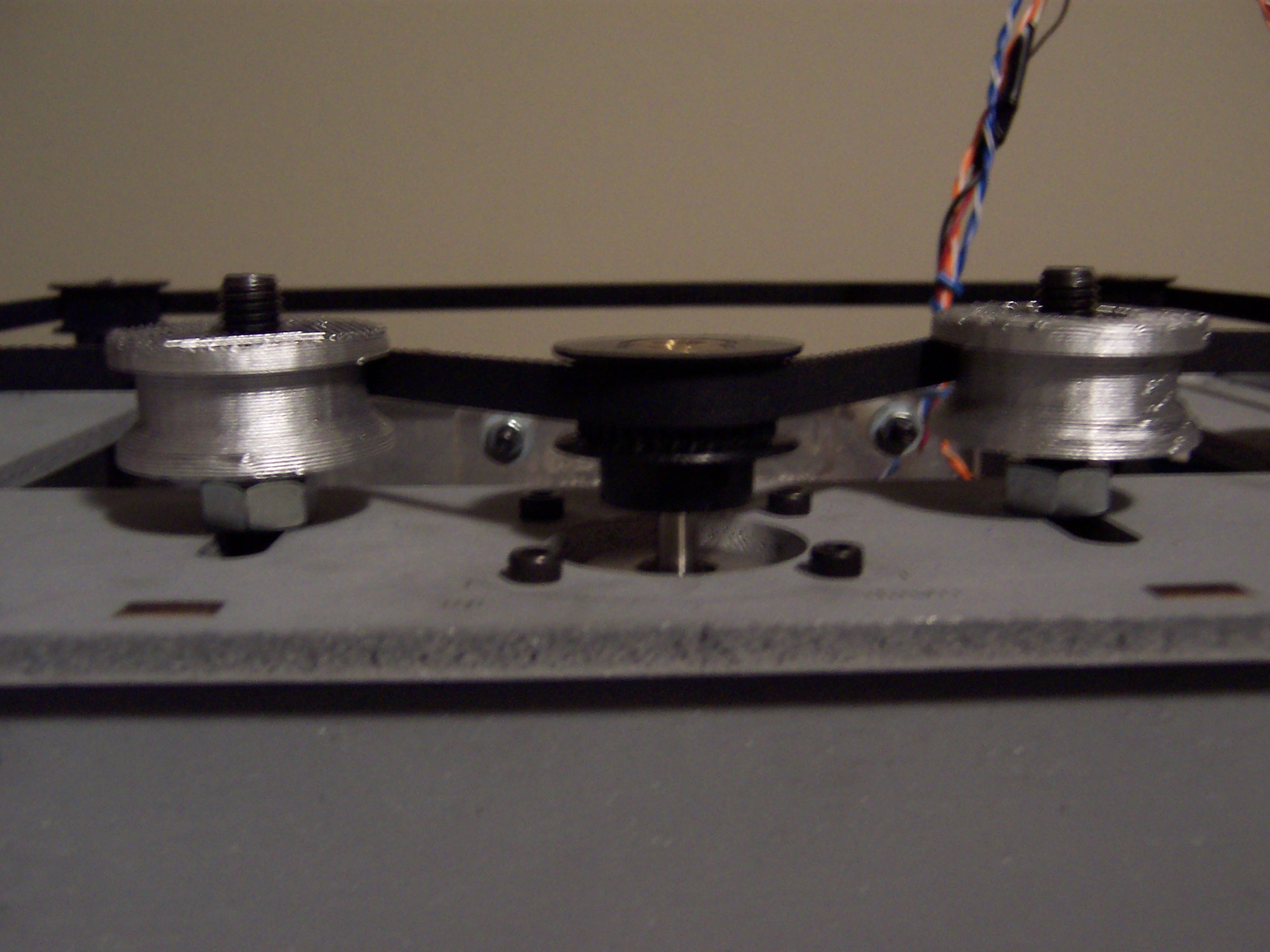
Since I was going over things I had already done, I went ahead and also tightened up the Y-axis pulley.  It’s kind of a pain to adjust once the XY stage is installed, but I happen to have a very small adjustable wrench that was able to reach underneath the XY stage.

Christmas robot shopping

I went to the hardware store after work today to pick up the items on my shopping list.  Walking to their register I fell victim to their bargain basement aisle.  In the process I dropped the $3 superglue I had found and picked up four times as much for $2.  Sure, its a no-name house brand…  but as long as its reasonably sticky there shouldn’t be any problems.

I also picked up some 3-in-1 oil for the various rods.  I installed the Z-axis rods without cleaning them properly (too enthusiastic to get building).  I also bought a large flexible magnet in sheet form (the kind used for fridge magnets – only in an 8.5″ x 11″ size), work gloves, and another utility knife.

Adding the circuit boards

Once I had the opto-endstops all soldered up, I really wanted to keep going.  I made the Y-endstop cables, bolted the opto-endstops on, and bolted the motherboard and stepper motor boards to the MakerBot.  Clipped in the cables and it looks like a robot after all!  I’m going to need to organize those cables, but that will have to wait until all the other parts are in place.

An interesting side note – as I was moving the various axes someone noticed that little lights started flashing on the stepper motor boards!  Cool!  I presume moving the platform caused the motors to act like generators and pushing power to the boards, lighting up the LED’s.

Once the opto-endstops were done, I couldn’t resist bolting them on.  Once I started doing that, I wanted to make the Y-endstop cables, then the ribbon cables, and wire it all up.

If nothing else, it looks like a robot now!

Things I learned while soldering opto-endstops

The opto-endstops marked the very first parts I had to solder for this MakerBot.  Not having soldering anything more complicated than two wires together, this was an adventure and learning experience.  Here’s what I learned today:

  • The 3-pin connectors used for two of the opto-endstops (on the Y-axis stage) are in the Generation 3 MakerBot Electronics Kit (Mostly Assembled) with some of the other connector bits.  I was a little confused about this for a while.
  • It helps to lay out all the little bits in an organized fashion beforehand.
  • Keep a long thin rigid stick handy for bending delicate leads into the circuit board holes.
  • Although I read the RepRap electronics fabrication guide and found it helpful, I still felt a little lost.  I found the most effective way to solder the parts in was to:
    • Get the soldering iron good and hot
    • Put the leads through the holes
    • Bend the leads a little so that they stayed in place
    • Flipped the board over so the leads were sticking up
    • Touched the solder to where I wanted the joint
    • Gently stroked the solder with the soldering iron tip towards the joint
    • This process seemed to create a pretty good joint
  • You’re going to burn a finger at some point, accept it.1
  • This almost goes without saying, but go slowly.
  • Check and double check the orientation and placements.
  • I found it helpful to take a large sheet of aluminum foil and shape it into a tray.  This helped contain the parts I was working on and was a good way to catch the flying leads that I clipped off.
  1. I burned two. []

Opto-Endstops arrived today!

Huzzah!  I have been both excited and a little bit apprehensive about these parts.  I have to admit I was almost relieved that they were accidentally swapped out – forcing me to skip their assembly for a little while.  Now that they’ve arrived I need to actually solder these itty bitty parts.

I have a soldering kit I use about once or twice a year – and never for anything more interesting than connecting two wires.  For some reason I find soldering little bits more intimidating.  With my trusty soldering iron and a steady hand, on to adventure! 1

  1. “Oh, sister Magdelene won’t you fetch the
    Doctor’s flask.
    He is going to need a steady…
    A steady hand”
    Cracker – Take me down to the infirmary []

Shopping list

I’ll need a few extra things to get going:

  • Superglue for the idler pulley and bearing
  • 3-in-1 oil for the rods (I need to clean the threaded rods).  It will be a little bit of a pain to pull them out of the MakerBot, but I want to make sure I’ve done everything I can to make the robot work properly.
  • Popsicle sticks
  • Daft Punk

Things I learned while assembling my MakerBot

I’ve assembled quite a lot of my MakerBot today.  This entailed assembling and putting together the X axis stage, Y axis stage, pulleys, putting gears on stepper motors, mounting gears, putting in the slider rods, Z axis threaded rods, bolting on the motors, and assembling the two “dinos.”

  • If you’ve got a Batch 9 MakerBot, definitely install the Z-axis after assembling the body of the MakerBot.
  • Put off adding the Z-stage/extruder-stage for as long as you can.  It will just be in the way.
  • Keep that sandpaper handy – you may need to sand down some tabs or widen slots or holes to make things fit, especially if you painted your MakerBot.
  • If the smooth slider rods are just a smidge too short, they will slide back and forth causing a little extra noise as your MakerBot operates.  I haven’t gotten mine running yet, but I have read this is the case.  I noticed that one of the slider rods for the X axis on my Batch 9 MakerBot was about 1mm too short.  When I put the caps on, I noticed that it still had some wiggle room.  I took a scrap of paper towel, folded it up so that it would push up against the end of the rod, and clamped it down.  There’s no wiggle room now, so hopefully that’s it.
  • Make sure the top bearing is just under the top edge of the top panel.  This is in the directions, but it’s really important to make sure everything spins freely.
  • Putting gears on the stepper motors is tough!  Even when you back the tightening screws on the gears out as much as you can, the fit is incredibly snug.  I eventually sanded the inside of the gear slightly, put the motor on cardboard, and then pushing downwards slowly and forcefully.
  • When you’re installing the geared belts, get them as level as you can manage.
    • For the top stage this will involve adding/subtracting washers/nuts from the printed pulleys as well as adjusting the gear’s placement on the stepper motor.
    • For the X and Y stages, the height would essentially be dictated by the height of the belt on the clamps.  The height of the belt on the clamp is essentially set, so the pulleys and gear on the stepper need to be matched to that.
  • When assembling the carriages with the plastic sliders, the instructions suggest you may need to sand the circular hole they fit into.  Just make a point of sanding them, if they’re tight they could affect the looseness of the stage on the rods.
  • Inspect your Y-stage pulley (this is the smallest printed pulley) to make sure the top is level and there are no protuberances.  Even a little bit of a nub will prevent it from rotating properly.
  • The easiest way to remove the itty-bitty sticky-paper protective acrylic cover is to use a razor blade or exacto-knife to pop them off.  You probably don’t need to, but it’s an aesthetic thing.

Additional parts and tools required for Deluxe kit

Although I have the CupCake CNC Deluxe kit, there are still some parts and tools required.  If you’re getting ready to build your own MakerBot, here’s what else you’d need to build everything in one go:

  • Primer, paint, masks, cardboard, duct tape, and pen – if you’re painting.  While the other stuff is obvious, I found the pen handy for labeling the cardboard next to the parts that had to be painted differently from other nearby parts.
  • Sandpaper for sanding down punch-out-nubs and leveling off plastic parts so they’ll fit.  Based upon my enormous background in robot building, I’d recommend a super fine sandpaper for the nubby bits wooden bits and a medium course sandpaper for sanding down plastic parts.  You won’t need much, so there’s no need to buy a whole pack.  You may also need the course sandpaper for widening the openings for the plastic sliders on the X and Y axis platforms and/or to make some of the tabs fit better if you’ve painted.
  • 3-in-1 oil is needed for the various slides/rods and as part of the cleaning of the Z-axis threaded rods.
  • Paper towels are just a good thing to have around.  Damp they’ll help you wipe down a little bit of the fine ash left by the lasercutter.
  • Electrical tape and an electric drill along with paper towels and 3-in-1 oil are used for the recommended method for cleaning the threaded rods.
  • Zip ties for organizing cables.  But, seriously, you should just have these necessities anyhow.  They’re good for everything.  If you’re going out for zip ties, I’d highly recommend picking up (1) an assortment of colors/sizes in a large pack (2) a pack of uniformly colored small zip ties and (3) a pack of uniformly colored large zip ties.
  • Hot glue gun, hot glue sticks are needed for affixing the plastic sliders on the X and Y axis stages.  Like zip ties, if you have these around you’re going to find they’re a good solution for a lot of problems.  It’s like Windex that way.
  • Popsicle sticks and black paint are needed for completing and installing the opto-endstops.
  • An exacto-knife or razor blade will come in very handy for removing the very very tiny bits of protective cover on the acrylic lasercut parts.
  • Super glue is needed for affixing a pulley to the idler pulley and for laminating some parts of the two “dinos.”

Stopping for now

The body of the MakerBot is complete, rods in, X and Y stages in, pulleys and belts on, motors bolted on.  No opto-ends stops yet for obvious reasons.  The opto-endstops also require popsicle sticks.

On to the plastruder.  I put together the Weird Dino and the Tall Dino, but the idler pulley requires super glue.  I don’t happen to have any lying around, so I’ll need to go out to the hardware store.  But, this is as good a spot to stop as any.

I originally intended to document each step – but the directions on the MakerBot wiki are so good that there’s just no need.  So, the pictures you’re going to see are going to basically jump from a bunch of spraypainted wood giant chunks of the robot already bolted together.

The build process, much of what consists of fitting pieces together and using the MakerBot “t-slot” semi-captive nut method, is very intuitive, relatively easy, and extremely gratifying.  Sometimes its a little bit of effort to get that nut in the notch properly, but it was never that bad.