MakerBot on CBS! [07/07/2010]

[This was an entire blog.  I changed one grammatical fix, but it’s otherwise the same exact post I wrote 16 years ago and abandoned.  While I’m still very nostalgic for the days of the MakerBot-that-was, I’m probably even more glad that 3D printing went so mainstream that every farmer’s market across America has multiple stalls selling 3D printed flexi-dragons and keychains.  We’re well past the days of 3D printing operators creating makeshift nozzles from drilling out nuts and wrapping nichrome wire by hand and more into being able to pick up a roll of filament somewhere in your neighborhood.  Yes, it means more 3D printed garbage sitting on shelves, but it also means regular people have a chance to actually innovate and iterate things without significant tooling and manufacturing barriers.]

In case you missed it, here’s the CBS piece on MakerBot and a “web extra” that didn’t make it to air during the televised interview.

I didn’t realize this, but apparently all the press from MakerBot hitting CBS evening news was enough to crush their website.  As best as I can tell at least some portions of their website are hosted on the Amazon cloud.  That’s a LOT of traffic.   As they say, success is a good problem to have.

As a purely self-interested person I really like the idea of more and more people having access to a MakerBot or RepRap.  The more these technologies are available, the easier it will be to get replacement parts and extra plastic.  Perhaps more importantly, the more people using personal fabrication technology the more designs and upgrades and developments we’ll see.

Just imagine – someone who watched that CBS episode or those video clips has an amazing idea right now and the only thing holding them back is getting their paws on a MakerBot.  Did you notice the little poll box on one of those CBS pages?  When asked, “Do you plan to buy a 3-D printer within the next year?”  82% of respondents “Yes”, 12% were undecided.

Did you also notice NO ONE voted for “Screw this, I don’t want to live in the future!”

Drafts Zero - The Lost Blog Posts
  1. Misnamer [11/28/2010]
  2. The Lost Blog Posts
  3. Plastruder! [Draft 12/25/2009]
  4. UNTITLED [Draft 12/25/2009]
  5. Preparing to print [Draft 12/27/2009]
  6. More prints [Draft 01/04/2010]
  7. Prototype Pricing [Draft 01/19/2010]
  8. MakerBot tuning [Draft 01/20/2010]
  9. Plastic Screw Anchor [Draft 02/02/2010]
  10. Magic [Draft 02/03/2010]
  11. How are you printing with PLA? [Draft 02/16/2010]
  12. Rebuilding my extruder [Draft 02/16/2010]
  13. MY robot [Draft 02/18/2010]
  14. more things i learned [Draft 02/20/2010]
  15. First commissioned piece! [Draft 02/22/2010]
  16. MakerBot: Toy or Tool? [02/25/2010]
  17. Idea for Skeinforge settings… [Draft 03/27/2010]
  18. RepRap and MakerBot alternatives [Draft 04/05/2010]
  19. RepRap Parts for Sale [Draft 04/07/2010]
  20. Where is the Othercutter? [Draft 06/08/2015]
  21. Mendel Parts – Printed, Cast, CNC’d, Lasercut or Injection Molded? [Draft 04/12/2010]
  22. MakerBot Operator’s Manual [06/04/20210]
  23. MakerBot on CBS! [07/07/2010]
  24. New Print: Soft-Pawed Albino Stoat of South Wales Cookie Cutter [07/07/2010]
  25. House calls [07/11/2010]
  26. Digital assistant? [08/05/2010]
  27. MakerBot + Junk = Stuff! [08/06/2010]
  28. Design choices in RepRap, Goals of RepRap [08/14/2010]
  29. Upgrades and obsolescence [08/25/2010]
  30. Dear Anonymous [08/25/2010]
  31. The ultimate in customer service [08/26/2010]
  32. Open Source Makes You Smarter [08/27/2010]
  33. Getting my Plastruder MK5 running [09/06/2010]
  34. Weird new kind of spam [09/19/2010]
  35. An open letter to Ms. Word [10/18/2010]
  36. Printing with PLA again! [10/18/2010]
  37. Halloween costume too [10/27/2010]
  38. Dream jobs [10/29/2010]
  39. The nuances of time travel [10/31/2010]
  40. Printed Pink Panther Person [11/22/2010]
  41. Skein them all and let ‘Bot sort them all out [11/24/2010]
  42. The Patents for disc shooters [12/10/2010]
  43. Princess Bride with Lightsabers [12/13/2010]
  44. Dilbert comic [12/13/2010]
  45. Ultimachine PLA review [12/15/2010]
  46. Mendel to the power of 101 [12/21/2010]
  47. Potential improvements for Leonardo Voltron [12/27/20210]
  48. You can keep your filthy money [12/28/2010]
  49. I watched Primer the other night [12/30/2010]

MakerBot Operator’s Manual [06/04/20210]

[This post had no content – except a link to a Google Groups post under the MakerBot Operators group.  Since I use this website as a lab notebook, this would have been a good place to preserve this kind of basic “start up guide” information for a MakerBot.]

operators guide ?

Drafts Zero - The Lost Blog Posts
  1. Misnamer [11/28/2010]
  2. The Lost Blog Posts
  3. Plastruder! [Draft 12/25/2009]
  4. UNTITLED [Draft 12/25/2009]
  5. Preparing to print [Draft 12/27/2009]
  6. More prints [Draft 01/04/2010]
  7. Prototype Pricing [Draft 01/19/2010]
  8. MakerBot tuning [Draft 01/20/2010]
  9. Plastic Screw Anchor [Draft 02/02/2010]
  10. Magic [Draft 02/03/2010]
  11. How are you printing with PLA? [Draft 02/16/2010]
  12. Rebuilding my extruder [Draft 02/16/2010]
  13. MY robot [Draft 02/18/2010]
  14. more things i learned [Draft 02/20/2010]
  15. First commissioned piece! [Draft 02/22/2010]
  16. MakerBot: Toy or Tool? [02/25/2010]
  17. Idea for Skeinforge settings… [Draft 03/27/2010]
  18. RepRap and MakerBot alternatives [Draft 04/05/2010]
  19. RepRap Parts for Sale [Draft 04/07/2010]
  20. Where is the Othercutter? [Draft 06/08/2015]
  21. Mendel Parts – Printed, Cast, CNC’d, Lasercut or Injection Molded? [Draft 04/12/2010]
  22. MakerBot Operator’s Manual [06/04/20210]
  23. MakerBot on CBS! [07/07/2010]
  24. New Print: Soft-Pawed Albino Stoat of South Wales Cookie Cutter [07/07/2010]
  25. House calls [07/11/2010]
  26. Digital assistant? [08/05/2010]
  27. MakerBot + Junk = Stuff! [08/06/2010]
  28. Design choices in RepRap, Goals of RepRap [08/14/2010]
  29. Upgrades and obsolescence [08/25/2010]
  30. Dear Anonymous [08/25/2010]
  31. The ultimate in customer service [08/26/2010]
  32. Open Source Makes You Smarter [08/27/2010]
  33. Getting my Plastruder MK5 running [09/06/2010]
  34. Weird new kind of spam [09/19/2010]
  35. An open letter to Ms. Word [10/18/2010]
  36. Printing with PLA again! [10/18/2010]
  37. Halloween costume too [10/27/2010]
  38. Dream jobs [10/29/2010]
  39. The nuances of time travel [10/31/2010]
  40. Printed Pink Panther Person [11/22/2010]
  41. Skein them all and let ‘Bot sort them all out [11/24/2010]
  42. The Patents for disc shooters [12/10/2010]
  43. Princess Bride with Lightsabers [12/13/2010]
  44. Dilbert comic [12/13/2010]
  45. Ultimachine PLA review [12/15/2010]
  46. Mendel to the power of 101 [12/21/2010]
  47. Potential improvements for Leonardo Voltron [12/27/20210]
  48. You can keep your filthy money [12/28/2010]
  49. I watched Primer the other night [12/30/2010]

Mendel Parts – Printed, Cast, CNC’d, Lasercut or Injection Molded? [Draft 04/12/2010]

[This draft post is over 16 years old.  Back in 2010 RepRap was exploding.  People were cranking out 3D printed RepRap Mendel parts, then people started selling parts cast from 3D printed parts, then selling the actual molds?!  I think I was going to discuss the quality of 3D printed parts, their molded counterparts, and other options.  Back in mid-2009 the MakerBot was launched with zero 3D printed parts, everything made from lasercut pieces of thin plywood.]

quality of molded parts

comparison of cnc, molded, etc parts

Drafts Zero - The Lost Blog Posts
  1. Misnamer [11/28/2010]
  2. The Lost Blog Posts
  3. Plastruder! [Draft 12/25/2009]
  4. UNTITLED [Draft 12/25/2009]
  5. Preparing to print [Draft 12/27/2009]
  6. More prints [Draft 01/04/2010]
  7. Prototype Pricing [Draft 01/19/2010]
  8. MakerBot tuning [Draft 01/20/2010]
  9. Plastic Screw Anchor [Draft 02/02/2010]
  10. Magic [Draft 02/03/2010]
  11. How are you printing with PLA? [Draft 02/16/2010]
  12. Rebuilding my extruder [Draft 02/16/2010]
  13. MY robot [Draft 02/18/2010]
  14. more things i learned [Draft 02/20/2010]
  15. First commissioned piece! [Draft 02/22/2010]
  16. MakerBot: Toy or Tool? [02/25/2010]
  17. Idea for Skeinforge settings… [Draft 03/27/2010]
  18. RepRap and MakerBot alternatives [Draft 04/05/2010]
  19. RepRap Parts for Sale [Draft 04/07/2010]
  20. Where is the Othercutter? [Draft 06/08/2015]
  21. Mendel Parts – Printed, Cast, CNC’d, Lasercut or Injection Molded? [Draft 04/12/2010]
  22. MakerBot Operator’s Manual [06/04/20210]
  23. MakerBot on CBS! [07/07/2010]
  24. New Print: Soft-Pawed Albino Stoat of South Wales Cookie Cutter [07/07/2010]
  25. House calls [07/11/2010]
  26. Digital assistant? [08/05/2010]
  27. MakerBot + Junk = Stuff! [08/06/2010]
  28. Design choices in RepRap, Goals of RepRap [08/14/2010]
  29. Upgrades and obsolescence [08/25/2010]
  30. Dear Anonymous [08/25/2010]
  31. The ultimate in customer service [08/26/2010]
  32. Open Source Makes You Smarter [08/27/2010]
  33. Getting my Plastruder MK5 running [09/06/2010]
  34. Weird new kind of spam [09/19/2010]
  35. An open letter to Ms. Word [10/18/2010]
  36. Printing with PLA again! [10/18/2010]
  37. Halloween costume too [10/27/2010]
  38. Dream jobs [10/29/2010]
  39. The nuances of time travel [10/31/2010]
  40. Printed Pink Panther Person [11/22/2010]
  41. Skein them all and let ‘Bot sort them all out [11/24/2010]
  42. The Patents for disc shooters [12/10/2010]
  43. Princess Bride with Lightsabers [12/13/2010]
  44. Dilbert comic [12/13/2010]
  45. Ultimachine PLA review [12/15/2010]
  46. Mendel to the power of 101 [12/21/2010]
  47. Potential improvements for Leonardo Voltron [12/27/20210]
  48. You can keep your filthy money [12/28/2010]
  49. I watched Primer the other night [12/30/2010]

Cardboard Everything

I’ve always loved working / building with cardboard because it is easy to work, basically ubiquitous and free, and as flexible or durable as you need.  Each of the following videos are ones that I return to over and over again because they’re interesting ways to build from cardboard.

Building a Cardboard Cutter Table With Cardboard

I hadn’t heard of a cardboard table saw before seeing the Chomp Saw at Maker Faire and Kickstarter several years ago. 1  During their run on Shark Tank they disclosed it took $73.81 to make each one.2

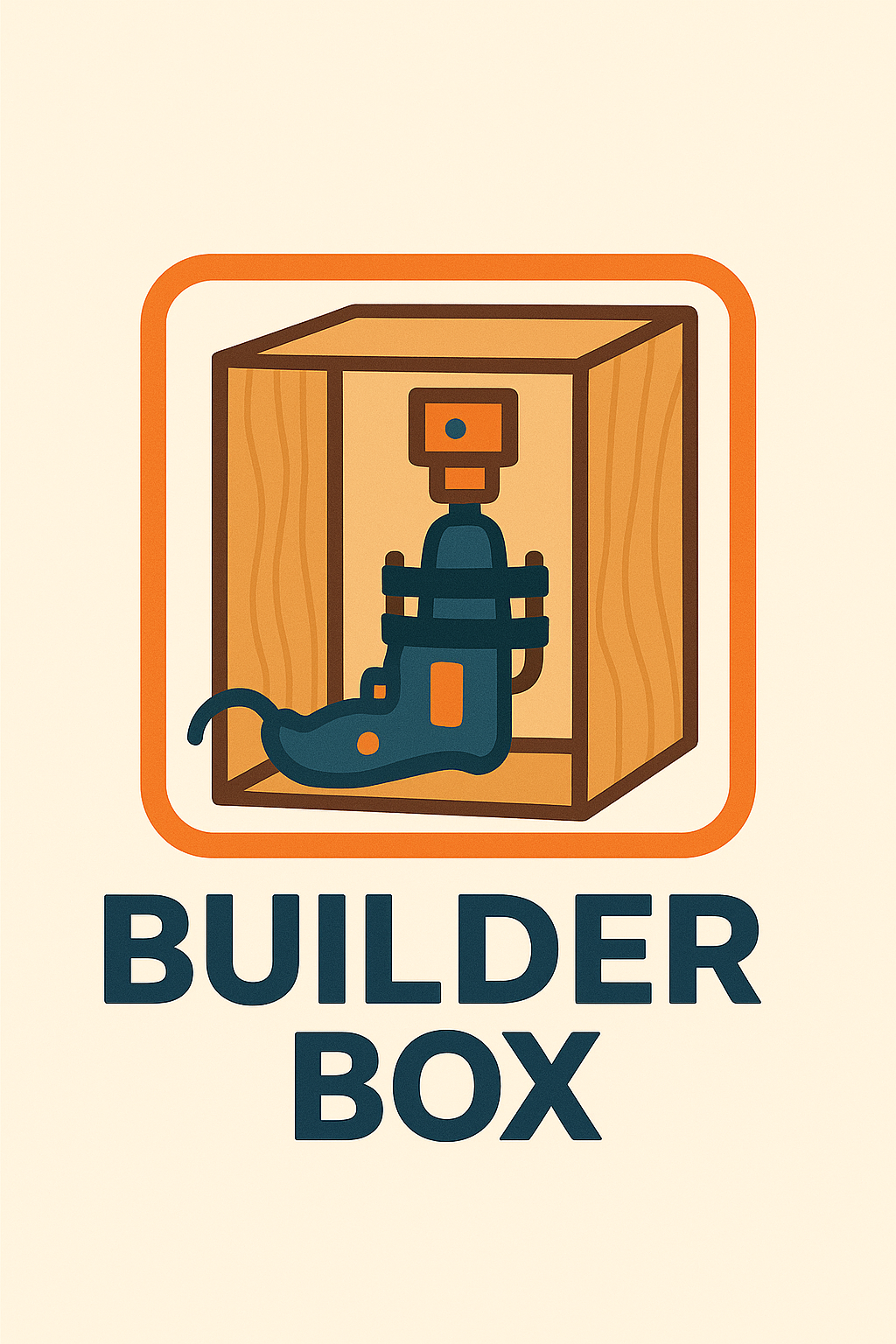
When I originally saw the ChompSaw, I had no idea how the thing worked and assumed it was some kind of custom made invention.  It wasn’t until much later I learned it was basically a drill + a sheet metal nibbler + plastic box.  A maker named Alejandro Leguizamo entered something called the “Builder Box” for the Rocklin Maker Faire in 2025.  The description was “Experience the Builder Box! The Builder Box is a power drill accessory which cuts various materials, like cardboard, fabric, and plastic, in a safe manner, perfect for young makers. Test prototypes, share your thoughts, and be part of its evolution.” but I wasn’t sure what it was or how it worked since the only picture was a kind of a logo.  I reached out to the maker and it turned out that he couldn’t make it to the event that year, but he explained the project was, as suggested above, a drill + sheet metal nibbler + a box.  Suddenly, the logo made sense!

Builder Box Logo

Once I knew what I was looking at, it instantly became easier to find more resources.  I found piles of nibblers / sheet metal nibblers for sale online for ~$30-40, several pictures and an unlisted video from ChompShop, and two Instructables,3  One of the instructables indicated you could use a foot peddle to act as a variable speed controller for the drill.  While an interesting idea, I’m not certain the additional incremental benefit is worth the complexity.  The ChopmSaw is able to operate at a single speed, so why not this?  While an on/off toggle switch is obviously helpful, I’m not going to go out of my way to add this for my own simple prototype/home use.  The unlisted maintenance video shows the ChompSaw’s disassembly showing a motor, a nibbler end, bits of wire and such, in a plastic housing, with a fan and tray for catching the cardboard bits – exactly as one would expect.

This slideshow requires JavaScript.

Before I go on, a word about their work station.  I got to see one of these at Woodland’s Square One makerspace and thought it was fantastic.  It’s cheap, lightweight, sturdy, and attractive.  I’m not sure where someone would get the cardboard for these tables, but ChompShop has a guide on building the workstation and an accompanying video.  While I would love to have the plans to be able to make one, it’s child sized, would need to be scaled for adult use, and at that point, I really might as well design my own.

I’m reminded of a a guy who invented a simple and attractive business card that turned into a cell phone stand.  He went on to create a cardboard furniture / homegoods design studio called “Out of the Box.”4  Like many other people, we accumulate a lot of cardboard.  It sure would be great to have plans to draw out designs on cardboard, chop them up with a drill + nibbler, and then fold into furniture.

My understanding of the Gingery lathe is that as you build the device, the portions you’ve built help you build the next pieces.  How cool would it be to pick up a nibbler and cheap drill, slap them together, start slicing up parts to make simple mount, then use that to keep building up into a workstation, then desk, then cardboard workshop?

In any case, given the entire project could be basically put together with:

  • Cheap drill (Harbor Freight has some for less than $20)
  • Nibbler attachment ($30-$40 at the hardware store or online)
  • 3D printed part to clamp drill in place
  • Box of some kind
  • Zip ties to hold drill and clamp in place and hold the drill trigger down or at a certain speed
  • Extension cord or power strip to turn the drill on and off

Now, I could put my regular corded drill into this, but for an extra $20 I could also have a small dedicated cardboard cutting worktable which seems like a fair investment to me.

Making a Makerspace
  1. Tool Recommendations for Making a Makerspace
  2. Makerspace: Just a few more things for the shopping list
  3. Building a Cardboard Cutter Table With Cardboard
  4. Makerspace Addenda – Homegoods edition
  5. More Maker Tools
  6. 3D Printer Pens for Makerspaces
  1. Unfortunately, the Maker Faire website regularly wipes out maker entry pages, so I can’t easily link back to the 2023 entry as I would much prefer. []
  2. It’s unclear whether this is the per unit cost from their Chinese factories, to just build a unit, or actual landed cost.  I’m guessing landed from their manufacturer. []
  3. Those instructables posted about 9 years ago and 3 years ago, respectively. []
  4. Though, possibly renamed to Creative Cardboard Company now? []

Makerspace: Just a few more things for the shopping list

Is there a word for the feeling when you place an online order and the moment you hit “Purchase” you realize there was something else you wanted and now it’s too late?  No?  Um…  me neither.

Since publishing a large blog post about my wishlist / shopping list for building a makerspace two days ago I’ve got two new things to add to the list.  I wonder how best to maintain this list.  While a wiki would be the best for maintaining evolving content, the tone of my posts tend to be a mix of useful things and nonsense and I’d have to heavily edit / format the content.  Maybe one day I’ll get organized and create a page on this site that’s something of a shopping list with links back to the rambling posts.

  1. Low Rider CNC.

    1. My buddy Andrew suggested the Low Rider CNC belongs on this list.  I haven’t done a deep dive on this yet, but just checking out the main documentation pages, it looks amazing.  While a full table sized CNC can run $7-10k, this Low Rider CNC appears to be community supported, open source, and designed for people to build themselves for ~$100 in hardware and electronic parts, plus  3 kilos of 3D printed parts, zip ties, conduit/rails, router, table, and wood.  An affiliate appears to sell partially assembled and fully built options from $900 – $1,500, which appears to include shipping.
  2. Hot Foam Cutter.

    1. I was reminded these existed after seeing this Mastodon post from Concretedog about his 4D CNC hot foam cutter.  However, it’s possible to build a hot foam cutter with little more than some nichrome wire, a battery, and some random stuff.
    2. While I don’t have a ton of uses for a hot foam cutter…  but I did purchase some nichrome wire two years ago specifically to make one of these for … reasons I no longer recall.  I made the purchase some time in October 2024, so it couldn’t have have been for Maker Faire and likely not for Halloween…
    3. A little extra research brought me back down a rabbit hole to rediscover why I started thinking about hot wire foam cutting.
    4. At Maker Faire 2023 I was excited to see Robert van de Walle’s “composite structures with low VOC materials” 2023 Maker Faire project.  The project showed off how he would avoid the use of fiberglass and resins in favor of laminated paper using glue over an insulation foam structure.

      This slideshow requires JavaScript.

    5. Robert also has an interesting tutorial about using Harbor Freight floor mats for making inexpensive, lightweight, and flexible structures using contact cement instead of expensive pink insulation boards.  Robert’s video was in turn inspired by Evil Ted Smith‘s video demonstrating how to copy forms into inexpensive foam mats by covering the object in aluminum foil, that in duck tape, taking the coverings off, cutting them into flat shapes with “darts” for alignment and to allow the formation of curves, cutting these out of foam, heat forming, applying contact cement, then reassembling.  Both of these videos had previously sent me down a rabbit hole of looking into making “poor man’s fiberglass” to make a foamie using cloth and wood glue over a lightweight structure.  And, more recently Nighthawkinlight’s videos about making strong lightweight structures with what amounted to lumber made from cardboard, covered in a water proofing coating.  I remember watching a video about biomimicry and how the how the toucan’s beak can be both strong and lightweight because it is essentially a lightweight, nearly hollow, sparse structure wrapped in a tight hard shell of keratin.
    6. Anyhow, I think I was researching these things after Maker Faire because of how miserable it was to cut sheets of foam with a craft knife which then lead to soooo much sanding.  I figured in the future I could design something that would let me create almost a small hot wire cutter to consistently and easily cut shapes and beveled edges into foam.

Sometimes I want to add an update only to discover that I never published a blog post about a thing I wanted to link back to.  I guess it’s time to dust off my pictures from 2024 leading up to Maker Faire to share information about how we made my kiddo’s Fallout inspired combat armor from Harbor Freight floor mats.

With the magic of time travel, I’ve now created that post and can now link to it.  :)  Share and enjoy.

Making a Makerspace
  1. Tool Recommendations for Making a Makerspace
  2. Makerspace: Just a few more things for the shopping list
  3. Building a Cardboard Cutter Table With Cardboard
  4. Makerspace Addenda – Homegoods edition
  5. More Maker Tools
  6. 3D Printer Pens for Makerspaces

Making Cosplay Armor from Foam Mats

This post has been a long time coming.  My kiddo and I made Fallout inspired combat armor out of Harbor Freight floor mats.  We’ve now brought these to Maker Faire 2024 and 2025.  They’re only $13 for about 16 square feet of 1/2 inch thick sheets of material which was enough for a front and back panel plus enough to do it all again.

I’ll update the photos below with pictures of the finished1 armor.  However, below is what it looked like part way through the construction process.  We added some 3D printed parts to allow the front and back “plates” to be kept together with some seat belt looking nylon webbing.

This slideshow requires JavaScript.

The very short version of the build guide, for our first simple builds with these mats, would be:

  1. Make patterns on paper or cardboard
  2. Trace and/or cut out of foam using a utility / craft knife you don’t care about because the foam will dull the knife quickly
  3. Bevel/shape/sand as needed
  4. Using gloves, apply a thin layer of contact cement to one piece of foam and the other piece where it’s supposed to go.  Let it dry.  Then, carefully place one piece upon the other – because the moment the two pieces are joined the contact cement will bond instantly making adjustments2 impossible.
  5. Bevel/shape/sand/paint as needed
  6. If making weathered armor / metallic features, consider using a silver pen or paint to dry brush on the silver color

I tend to take pictures as I build things out of an ambition to turn them into a blog post at some point.  So, hopefully these pictures give a sense of how the build went:

This slideshow requires JavaScript.

These were easy enough to create as the entire design was basically just bit flat planks of material.  Making more complicated / curved features would probably best be done by using a heat gun to soften and shape or cutting the curved features into flat panels with “darts” / wedges cut out so that when they’re glued together and the form built up, it will take on a curved shape.

The tutorial videos from Robert van de Walle and Evil Ted Smith are absolutely worth watching.  The short version would be that when copying another form, you could cover it with aluminum foil, that in duck tape, draw in lines for what could be fairly flat sections, including registration marks, cut the duck tape into flattened sections with “darts” as necessary, trace onto and cut out from foam, heat-shape as necessary, apply and allow contact cement to dry, assemble.  Some stills from ETS’s videos might be helpful:

This slideshow requires JavaScript.

These stills won’t do the full videos justice, so you should go watch those.  Robert’s point with his short 3 minute video was basically that these materials are incredibly inexpensive, able to build up huge shapes quickly, and look great.  I’d agree on all counts.

  1. Nothing is ever finished. []
  2. Nearly []

OpenSCAD Shadow Boxes, Shadow Casting

This slideshow requires JavaScript.

A friend recently requested some less LLM-centric content.  I’ve often said this blog is largely a lab notebook for various ideas or build log.  It’s also merely a subset of the stuff swirling around in my brain than a dedication to any one topic.  In any case, this post is dedicated to Pete.

I saw the above 3D printed box on Instagram.  It looks like a wanted poster from the show “One Piece” of a character named Roronoa Zoro who carries three swords.  The box contains a small post in the very center which seems very out of place – until the lights are dimmed and the light under the tip of the post is activated, revealing the light is blocked by the irregular edges of the box and casts a shadow of the silhouette of a figure holding three swords.

I’ve seen other implementations of this stereographic projection technique, but this was easily the coolest.  The disparity between the size and shape of the box and shadow was almost startling.

My mind went wild with ideas upon seeing this box.  One of the first ideas I had related to some fan-made movie posters by Kevin Collert many years ago.1 Imagine a small projector / box of arbitrary shape that could project that kind of silhouette behind you?

Yeah, a Tony Stark cosplay is neat… but what if you had an inconspicuous stereographic projector on your back that threw up a huge Iron Man shadow behind you!?

This could be extended in any number of ways.  A Luke Skywalker cosplay that casts a Darth Vader shadow, Bruce Banner with a Hulk, etc, etc.  But, also, what about a shadow of a familiar?  A little dragon perched behind you.  Or two thugs standing to your side like evil shadow henchmen?  Or a crowd of zombies?  The neat part about the box / lamp shown on Instagram was that the box didn’t look like it would display that kind shadow of a shadow.  It just looked like a box with weird edges to it.

But, how did they do it?

He makes a good point (iykyk)

I’m terrible at Blender.  I’ve watched tutorials, tried to use it, but I just can’t wrap my feeble mind around it.  My one string is the ability to make things in OpenSCAD.  There are plenty of others who can make incredible things in it, but I’m no slouch.  The code may not be pretty, but, well, as they say…

And, really, that’s all that counts

I started with a few assumptions.

  • The light source has to be a single point.  If there were multiple LED’s or filaments, it would create fuzzy / duplicate shadow edges.  This should be possible with a single bright LED.
  • The shadow is basically a cone.  The edge of the shadow everywhere must be essentially some sort of a distorted cone, with the center point being the single point of light and the edges of the silhouette being the edge of the cone.
  • The top edge of the box must be where the cone intersects with the box.  If we decide how far off the wall the point of light is and we know where we want the shadow to be and where the shadow edges are, we should be able to intersect the shadow-cone with a thin walled box.
A rough sketch of the idea

Creating the box itself shouldn’t be that big a deal.  It’s an easy few lines of OpenSCAD.  Creating the arbitrary “cone” was initially a much harder problem.  Now, if the design I was trying to create was very simple or entirely convex, I could just use the OpenSCAD hull function around an SVG of the desired shadow and a very small sphere for the point of light.  Since a simple shape would be uninteresting, I knew that hull wasn’t going to work.  For a while I tried really hard to build a python program that would work by creating a polyhedron built out of the large SVG in the desired location and a very small SVG at the light point – and stitching the sides together programmatically.  If you’ve ever worked with the OpenSCAD polyhedron functions, you know what a pain it is.  If you don’t define the faces in a certain order or order the faces properly, you’ll end up with flipped faces and a pile of useless triangles.  Even when the faces were properly built, the result ended up being difficult for OpenSCAD to render since it involved so many points converging on so few points and weird little overlaps.  It was a mess.

I’m listening…

You mean, all I have to do is RFTM?  Apparently the linear_extrude function has a parameter called “scale” where you can define how small something should get as it is extruded.  This is literally exactly what I needed.

I needed the shadow on the wall to be extruded off the wall as high as the point of light, but scaled down to that same point of light.  But, would this work???  I haven’t printed it yet, but I believe it should.

This slideshow requires JavaScript.

From there, the next question is… does this OpenSCAD back-of-the-napkin sketch really work?  Again, I’m not sure – I haven’t printed this for a few different reasons.  If this design were printed “as is”, there would be a ton of overhangs and support material.  I believe when you look at some of the pictures of the lamp lit up from the side, you can see the infill patterns on the sides.  I can’t tell from these videos – but I suspect the easiest way to 3D print this box would be to do so in big flat panels.  At the point you’re just trying to turn filament into 2D panels, why even bother printing it when you could lasercut it in a fraction of the time?

Let’s look at a few stills of the lamp.

This slideshow requires JavaScript.

Now, for my quick mockup I just used a simple square shape – but you can definitely see the same features as in the lamp in the video stills.  The head, the crossed sword tips at the left, the jagged edges on the bottom right, the floating sword on the right.

Common structural features circled

Given that the theory feels intuitive and sound and that my quick mockup proof of concept seems to have the same structural features as the lamp in the video… this seems like it would work.

If this quick mockup works, then why restrict ourselves to simple boxes?  For a mass produced thing you just want to stamp out, a simple box just makes sense.  You could lasercut the panels, slap them together, and churn them out all day long.  But, the thing that you use to block the light and form the shadow could be any arbitrary shape.  It could be a triangle, star, or something far more complex.  Here’s another quick sketch:

This slideshow requires JavaScript.

Obviously, this would be a support structure nightmare.  But, for a one-off project and a cool enough idea, I think it could definitely work!

  1. His work has been stolen and slapped on so many dropshipped things that it was very difficult to find the original artist! []

Not Team AI

Look, I hate AI slop as much as the next person.  My kiddo has been taking a college class where they’ve been delving to the ideas swirling around AI/LLM’s and from what I gather, the class is nearly incomprehensible.  Just like my toaster, oven, toaster oven, fridge, and dryer don’t need wifi – neither does every damn thing need a thick coating of AI slop all over it.

Another Marvel reference?

I’ve been thinking about AI as a variation on the “super soldier serum” administered to Steve Rogers.  Given to a good man, he can be better.  Given to the Red Skull, well, he gets worse.  Instead of only making things better, it seems to simply magnify the attributes of a thing.

I guess I’m struggling with the idea of whether it’s hypocritical of me to use AI for things when so often it just makes things worse. 1  And, I admit it is fairly self-serving to liken my uses to that of Steve Rogers and assign derogatory attributes to other uses.

Maybe it’s that I’m using AI/LLM’s to add micro improvements to my own life, rather than pushing it on others?  After trying to work with free AI’s on some projects, I decided to pay $20 for a month of premium Claude Pro access.  While using the free ones, I discovered:

  • Claude’s free chat would lock a conversation after a certain context length if you uploaded any documents
  • Gemini would time-gate a conversation by not letting you use it after a certain amount in a given period
  • ChatGPT would time-gate a conversation if you uploaded anything, but would merely drop to a lower power model if you didn’t upload content and instead just worked through the chat interface

Overall, ChatGPT was more useful as long as I didn’t upload anything, and I could “make do” with the lower tier models.  I’d paid for the premium tier of ChatGPT for a few months about two years ago and quickly became disillusioned with it.  I found that it would start to chase it’s own tail, forgetting the thread of a conversation and project, randomly refactoring stable code, hallucinating functions, variables, and the names of functions and variables.  It was more work to keep it on the rails than it was to simply just work on my project.  I ended up largely shelving several projects as a result.  I’d tried unsuccessfully to hire someone, I didn’t have the time to work on them by myself, and sure as hell didn’t have the bandwidth to baby sit2 an LLM.

However, working with various LLMs recently gave me a glimmer of hope.  Perhaps they could be useful after all?  Pouring over documentation, searching for answers, and consulting Reddit and StackOverflow were options, but they all had their special problems.  In any case, these days all of these options (except documentation)3 were getting more difficult to use as people started abandoning public forums in favor of just asking an AI.

One of my favorite XKCD comics :)

So, what have I been working on?  Well, I signed up for Claude Pro on 02/09/2026 and in the just over three weeks since then:

  1. WordPress Plugin.
    1. An overhaul of a website’s registration system.  I had been using a now-defunct WordPress plugin on a different website which was basically crumbling to pieces as WordPress and the world moved on.  My needs were simple – so a few days of tinkering with Claude Pro got me something that … just worked for my purposes.  It eliminated all spam robot signups in a way that nothing I’d tried before had been able to manage.  There were a lot of moving pieces to this plugin, and there was certainly some growing pains, but it worked very well, very quickly.  I have built plugins for WordPress before and could well do so again even without an AI, but the speed of the model to build all the trivial or tedious stuff is by definition super-human.  Since the site’s ability to turn visitors into users into (hopefully) a few dollars is dependent upon the ease of registering, this one single change easily justified the $20 cost of using Pro.  That $20 accelerated this from a project I’ve been putting off for literal years because I knew how long it would take me alone, to … solved in a few days.
  2. Python Assistant Script.
    1. As a friend was quick to remind me, I’m very late to the voice activated computer assistant / smart home party.  I’d been working on a version of this with three free frontier LLM models, but it was too much, spread across too many platforms to be really cohesive or stay undamaged by converting parts among through these resources.  Progress on this project has been slower than building a single WordPress plugin, but it has definitely been boosted.  I regularly have to join online meetings where the information to join is sprinkled like breadcrumbs across multiple disparate pages on a given website, sometimes requiring a pseudo-registration process to reach.  Doing all these things manually is a real headache when I haven’t had my morning coffee.  And, let’s be honest, it’s way more fun to throw hours at a problem figuring out how to solve a problem than it is to actually face one’s problems.  I would estimate that this feature will save me about 15 minutes once a week.  Using the above XKCD logic, I’m time/energy/effort-positive if I could built this feature in less than 5 days.  I probably got it working in a few hours.  At the same time, I’ve been “bolting on” new features – a scheduler, time queries, weather queries, media control over my computer, with more features on the way.4
  3. A YouTube Management Chrome Plugin.
    1. I have this unfortunate habit of keeping too many tabs open.  While this is bad enough, keeping a lot of YouTube tabs open will have a huge impact on system memory very quickly.  I didn’t have the time at the moment to watch the videos, didn’t want to lose these videos, and didn’t want to go through the hassle of adding them to playlists.  Instead, apparently I had enough time to build a Chrome plugin that would go through all of my tabs, bookmark each one to a special bookmark sub-folder, sort them into sub-folders, and then close those tabs.  I don’t know that this will ever “save” me time, but it certainly is helping my system work better and keep my tab monster from getting too far out of control.  However, I think I’m going to extend this plugin to be a little more practical.  I think it could work for more than just YouTube videos to mass-close tabs, bookmarking them so they’re not lost, then sorting them into sub-folders.
  4. Email Entries for Work.
    1. My day job requires entry of data into a web portal.  It’s a good content management system, but not great for data entry.  It’s designed for humans to insert data, slowly, one entry at a time.  The UI requires a couple of duplicate keystrokes and/or mouse clicks.  While I deeply dislike having to do something stupid even once.  I absolutely loathe having to do something stupid twice.  It’s basically my kryptonite.  Rather than enter emails into this system, which I fucking hate, I wrote a Python script to pull data from Outlook into a CSV, export the email data into an HTML file which reviews each email and suggests an entry code for each one, and once that data’s been cleaned/formatted, which I upload into a script that I wrote to work with my employer’s website, then begin the process of uploading each one.  Since the data entry website has all kinds of dynamic elements and animated features, I can’t simply populate fields – I have to give each one time to load.  Instead of just uploading an Excel/CSV sheet, I have to wait for each entry to play it’s little animations, time the data to populate, and then click each one manually to enter because the animations sometimes don’t work well.  However, it’s a million times less painful than having to type all this bullshit in myself.
    2. Don’t worry, I don’t upload any of my email or data into any LLM.  All the logic which pulls data out of my Outlook and builds things out of it runs on my local machine.

I never could have built so much, so fast, without the help of a frontier AI.  None of the local LLM’s I’ve tried got even close and none of the free-level AI’s could maintain coherence long enough to help.

Claude Pro isn’t without it’s problems – I still had to monitor the code closely, keep it from forgetting certain key features, and deciding to completely refactor the code.  At the $20 level, I can choose among several different models that are supposedly different levels of quality and consume higher amounts of tokens, and I’m limited to a certain amount of compute within a 4 hour window and limited to a certain amount each week.  Even so, I’ve had more than enough compute for the tasks I’ve been doing.  While these things have been super helpful to me… none of them are cutting edge research or huge trade secrets.  In the chat interface you can switch language models, but doing so requires your conversation restart in a new conversation entirely.  In Claude Code you can switch the models, but I feel like the LLM lost the thread a little when I did this.

I am a frugal man and tried to do this with free LLM access, but the benefit of more capable, more coherent models, with increased ability to share an entire code base (with the help of Claude Code + Github) for $20 has been an unbeatable deal.  I’ve got a few ideas for some additional projects that could benefit from keeping the subscription going and will probably give it another month.  I don’t know that I’d need year-round access though.

Software Development with LLMs
  1. Series Plugin Test for Illustrative Purposes Only
  2. ChatGPT WordPress Plugins
  3. Coding with an LLM Sidekick
  4. Python Practice with an LLM
  5. Not Team AI
  6. Never Stop Breaking Up
  7. Weakness
  1. “Do I contradict myself? Very well then I contradict myself, I am large, I contain multitudes.” – Walt Whitman []
  2. And, let’s be real – train []
  3. RTFM, I guess []
  4. Screenshots, giving me a daily briefing, etc []

Minecraft Recovery Bundle

Yep, I’m an adult who enjoys playing Minecraft.  Now that this is out of the way…

I enjoy playing in survival mode and building farms for various resources, carving out a base into a mountain side, collecting hard to find items, building something of a fortress to house my resources and “pets.”  Sometimes my kids will join my “world” and help work with me on some project – or just want to do their own thing.  When they do, I like having enough resources so they can build whatever it is they want.  As I’m out exploring or gathering resources, sometimes I’ll end up in a bit of trouble or just be a few materials shy of accomplishing what I need.  For that reason, I have a special bundle I keep in my ender chest stocked with the kinds of things I might need to help me with some common problems or, in a pinch, get me out of a real jam.

Here’s what I keep in that bundle along with the uses for those materials:

# Item Uses
1 Hopper Helping unload, sort things
1 Arrow Using with bow enchanted with infinity
1 Crafting Table Easy access to crafting
1 Ender Chest Easy access to organized inventory
1 Chest Chest or, with the shulker shells, a shulker box
2 Shulker Shell Shulker box
1 String Making another bundle
3 Leather Bundle or ghast harness
1 Golden Apple Healing
1 Nametag Naming and preventing a mob from despawning
1 Anvil Adding enchantments to equipment or using a nametag
3 Spruce Wood Crafting many different things
2 Ice Portable water
1 Gold Block Crating gold boots to avoid piglin hassles
3 Glass Water bottles to duplicate water, ghast harness
2 Trap Door Entering end portals, crawl minding
3 Wool Bed or ghast harness
1 Respawn Anchor Creating a respawn location deep in the nether
2 Glowstone Powering the respawn anchor
1 Lodestone Marking a location for use with a compass
1 Lead Leading or trapping a mob
1 Pointed Dripstone Trap, mob farm, or duplicating water
1 Dripstone Block Duplicating water, making mud or clay
1 Redstone Block Compass
4 Iron Block Iron golem, iron tools, sheers, flint and steel, tools
1 Amethyst Cluster Spyglass, brush
2 Copper Block Brush, copper golem
1 Feather Brush
1 Pumpkin Iron golem, snow golem, copper golem, carved pumpkin, pumpkin seeds
2 Snow Block Snow golem
1 Dried Ghast Flying safely
1 Flint Flint and steel
1 Eye Of Ender Ender chest
1 Bone Block Speeding plant growth
4 Spruce Growing large spruce tree
4 Dirt Growing large spruce tree, food
1 Carrot Food, growing food
60 items total  

The most common things I’ll use this bundle for are:

  • Quickly get a hopper, ender chest, or make an extra bundle to help with inventory management
  • The crafting table for quickly crafting something
  • Using the one arrow with my “infinity bow

A bundle lets me store items, but I have to pull out everything placed into the bundle after the desired item, which can make rooting around deep inside something of a hassle.

It’s extremely rare for me to dig any deeper into this particular bundle past the string and leather … but, if you’re stuck far away, across treacherous territory, deep in the nether, deep in a hole, underground, lost, or need to save a location or mob, this would be a very good pack to have around.

Test