WordPress II

I tend to see the world through WordPress eyes.1 When I find (or write) a clever bit of script that would be useful to a WordPress website, I tend to convert it into a WordPress plugin.  I did this with my PieChart Plugin and a few other knick-knacky plugins.

I just noticed Cryozap Cyrozap‘s Amazon affiliate link converter PHP script.

It occurs to me that it would be relatively easy to build a WordPress plugin that searches through a post/page, finds Amazon links, and then turns them into affiliate links…  I think this could be useful in several of my sites, actually.

Update:  Cyrozap – sory fore mispellnig yoru mane.

  1. You see, the subject is WordPress double-I, as in WordPress I’s, as in WordPress eyes… []

New affordable 3D printer – the Ultimaker

Ultimaker
Ultimaker

Update 3/28/2011:  The Ultimaker is available for pre-order!

Erik de Bruijn along with a newly formed Dutch RepRap group have put together this new design for a low cost RepRap alternative.  The stated goal of their blog is “designing/developing an easy to build low cost 3D printer with a small form factor but large build envelope.”  Erik has invited everyone to comment on this beta design.  It’s interesting to see their progression of prototypes in their second blog post.

The interesting thing about this model is that it combines some of the best parts of Darwin and MakerBot and what appears to be a Bowden extruder.

The very nature of FDM1 means that the robot will only move the Z axis a little bit every once in a while.  One of the design drawbacks to the Darwin was that the heavy extruder head (motors, gears, heating elements) were so heavy that the entire robot would rock or vibrate with the lateral XY movements.  MakerBot got around the heavy extruder head problem by moving the platform in the XY and moving the extruder head only up and down.  This design decision isn’t without it’s tradeoffs, however.  One downside is that their build area is much smaller than a Darwin.  Another downside of the MakeBot design is that once the object being built reaches a sufficiently large volume or height, moving the object around quickly on the XY platform causes it to vibrate, shake, and become somewhat unstable.

One of the main improvements inherent in the Bowden extruder is that it allows you to take the heaviest parts of the extruder head, separate them from the rest of the extruder head, and move those heavy pieces to a different location.  Using a Bowden extruder makes a Darwin style robot much more feasible – the small moveable print head won’t have the mass to cause the robot to become unstable.

It seems that combining either of the X or Y movements with the Z probably won’t matter all that much, since the Z axis will only move about 0.33mm or so per layer and the Z axis typically doesn’t operate at the same time as either the X or Y axis.  Combining the as the new RepRap version II, Mendel, design shows us that combining the Z axis along with either the X or Y axis, but not both, can lead to a very stable configuration.

What I like about the Ultimaker design is that it would appear to incorporate some of the best parts of the MakerBot and Darwin designs. It appears to have a bolt/nut/T-slot MakerBot style assembly structure using thin lasercut wood pieces for the body.  I found these parts to bolt together very quickly.  Contrast this to the Darwin/Mendel structure using lots of nuts and threaded rod and printed plastic parts to hold it together.  At the same time, by making use of a Bowden extruder and the Darwin body shape, it appears to be able to use most of the interior volume for printing.

I suspect it probably uses fewer parts than a typical Darwin, but I can’t be sure.  I also have to wonder about the cost of lasercut wood versus the cost of nuts and threaded rod.

Nice find RepRap Log Phase!

  1. Fused deposition modeling – basically creating a layer and then fusing a new layer on top of that layer in succession to build up an object. []

MakerGear Enhanced Operator’s Pack

I placed my order for a MakerGear Enhanced Operator’s Pack on 8/11/2010, it shipped the same day, and arrived today 8/13/2010.  My extruder has been working really well and without problems with ABS since my last rebuild.  I’m really hoping I won’t need these bits any time soon…

Thanks Rick and Karen!!!

Make(rBlock)Shift #1: MakerBot, Mineshaft, Tiger Solution

The recent Make(rBlock)Shift #1 posed this conundrum:

You’ve got a MakerBot, a laptop, unlimited plastic and electricity.  You are trapped in a mineshaft with a tiger.  How do you get out?

Dave’s suggestion was close, but no cigar.  The correct answer is:

  1. Design and print a second mineshaft.
  2. Throw tiger down second mineshaft.
  3. Design and print a tunnel to the surface.
  4. Walk out of mineshaft.

((This reminds me of an old “quiz” attributed to Andersen Consulting.))

Electrical design help?

I recently bought the Perhaps with a joule thief?)1  Since I know very VERY little about electronics, I’d appreciate some diagrams, descriptions of parts, etc.

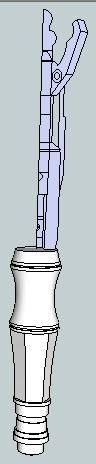
My end goal is to install this device into a MakerBot made replica of the 11th Doctor’s Sonic Screwdriver.

If you’re interested in this project or just want to help, I’ll gladly accept any assistance.  Let me know if I can help with any printing projects in return.

Thanks!

  1. Why do I get the feeling I’ve seen the guy on the right before??? []

MakerBots for Teachers

MakerBot Industries is giving away ten MakerBots to ten teachers at any educational level.  Let’s just consider this my entry:

  • Your name
    • Uh.  I’ll stick with “MakerBlock” for now.
  • Your school’s name
    • Sheesh.  These are getting harder.  Okay, how about “MakerBlock.com”?  No?  “MakerBlock U”?
  • The address you’d like the MakerBot sent to if you are chosen
    • Same place as my last order.  ;)
  • A paragraph describing how you would integrate the MakerBot into your curriculum. Include some description of the learning environment and what you teach
    • I would integrate a MakerBot into my curriculum by using it as a demonstration of iterative design, digital fabrication, digital design, invention, and innovation.  The learning environment is the whole freaking internet. 1  I teach digital plastic AWESOME.
  • A lesson plan that you will implement if you get a MakerBot
    1. Pssh.  Just one?  I’ll give you THREE.
    2. You’ve got a MakerBot, a laptop, unlimited plastic and electricity.  You are trapped in a mineshaft.  How do you get out?
    3. You’ve got a MakerBot, a laptop, unlimited plastic and electricity.  You are trapped in a mineshaft with a tiger.  How do you get out?
    4. You’ve got a MakerBot, a laptop, unlimited plastic and electricity.  You are trapped in a mineshaft with a tiger shark.  How do you get out?
  1. Actually, according to Feedburner and Google Analytics, the number is just a few hundred people a day []

It’s that time of year – to frustrate friends and family

So, I’ve got a birthday coming up.  Getting older doesn’t bother me much – it’s really just a number associated with the number of times I’ve traveled around the sun. 1  I will gleefully relate to anyone that I’m easily the luckiest man in the world.  I’ve got a wonderful family, good friends, everyone is healthy, interesting and challenging work, and a fair amount of free time to do with as I wish.  These are the sorts of things that are truly important to me, so by any measure of success I care about, I’ve got it all.

With my birthday approaching, my family starts to ask me about what they can get me for a present.  My usual answer is, “Nothing, let’s just hang out.”  This year, I actually have a list.

As it looks like both MakerGear and MakerBot are out of the magic pixie dust that will let me print in PLA without tears, the rest of my list is as follows:

I’m rather excited about some of these upgrades.  I’m looking forward to a heated build platform for smoother warp free ABS builds.  I’m looking forward to the rainbow pack for some crazy wacky fun. 2  And, I’m looking forward to needed the extra spare parts as infrequently as possible.  :)  Since my last major repair, I’ve been lucky enough to enjoy several months of carefree printing. 3

  1. It also seems to be related to the number of gray hairs that are appearing.  I rather like them, actually. []
  2. Freaking VOLTRON, remember? []
  3. I really hope I didn’t jinx myself []

3x2x1 Rubik’s Cube Production File

My prior copy of this 3x2x1 Rubik’s Cube was printed a few parts at a time – I’d print one part, test it, print up another, etc.  Last night I was able to use my production file to generate all seven pieces in one go.  It took 1 hour and 45 minutes to complete the print job, but well under three minutes to clear most of the pieces of the raft off the parts and assemble the puzzle.  In order to help people modify and improve upon my design, I’ve upload the original Sketchup files, the STL I used, as well as my own GCode.

Owenscenic on Thingiverse asked,

I am interested in trying your gcode, how did you generate it? How well does it minimize strings between the printed parts? I’ll look at is to see how it starts and the temp…

In case you’re wondering too, the answers are as follows:

  1. I generated the Gcode using my slightly tweaked RepG v18 built-in Skeinforge settings for ABS with a raft, with a build temperature of 220C.
  2. The Gcode does pretty well with minimizing stringing.  However, some of the credit has to go with the part placement in the STL production file as well as the nature of the object.  As soon as you assemble it and start to rotate the parts, most of the remaining strings and little blobbies will pop right off.

Owenscenic, please let me know how your print of this turned out!  Please post a picture!