
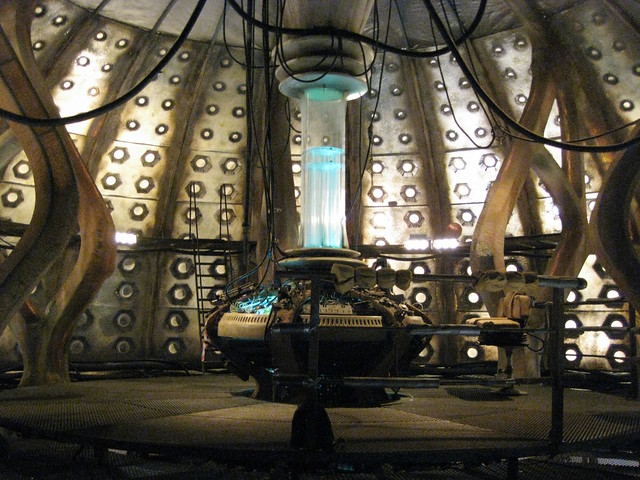
A big gigantic drawing of the inside of the TARDIS. How awesome would that be? ((Photo courtesy of Foomandoonian))
Default Series TitleA big gigantic drawing of the inside of the TARDIS. How awesome would that be? ((Photo courtesy of Foomandoonian))
Default Series Title
Is there anyone out there who built their own Polargraph, but does not have a plastic case for it?1
In designing my own I’ve got two perfectly serviceable cases that I’m not going to use.
Each case fits Sandy Noble’s PolargraphSD which consists of an Arduino Mega 256 clone plus an LCD touch screen and his custom shield for running the drawing robot. I’m also going to be taking my current Arduino Uno plus Adafruit Motor Shield powered drawing robot apart. When I do I will have another plastic case.
If interested, please drop me a line.
Oh, what’s with the skull and brains? Well, if you have a robotic brain, wouldn’t a nifty plastic skull go nicely with it?
Default Series Title
According to the USPS my Polargraph has landed at my local post office where I keep a post office box. ((Photo courtesy of Grant MacDonald)) Hopefully I can pick it up after work today!
How exciting! I can’t wait to pull my existing DrawBot apart and reassemble the bits with a Polargraph brain.
Default Series TitleSomething like six months ago I checked in on the Piccolo by Diatom and watched the cute little video that goes along with it. That video led me to the video for their Antler lasercut chair featured above which, in turn, lead me to the album for Wet Wings and their song Keep It Together.
I mention this only because a new tiny CNC on Thingiverse reminded me of the Piccolo, which lead me back to the video for their Antler lasercut chair and to the song all over again, and it is a song I happen to like a lot.
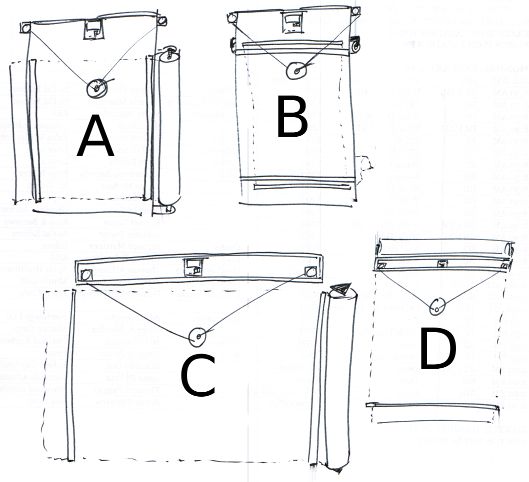
I’ve been kicking around some design ideas for how my new DrawBot will look. I’d like it to be aesthetically pleasing and reasonably compact so that when not in use it will be reasonably unobtrusive. For the most part none of these designs would require the DrawBot to operate in a mechanically different way. However, most of them would probably look best with a fishing line spool rather than beaded cord and sprocket system.
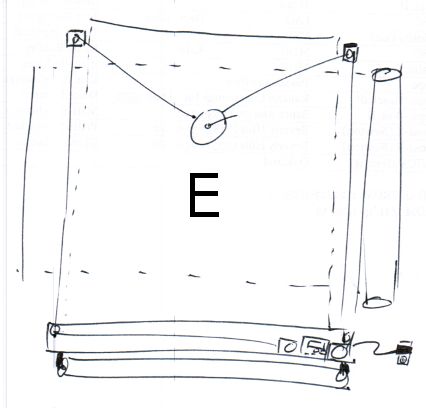
Having gone through the trouble of sketching and articulating the various benefits to each system, I think my favorite so far is Design D, with a lid over the front of the box, and the brain and motors mounted off to one side to make routing power to the project a lot easier.
Default Series Title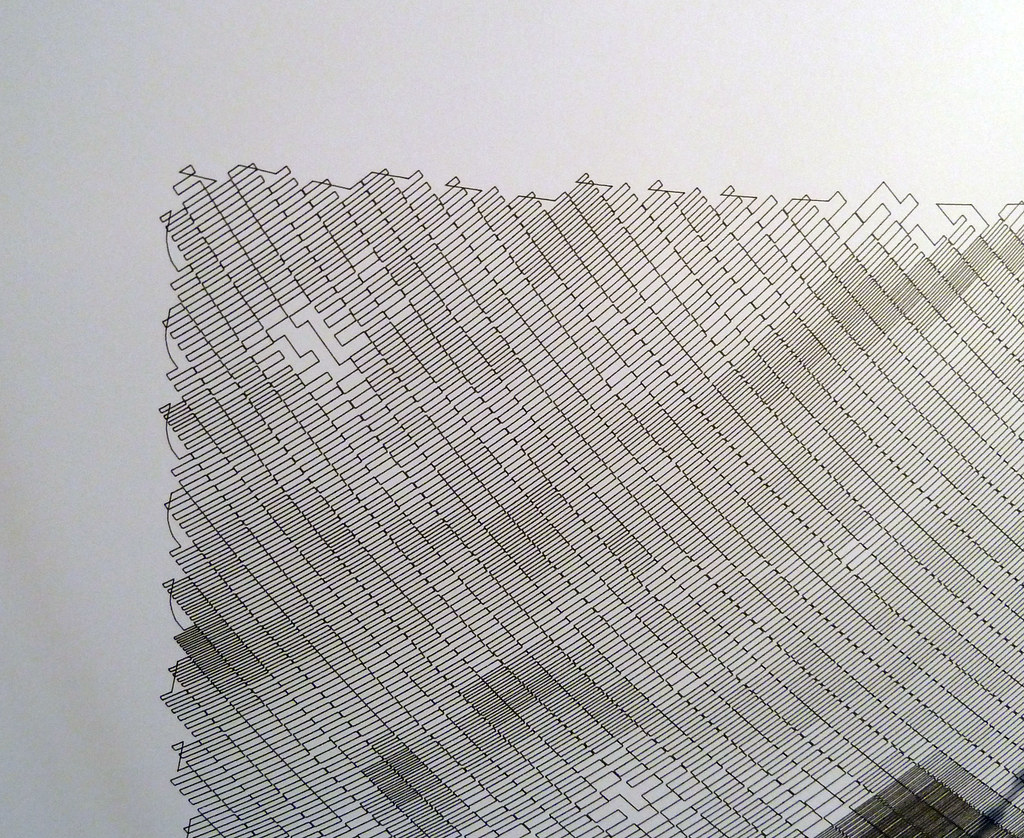
I’ve given a lot of thought to how I can improve my DrawBot setup now that I have a Polargraph brain on the way. 1
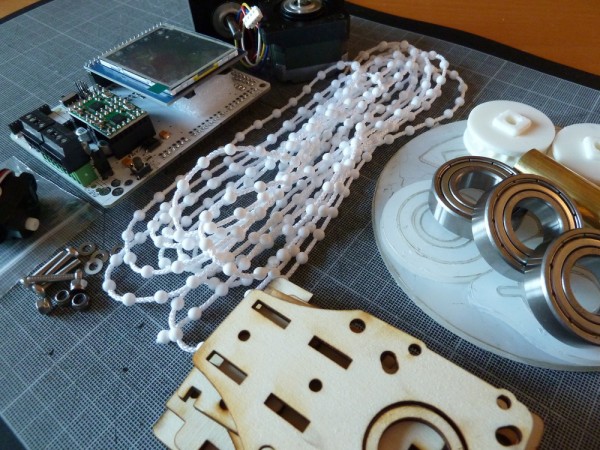
A little while ago I purchased a Polargraph kit from Sandy Noble and now it’s on the way!!!
Sandy is responsible for having put together the best instructions for building a Polargraph/drawbot anywhere on the web. Sandy’s latest kit uses an Arduino Mega clone, a shield specifically designed by Sandy to provide all the Polargraph functions, two StepStick motor drivers, an SD card slot, socket for an XBee wireless module, connections for endstop and servo support, and – best of all – an LCD touch screen interface.
While my own DrawBot was built entirely from off-the-shelf parts, I’d like to make it really polished. At the moment my DrawBot does not look like much. It is two motors bolted to a chunk of plywood with some circuit boards in a plastic holder which is duct taped to the chunk of plywood. It works and is as reliable as the PC operating it, but it is far from pretty. Stay tuned for some new design ideas!
Default Series TitleMy RSS feed for Slashdot brought my attention to an article on Slate. The Slashdot summary stated:
This Slate article talks about a single line of code — 10 PRINT CHR$ (205.5 + RND (1)); : GOTO 10 — and how it manages to create a complicated maze without the use of a loop, variables and without very complicated syntax.
Even though that “one line” of code really is two lines and it really does use a loop, that short string of code is still very interesting. While the way the code generates a maze isn’t immediately intuitive, it becomes obvious once you watch a bit of the video above. All that code does is randomly kick out a forward slash or backward slash. Once they wrap around to the next line, they start to form what looks like a maze.
As a little exercise I created something similar using PHP. To make that work I had to use a fair bit of CSS to make it look decent. In any case, it occurred to me that this would be a wonderful project for a Polargraph! Draw a random forward slash or backslash, get to the end of the line and make a bunch more on the return line. How awesome would a huge paper roll of nothing but a giant maze look?
I think I may have found a project cool enough to show off at Maker Faire. :)
Default Series Title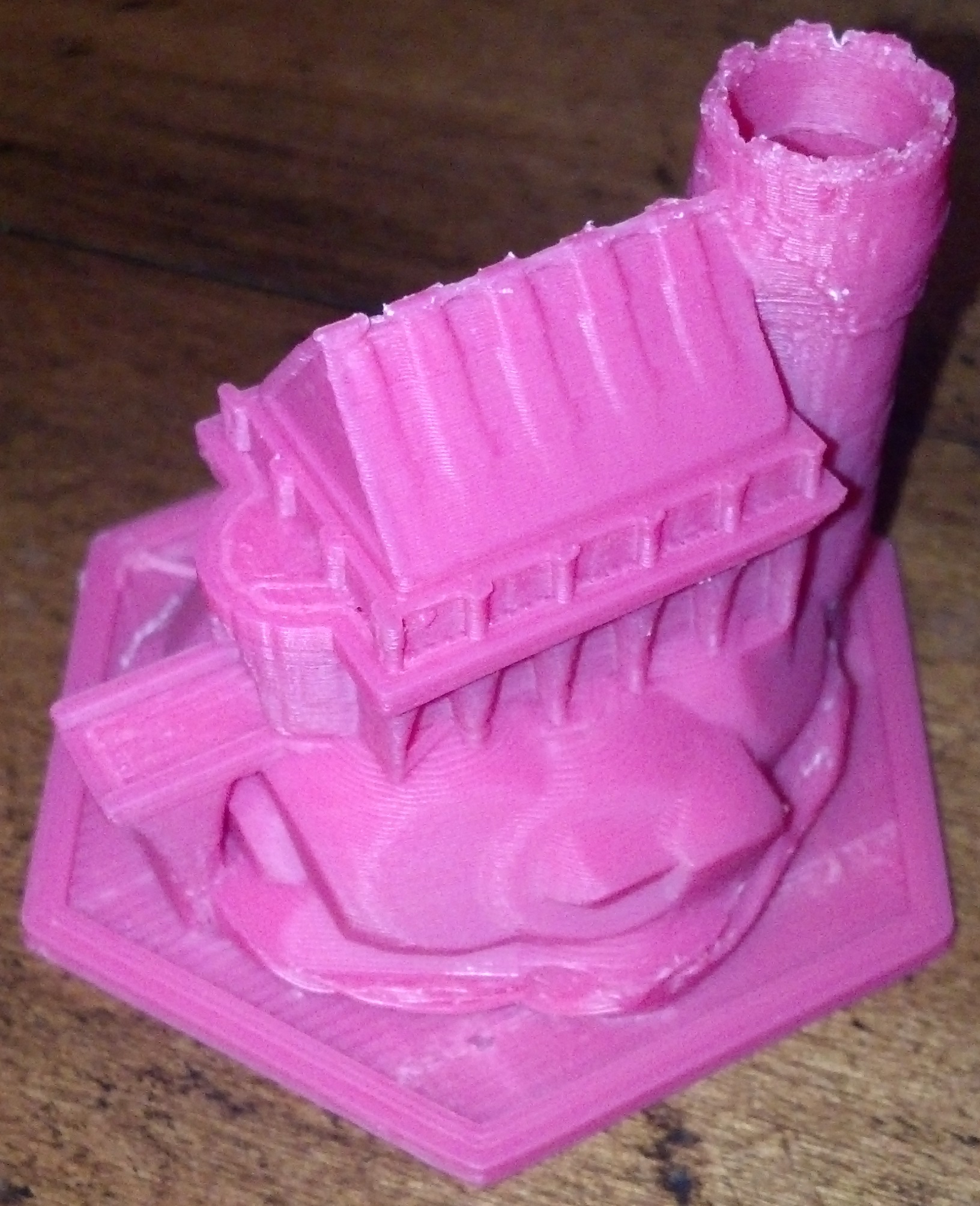
Last night and tonight I have been tinkering with Flexo, my Thing-O-Matic, to install Jetty’s Sailfish firmware update. The setup text is very helpful, but not particularly optimized for a Thing-O-Matic with a MK6 extruder. I also found that I had to heavily modify the “start.gcode” and “end.gcode” to keep my bot from shaking itself to pieces. 1
However, the results of combining Sailfish with ReplicatorG’s Print-O-Matic are impressive. Dutchmogul’s Keep, pictured above, was printed with a layer height of 0.15mm, 10% infill, all with a stock 0.5mm nozzle. That’s the very best resolution I’ve managed with my Thing-O-Matic, ever. At 0.15mm thick layers, I have a difficult time seeing the layers if the model is more than 6 inches from my face and the ridges on the vertical parts is difficult to discern with a fingertip.
Now that I’ve finished that print I think I can push my ‘bot’s print resolution farther. I’m willing to bet I can print down to 0.10mm layer height if I re-applied the Kapton tape and did a better job of leveling the print bed. Also, one of the acknowledged challenges with 3mm filament based extruders is the pressure buildup that can lead to imprecise plastic deposits when dealing with non-contiguous parts. 2 Dialing in the Skeinforge “Retraction” or the Sailfish “Deprime” settings dialed in would really help with complex prints.
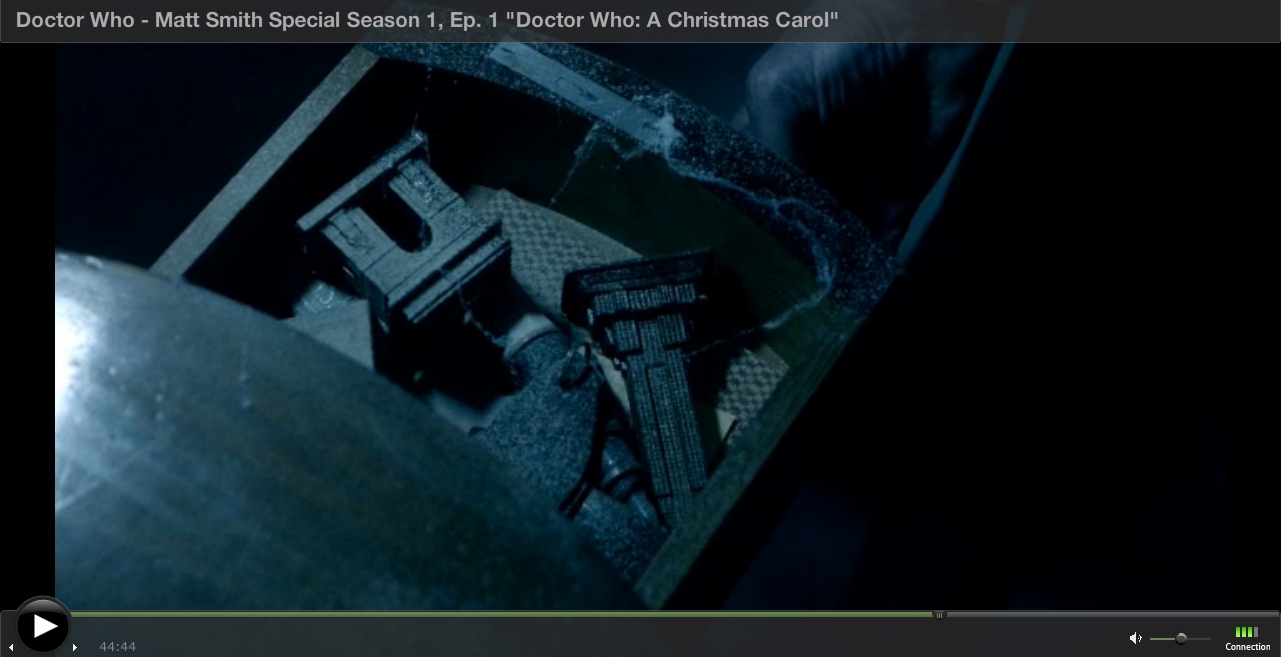
Netflix has nearly all of the “new series” Doctor Who episodes available for online streaming. As a guy who grew up watching the show, having it on tap is just plain awesome. Unfortunately, Netflix does not carry one my favorite episodes ever – the Doctor Who Christmas Special from 2010 entitled, “A Christmas Carol.” You can’t get the DVD from Netflix and you can’t watch it online.
Thankfully, Empire State Building. The screenshot appears above.
So, what do you think? Does that Empires State Building look as if it was printed on a 3D printer?