Do you want one of these?

3x2x1 Rubik's Cube
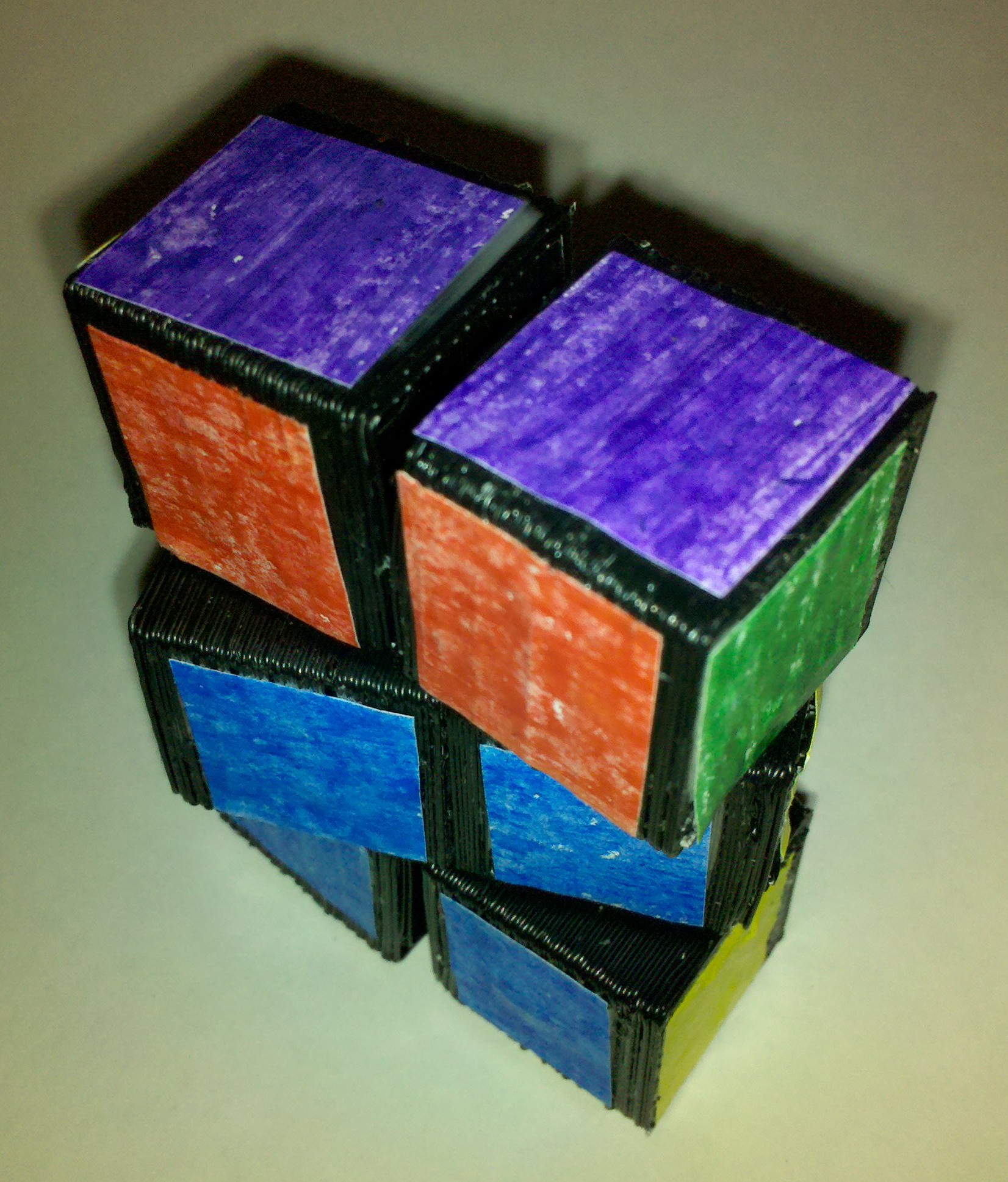
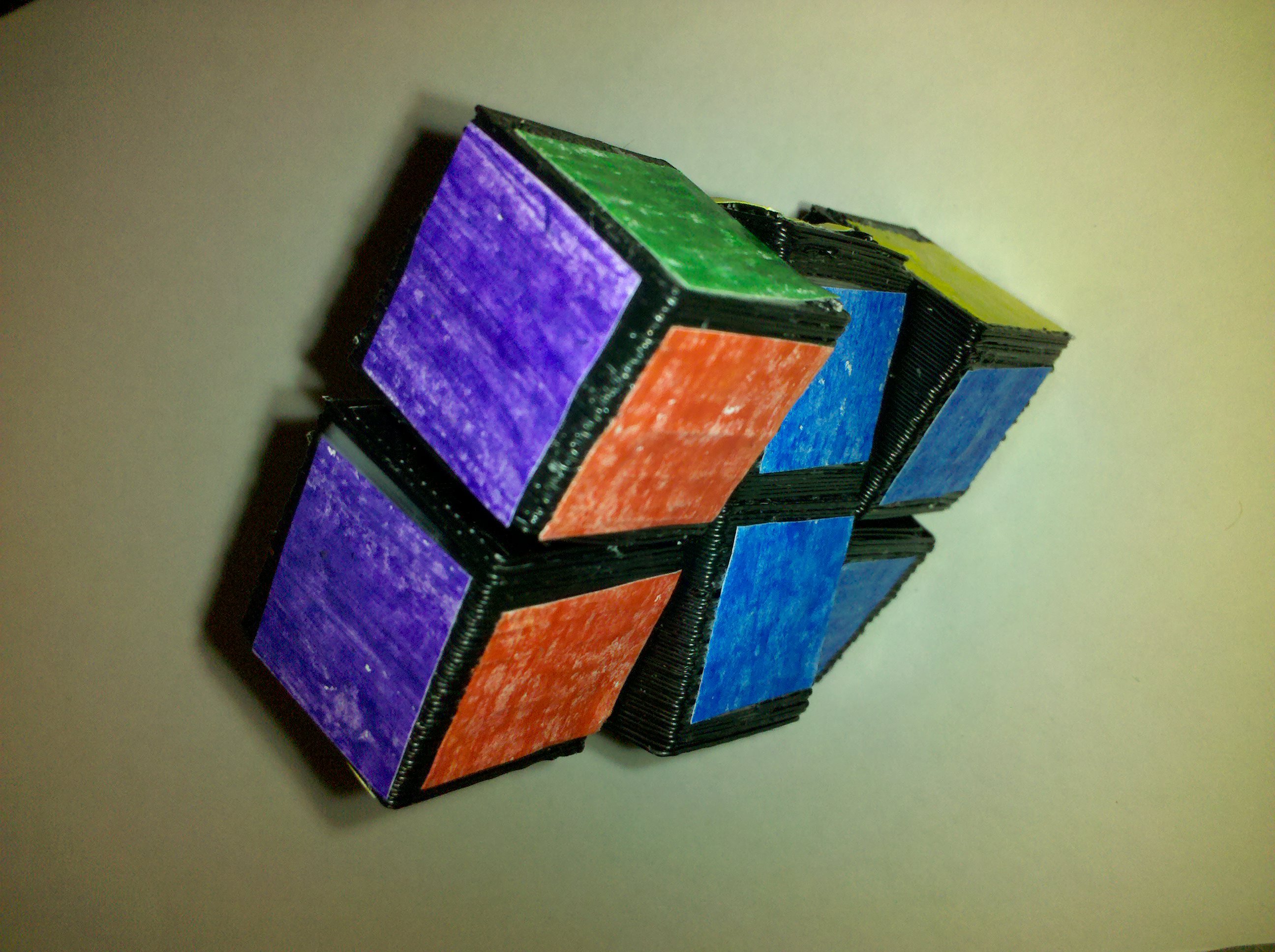
This 3x2x1 Rubik's Cube could be yours!!!

I’ve printed up this 3x2x1 Rubik’s puzzle cube, but I’m looking to improve it.  The colored sides consist of little bits of nearly-square paper I colored with crayons and glued onto the cube surfaces.  If you wanted to improve it you could just peel them off, sand them down a little, and apply better looking stickers.  It’s not without it’s flaws, but it is functional.  1

I’d like to try a little experiment and see if anyone wants to buy this prototype off me.  I don’t want to spend the time to set up an Etsy account, eBay auction, or any other of the variants out there.  So, is anyone interested in buying this first draft?

If you’re interested, please leave a “bid” in the comments.  I’ll ship anywhere in the U.S. for $2.00.  Highest bidder at the end of seven days from now will be the proud owner of this one-of-a-kind item.

Edit: Payment via PayPal, please!

Update: 8/4/2010 a top bid of $10!

  1. It is a first draft/prototype after all. []

Revising the 3x2x1 Rubik’s “Cube”

3x2x1 Rubik's Cube
3x2x1 Rubik's Cube

I finally found the time to print a copy of my 3x2x1 Rubik’s Cube.  Having printed it, I’d make a number of improvements in the next design iteration.  I would:

  • Make the circular slots in the center cubes smaller or the circular tabs in the four outside cubes larger.
  • Enlargen the holes for the nut and bolt.
  • Make these cubes solid so that they slide against each other easier.1
  • Consider replacing the entire nut/bolt requirement with a connection similar to the becco block connectors.  This would make for a totally printable solution.
  • Print the cubes two at a time to minimize warping without a heated build platform.

It slides reasonably well and is certainly functional.  However, after several center cube rotations I will tighten the center bolt.2

  1. The four cube sections at the extremities are hollow. []
  2. The hole for the nut is tight enough that it doesn’t rotate as I turn the bolt. []

MakerBot Toy Repair

Magnetic Sketcher

I had previously fixed a toy fire truck by modeling a broken swivel and printing a new one.

Today I discovered a handle had broken off a magnetic drawing toy.  The yellow handle is hollow and separate from the red plastic body.  It is held in place by plastic tabs that slot into body and protrude into the handle.  The plastic tabs that held the handle in place were themselves hollow – and cracked right where the handle met the body.

I measured the broken part, modeled it in Sketchup, duplicated it, exported to an STL, put through the brand new RepG, printed, opened the toy, inserted the printed parts, put it back together, and DONE.  Since the printed tabs are on the inside, it is functionally perfect and cosmetically indistinguishable with an off-the-shelf model.

Without a MakerBot, it would have been either cosmetically unsightly or prohibitively expensive to repair.  Win.

Long week

It’s been a long week and I’ve been very very glad of this weekend.  Unfortunately, a big fat chunk of this Saturday was also devoted to work-like stuff.  I didn’t get a chance to design or print much this month.

Once I get some time, I’d really like to get a MakerBot heated build platform.  The only problem is they’ve been out of their SMT kit for a while now.  And, without the SMT kit, I can’t assemble the HBP kit, so I won’t need the new relay kit.

Should I pace myself?

This blog is as much for me as it is for anyone else. 1  When something occurs to me, I type it up and click “Publish.”  However, this means I’ll go days without a single post and then have a flurry of half a dozen posts.  Some of my posts languish in draft form, half-notes, jottings of ideas, etc. 2

Help me out here.  What’s better – if I pace my posts – say one a day – or just have them published as they occur to me with random gaps?

As a loyal reader, what do you prefer?  Come now, both of you can chime in.  <crickets>  Bueller?

  1. Well, the ads for other people.  I’m not allowed to click on them. []
  2. Seriously, though – how in the hell did I write more than 100 posts in February??? []

A MakerBot Cart – like this!

Now, THIS is a MakerBot Cart

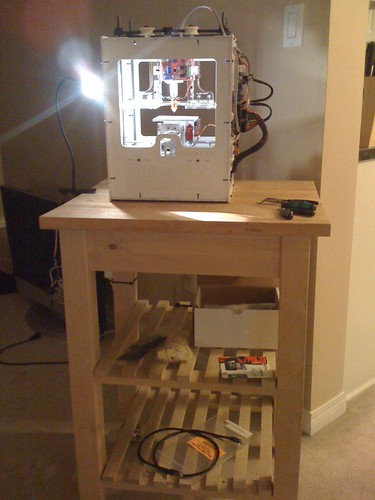
This is a picture of Mattpr’s setup. 1  This is an incredibly great setup for a MakerBot Cart.  Indeed, it’s the sort of thing I dream about.

FYI, Matt – it took me longer than I care to admit to get your “my all Rush mix tape” joke.  Me, a guy who named his MakerBot “Bender.”  I may have to bite my own shiny metal ass.2

  1. Dude – you’ve got an all rights reserved license on your Flickr page.  If you wish, I’ll take out the picture – just let me know. []
  2. Interesting side note about my ‘bot in case anyone is keeping score at home – I painted the underside of my MakerBot silver.  This way it has a shiny metal assplate. []

ADD and TLDR

This post could easily have been titled “inverse relationship.”1

I tend to think I’ve got a form of ADD.  It’s better than saying I’m impulsive, excitable, or impatient, right?  In any case, I read and blogged about Capolight’s post on creating models from images without reading the entire thing.

The Google Sketchup instructional video he included in his post was great.  Basically, it helps one create an object from a photo with some kinda fancy Google UI stuff.  I wish I had known about that a lot earlier. :)  What a cool feature!

I suppose I could have titled this “RTFM” too…

  1. As in when you have ADD you won’t read anything and everything is TLDR… []

Creating models from photos

I thought this recent post from my new favorite materials science and RepRap/MakerBot blog, Capolight, was great.  He summed up in one succinct post what I wanted to convey and probably didn’t convey with my verbose diatribe about my process for approximating facsimiles of props by tracing photographs in Sketchup.1234

((I’ve mentioned the Case of The Purloined Pig before, one of my favorite origami anecdotes.  Basically, contemporaneous invention is the result of funny little quirks in the universe.))

Capolight’s method is essentially the same as the one I described recently (only, as I mention, he does a much better job of it):

  1. Import a photo into Sketchup
  2. Trace image
  3. I spun my tracery and Capolight extruded5
  4. Scale newly created object to measurements
  5. ???
  6. Profit!
  1. You may officially now refer to me as an “insufferable word stretcher.” []
  2. To quote River Song, “Spoilers!” []
  3. Hey!  Remember that one post where I didn’t make any references to Doctor Who at all???  Yeah.  Me neither. []
  4. Crap.  One of my favorite actors, Maury Chaykin just passed away.  I really liked that guy. []
  5. Which is OH so much more appropriate, given our intended media. []

Off topic

Like just about everything else I write, this blog is about 70% on topic, 10% attempts at humor, 10% frivolity and nonsense, and about 10% completely wildly off topic.  This mix is completely unintentional and yet ridiculously consistent.

This is one such off topic post.  I just finished watching the Doctor Who season finale.  I was a teenage Doctor Who fan in America.  Back then I only knew of about three other people who were aware of and appreciated the show.  But, this new series reboot and this season in particular are really good.

Okay, back to your regularly scheduled nonsense, frivolity, and sad attempts at humor.  I may talk about MakerBots and RepRap stuff too later.