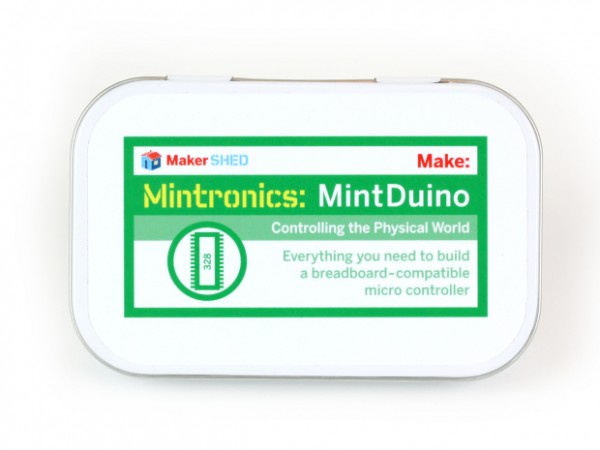
My first real foray into tinkering with an Arduino began a few weeks ago with a MintDuino. About two years ago I contemplated trying one out, but I never pulled the trigger. This was due to a combination of decision paralysis, a very short attention span1 , and a plethora of other projects that were always vying for my2 attention.
Overall, I think this was a good place for me to start learning about Arduinos.3 The nifty thing about the assembly tutorial for the MintDuino is that it takes you slowly through the creation of an Arduino. I learned a surprising amount from assembling this little breadboard Arduino – more so than I ever did by just making an LED blink on a regular Arduino Uno.
- The first thing the tutorial does is show you how it converts the power from a 9 volt battery into the 5 volts that an Arduino would use. I found this incredibly useful. Even if I had stopped reading the tutorial at Step 7, I would have learned that with some capacitors and a “voltage regulator,” I could create a system for converting power from a 9 volt battery into something I could use in a different project. Sure, I didn’t learn how these parts made that happen, but this was something I could put to use immediately, if I so chose.
- The second thing the tutorial takes you through, at step 9, is adding a “crystal.”45 This wasn’t particularly useful to me – except that now I know how the Arduino is able to keep time. While doing some ‘net research on what constitutes a bare-bones minimal Arduino, I discovered that it is possible to omit the crystal and two capacitors in favor of the chip’s internal clock.
- The third thing I learned from this tutorial, at Step 12, is what appeared to be the bare minimum MintDuino setup required to run a program that was loaded onto the Arduino’s chip.6 Now, it’s possible to remove several more pieces and still have a working Arduino. If you just had to have an Arduino with an absolute minimum of parts (I’ll get to why later) you could pull the red LED, the 220 Ohm resistor, the black wire going to the red LED. The result would be a pretty minimal Arduino that didn’t have a status/power LED, but could blink a single green LED. Remove the green LED, the red wire going to it, and the 220 Ohm resistor going to the green LED, and you have a really stripped down Arduino – that can’t do anything. But, if you were to design your own Arduino project, you could build this minimalistic Arduino, add connections to whatever additional parts you needed, and solder it all together.
- By the time I got to Step 17, I learned the connections to the ATmega328 necessary to program the chip with an Arduino program.7 This was interesting to me because it meant that any circuit that I wanted to design, but still have the capability of reprogramming at a later date, would have to have these connections. However, it would probably easier to add a 28-pin socket or 28-pin ZIF socket to your project so you can remove the chip, reprogram it, and replace it without much fuss. ((I mean, why add a bunch of wires you only need for reprogramming to a project when you can add a little socket?))
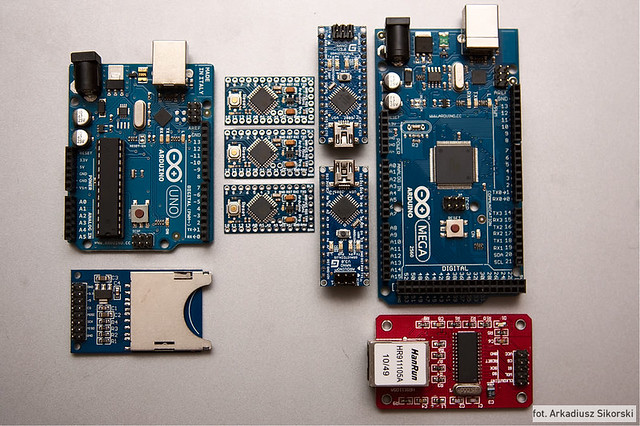
Overall, tinkering with a MintDuino taught me quite a lot about Arduinos. Staring at an Arduino for the first time out of a box, it’s a little daunting. There are a ton of little surface mount parts and pins and I had no idea where to start. I had made an LED blink – but that didn’t seem to do much for me.
Having assembled a MintDuino, I already knew what a bunch of the parts already did – so I could focus on building on my knowledge from there. Having the breadboard handy meant it was easy to connect more wires and try out other sketches and configurations. Lastly, I went back over my work from the first time I built the MintDuino and rewired it so that the little red, black and green wires didn’t have any slack. This let me see better which wires when where – which meant I could concentrate on working with the other pins.
I mentioned earlier why I was interested in finding out the absolute minimum amount of parts necessary to operate an Arduino. Well, more on this in the very next post…
Default Series Title- Oh! A squirrel! [↩]
- Oooh! A shiny! [↩]
- I say “start” because my prior experience with Arduinos consisted of just putting shields on Arduinos and uploading sketches. [↩]
- I don’t know why they call it a crystal – it just looks like a little bit of metal with two wires sticking out [↩]
- I’m just kidding. I’m guessing they’re using a quartz crystal – similar to quartz watches – as a timer/clock. For those of you who aren’t familiar with quartz watches – they keep time by applying a little bit of electricity to a piece of quartz and counting the vibrations of the crystal. [↩]
- The Arduino’s chip is called an ATmega328 [↩]
- Or, in Arduino parlance, “sketch” [↩]