Sticker Printer

I recently purchased a small thermal label / sticker printer after seeing what amazing things @Alpenglow was doing at Teardown 2025.  I quickly picked picked one up and posted a few notes.  The bluetooth connection was a little finicky, but Android app worked well enough.  I was able to print over USB without a lot of fuss, which was great.  I was surprised that I could do so much image manipulation within the app itself.
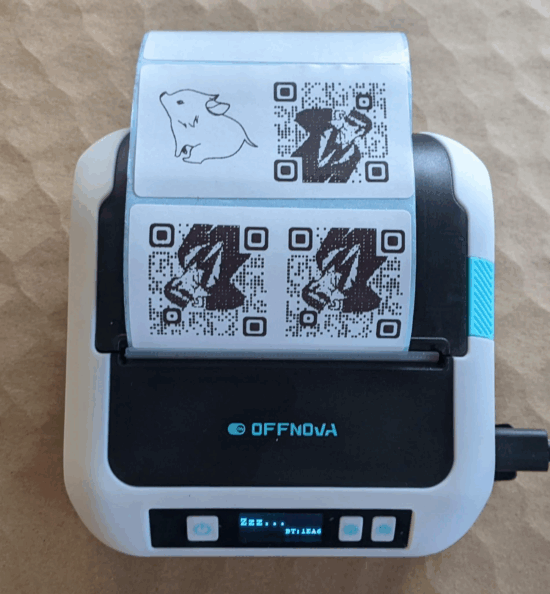
First few test prints

I was shocked at the speed and quality of these little prints.  One of the reasons I wanted to get this little sticker printer was to add QR codes to my notebooks.  I had experimented with using my laser printer to print on packing tape, masking tape, and scotch tape.  I probably have the pictures to match these experiments somewhere, but the methodology was print some rectangles for text on a sheet of printer paper, layer packing tape over those sections, put pieces of packing, masking, and scotch tape over the areas where I was going to print.  The packing tape became a melted mess, the masking tape held the design – but smudged quickly and easily, and surprisingly the design on the scotch tape held up.  Still it was a pretty big hassle and could easily gum up my sturdy Brother printed with melted plastic.

Where was I?  A sticker printer!!!  Okay, when I am working on a project, whether that’s fleshing it out on scratch paper, putting it in a notebook, or putting together a big blog post, I sometimes wish the transition between an analog page and a digital resource (image, download, link, etc) was a lot easier.

The sticker printer I purchased came with stickers that are about 1.5″ tall by 2.75″ wide.  I think this would be enough for me to create multiple QR codes with pre-defined links to be printed at once, then store them on a sheet tucked into a notebook flap.  When I need to “embed” a link, peel the sticker, apply to page, then update my YOURLS installation so the short URL points where I need it to go.  Here’s a mockup:
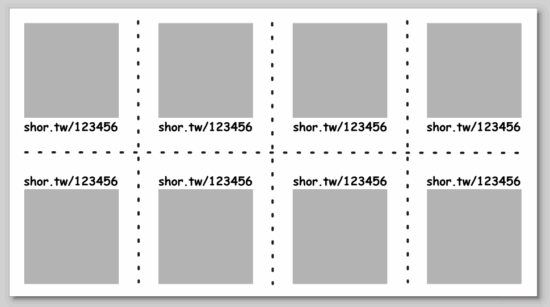
Sketch idea for multiple small QR codes on stickers for a “smart” notebook

I’ll play with the idea more tomorrow…

Thermal Sticker Printer

  1. QR Codes and Avatars
  2. Sticker Printer
  3. Thermal QR Code Sticker Success!

QR Codes and Avatars

Not me at all

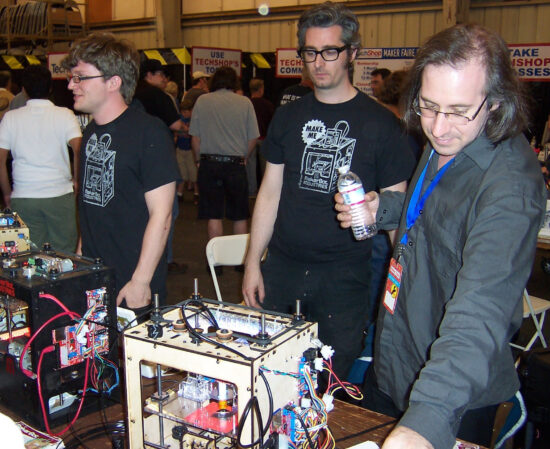
I’m not really big on social media, especially Facebook.  While I used Twitter for a long time, I pretty much abandoned it after their re-brand.  For a variety of reasons, mostly privacy related, I actively avoid associating my online moniker with my real name or photographs of myself.  Plus, I can be a lot more candid here where a comment won’t have to be associated with my work persona. 1  Anyhow, instead of using my real name and birthday, I fed Facebook the above photograph and use a totally different birthday and other information.  Later on, I used a very small version of this photograph as my “avatar,” but that changed when Bre drew a super cool secret agent looking version of my avatar for use on the MakerBot blog.

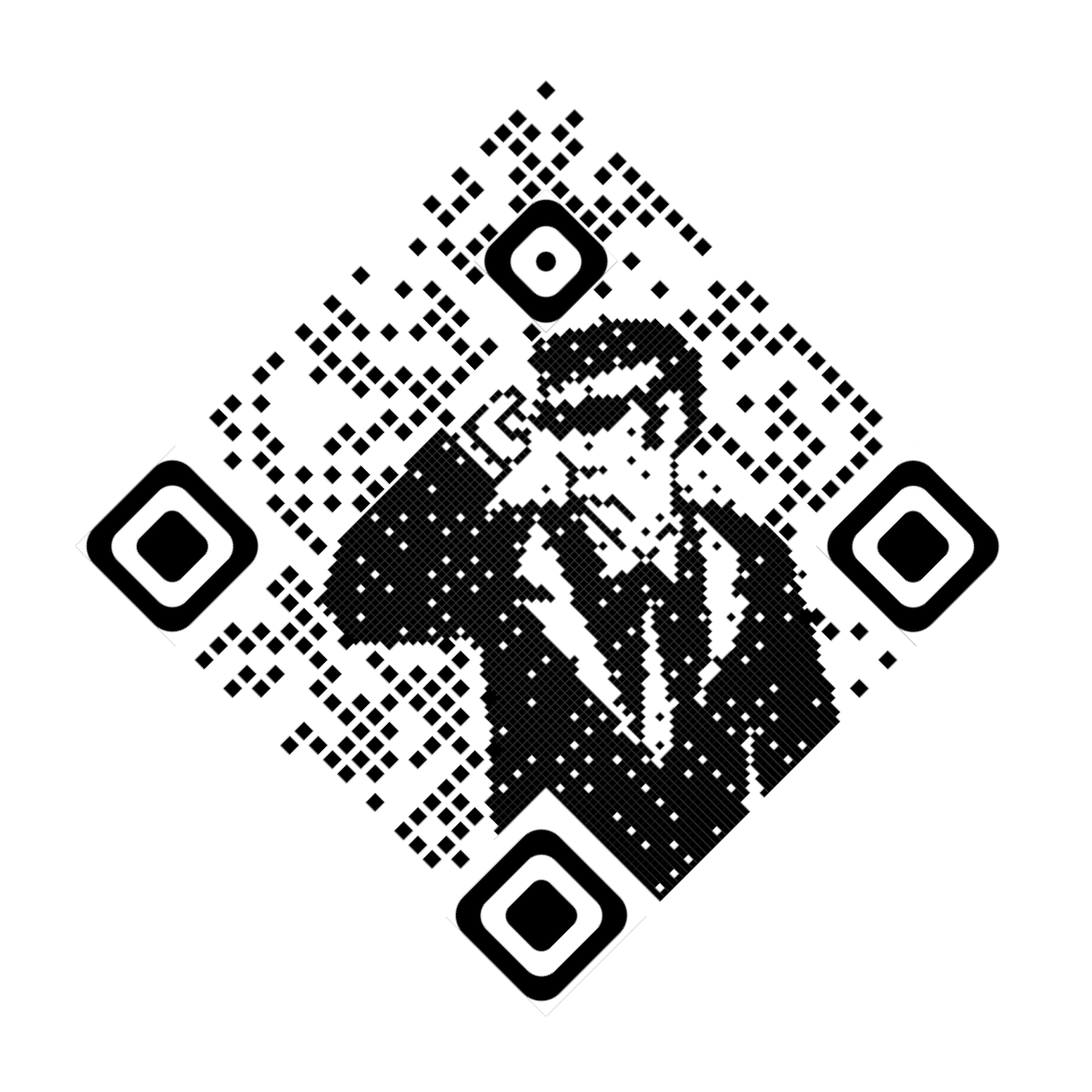
Anyhow, I was thinking about the “evolution” of my online avatar recently and some other projects when I remembered I’d seen some cool instances of people distorting a QR code in such a way that it appeared to be an image of something – but the contrasting light and dark patterns would be interpreted as a QR code.  I found a website (QRBTF) that will automate most of the process for you.

This isn’t the first time I’ve played with QR codes.  One of the first was waaaay back in the day.  Thingiverse has over 7 million “things” uploaded to the site as of right now.  But, Thing #5000 was this gem by yours truly.

Where was I?

MakerBlock’s Avatar QR Code of MakerBlock’s Blog

The process is … fiddly, even with lots of nice dials and buttons to adjust the image.  I don’t think I’ll keep this as the last version of this QR / avatar.  There needs to be either way higher error correction, larger QR code, or lower resolution, or higher contrast or… something to make scanning the image more reliable.

Anyhow, the reason why I’m even messing with this at all is so that when our projects are (hopefully!!!) accepted to Maker Faire, I can put this on my “maker badge” as a way for people who know me by my pseudonym / avatar to recognize me and for everyone else to be able to scan it and check out my website with more information about our projects.

Here’s another variation with some modifications:

This latest version required some post-processing:

  1. Trial and error to position the original image and then see how it looked when turned into a QR code.  Obviously, this also involved tinkering with the brightness and contrast settings.  I kept the error correction at maximum throughout.
  2. I downloaded the image in SVG format which was kinda messy.  Every black or white pixel was a separate element.  I laid a rounded corner set of squares over the four alignment blocks, obscuring the sharp corners usually associated with QR codes.  Then, I duplicated the central figure, and in the copy above I deleted the four alignment blocks and the figured, then made all the black speckled pixels slightly larger – to make it easier to read at small sizes.
  3. Centered the QR code on the white background, then rotated it 45 degrees for a diamond shape.

This version scans much more reliably and faster than any prior version.  I’m fairly happy with this result and will allow myself to fall down the rabbit hole of my next project… Or prior project.  Projects.0

Thermal Sticker Printer
  1. QR Codes and Avatars
  2. Sticker Printer
  3. Thermal QR Code Sticker Success!
  1. While my work-name and work-face are the same as my real name and real face, that’s just the professional responsible adult I pretend to be in order to pay the bills. []