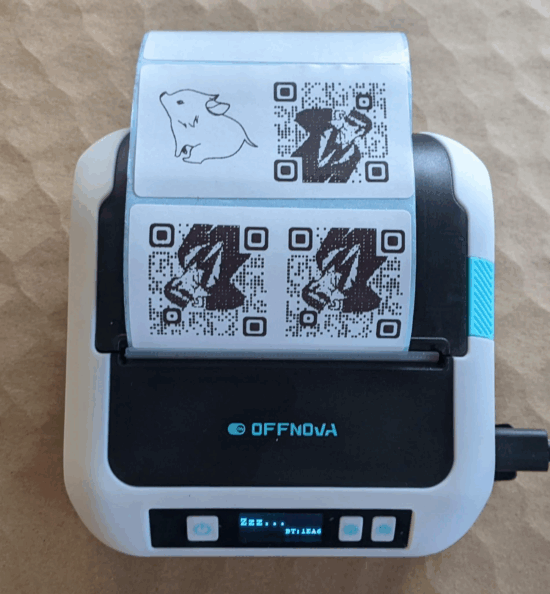
I could not be happier with how this little thermal label printer turned out! The highest use case I had for it was to create small QR codes I could stick in my various maker notebooks so that I could easily connect specific pages in my notebooks back to blog posts, essentially being able to embed unlimited digital resources into a simple page.
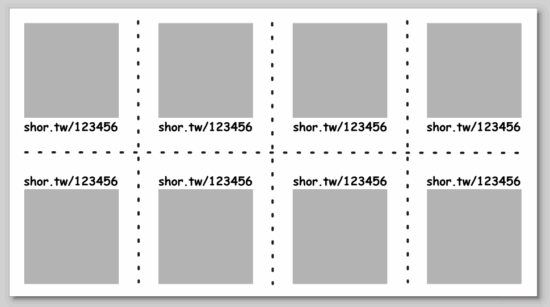
Basically, I arranged the QR codes and text in Inkscape, exported to a flat JPG, saved to my phone, and then printed.
The failed prints you see were printed at Dense, Medium, and then Light, but all came out useless. I realized it was because I had exported the image at 72 DPI, which meant that once the image was exported to either PNG or JPG, the image had gray aliasing between what should have been sharp black and white edges. This caused the printer to treat the grays as black, which meant the black areas were obscuring the lighter areas, making it harder to scan the images.
I exported at 900 DPI and it printed on “Light” flawlessly. Each QR code sticker is only 12.5mm square, I can fit 8 of them per sticker sheet, and each includes a short label, and can be read by my phone very easily. Now, I don’t think a 900 DPI image is required to print fine details, but I figured why the hell not give it a shot?
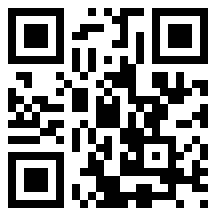
The first website QR code generator I tried was actually a sneaky website. Rather than creating a QR code for the destination, it ran the URL’s through their own URL shortener, then output that QR code. I chose that generator since it permits you to select the desired error correction level, but the result was basically useless to me. If I wanted a QR code pointing to a short-code, I would have pointed it at my own short URL service. While an unshortened URL will create a larger or more dense QR code, it has the benefit of being somewhat transparent. When you scan an unshortened URL, your scanning app can show you the destination that would be hidden by a URL shortener. I ended up using this website to generate the QR codes which allows you to specify the URL, choose from various error correction levels, and then download in a variety of formats.
I was able to pack detailed, unshortened, URLs into just 12.5 mm square plus 4.5 point font labels. I might be able to print smaller than this, but I don’t have any pressing need to do that. I’ve seen some suggestions a QR code should be printed at least 10mm square, and this is just above that limit. However, I suspect those guidelines are for commercial use, whereas these codes are likely to be rarely scanned and don’t need to be optimized for widespread use – just for my own personal benefit.
Thermal Sticker Printer