
I recently purchased a small thermal label / sticker printer after seeing what amazing things @Alpenglow was doing at Teardown 2025. I quickly picked picked one up and posted a few notes. The bluetooth connection was a little finicky, but Android app worked well enough. I was able to print over USB without a lot of fuss, which was great. I was surprised that I could do so much image manipulation within the app itself.
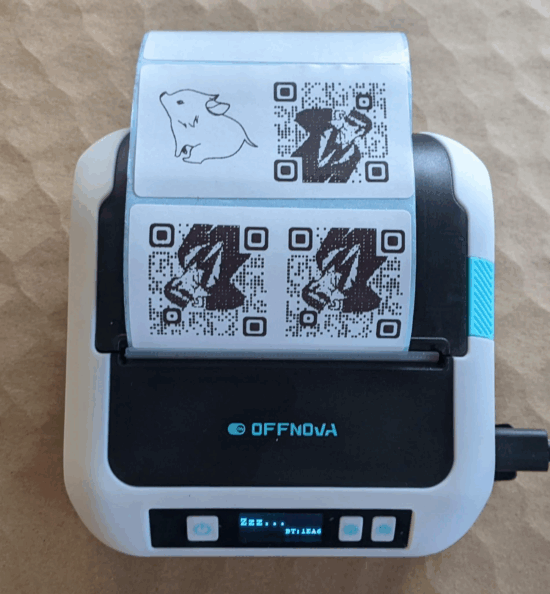
I was shocked at the speed and quality of these little prints. One of the reasons I wanted to get this little sticker printer was to add QR codes to my notebooks. I had experimented with using my laser printer to print on packing tape, masking tape, and scotch tape. I probably have the pictures to match these experiments somewhere, but the methodology was print some rectangles for text on a sheet of printer paper, layer packing tape over those sections, put pieces of packing, masking, and scotch tape over the areas where I was going to print. The packing tape became a melted mess, the masking tape held the design – but smudged quickly and easily, and surprisingly the design on the scotch tape held up. Still it was a pretty big hassle and could easily gum up my sturdy Brother printed with melted plastic.
Where was I? A sticker printer!!! Okay, when I am working on a project, whether that’s fleshing it out on scratch paper, putting it in a notebook, or putting together a big blog post, I sometimes wish the transition between an analog page and a digital resource (image, download, link, etc) was a lot easier.
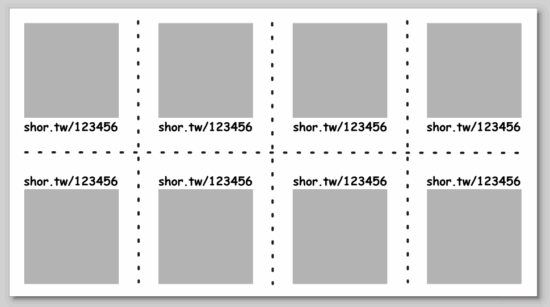
The sticker printer I purchased came with stickers that are about 1.5″ tall by 2.75″ wide. I think this would be enough for me to create multiple QR codes with pre-defined links to be printed at once, then store them on a sheet tucked into a notebook flap. When I need to “embed” a link, peel the sticker, apply to page, then update my YOURLS installation so the short URL points where I need it to go. Here’s a mockup:
I’ll play with the idea more tomorrow…
Thermal Sticker Printer