










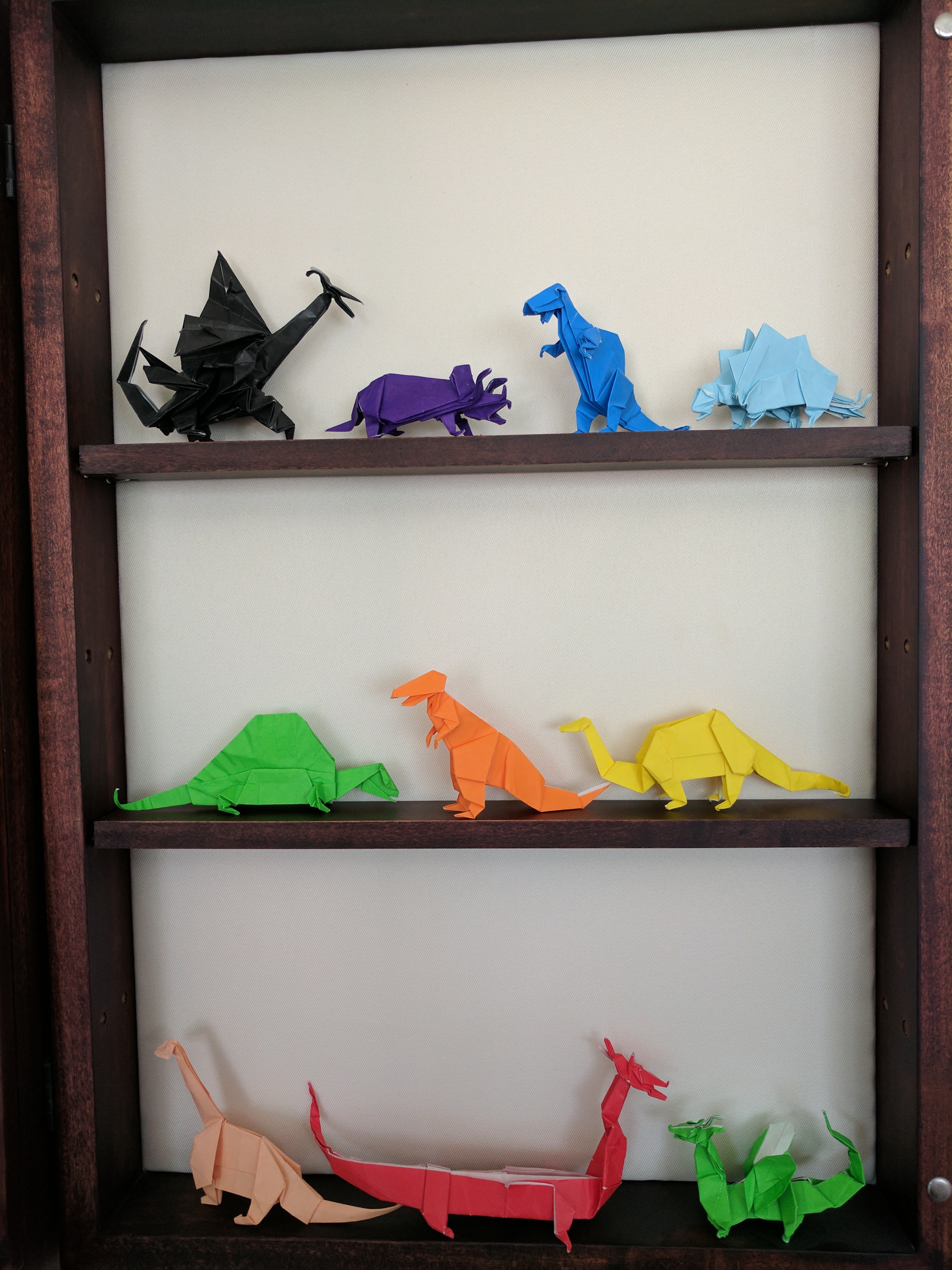
First, a huge thank you to Airship Noir and their Maker Faire Kansas City 2016 project, “Make Your Own Vacuum Formed Steampunk Goggles.” They were kind enough to post pictures and instructions about how they made an incredibly cheap, but effective, vacuum former.
Inspired by their project, I wanted to pay-it-forward and help others build their own vacuum former. Here’s how I built mine:
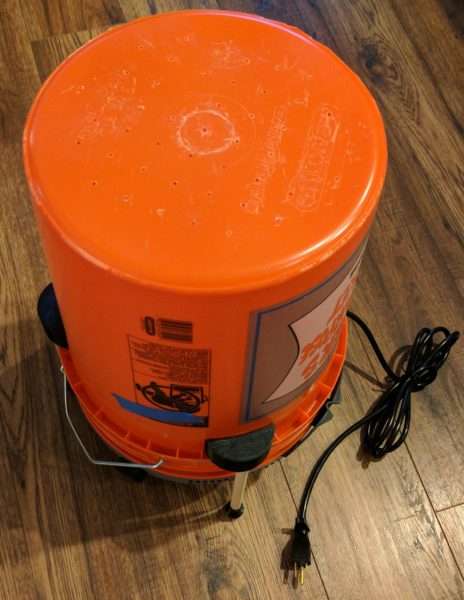
Put it All Together
I’ll do another post soon about how to actually use the device. If you’ve read the Airship Noir post, you know the basic steps are to place things on the bottom of the bucket, heat a plastic plate with a toaster oven, and lower the heated plate over the things you want to mold while the vacuum is one.
Bucket Vacuum Former







The Sacramento Municipal Utility District sponsored a Tiny House Competition, modeled on the U.S. Department of Energy Solar Decathalon, started in October of 2014 and presented to the public on October 15, 2016. The goal was for each team to design and build a zero net energy house on wheels for 100 – 400 square feet, with up to $25,000, using green building techniques and sustainable living.
I’ve been interested in tiny houses since first seeing some of the Tumbleweed homes at Maker Faire many years ago. In the last few years it seems like the idea of tiny homes has really exploded – with multiple television shows devoted to the design, construction, and purchase of very small homes.
The event this weekend was held in a parking lot at the Cosumnes River College in Elk Grove from 9am through 4pm and included music, prizes, food trucks, and a little bit of windy and rainy weather. Despite the seeming niche appeal of the competition and inclement weather, the crowds and lines to each the houses were unreal. People were waiting 45 to 60 minutes to see the inside of these houses! Since each house is so small and only reasonably accommodate a few people at a time, the lines moved slowly. While we were able to talk to a few people from the various colleges and teams, we didn’t get a chance to see the inside of any of the houses.
A big part of the competition was “communication” including documentation, brochures, and educational videos. Unfortunately, most of the tiny homes either didn’t have or had run out of their materials by the time we arrived around noon. Some of the teams had websites or Facebook pages for their projects, while others had a few posts on their college’s pages. Hopefully the teams will post more information and pictures in the weeks to come. (More than one team suggested they’d get right on it – after they caught up on their homework…) Here’s the links I was able to find:























While I’m nominally focusing this series of posts on paper circuitry, I’m actually looking to put together a resource for myself and others for any kind of electronics project. To that end, there are some ideas below that have nothing to do with affixing a circuit to paper, but that might still be an interesting or fun alternative.
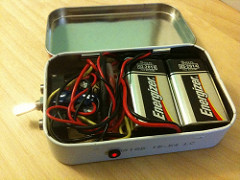
Altoids and other tins are cute, small, and easy to source containers for projects. However, since they’re metal be sure to take extra care to wrap your electronics (or the inside of the tin) so that parts aren’t accidentally grounded against the tin. When I put a project in a MintDuino tin I used the paper cardstock from the packaging to insulate the project board.
Anything from paper to plastic should work fine. Cutting holes in the tin required a little more trial and error – since punching holes and using tin snips caused sharp edges. I solved these problems by wrapping the sharp edges in electrical tape – further adding insulation.
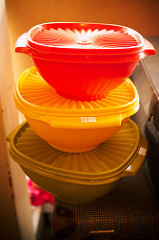
Plastic is probably a superior choice for an electronics project enclosure. As with tins, they come in a variety of shapes/sizes/colors, are cheap-to-free, and sturdy. Unlike tins, they don’t require any special insulation to work.
Besides rescuing containers from the recycle bin, don’t forget to check out your local dollar store. I picked up a particularly nice looking piece of tupperware with a big red screw top lid from the dollar store for a project and couldn’t be happier with it. If you do go to the dollar store, keep your eyes out for more than empty containers. Since everything in the store is a dollar, you can always dump the unused contents of a useful container.
If you do use/reuse a plastic container for a project, I would strongly suggest going very, very, slowly when drilling holes. Seriously, go as slow as you can manage to run the drill because rigid plastic has a tendency to crack under stress. Ideally, drill a small hole, then work your way up with larger bits. If you’ve got the equipment, you may want to consider actually melting holes instead.
This is probably my favorite way to encapsulate a project. If you have access to a 3D printer and enjoy 3D design, you can have a cheap bespoke project container.
I remember Radio Shack carrying a dizzying array of plastic enclosures when I was a kid. However, these days, I can’t think of a single reason to get an off-the-shelf project enclosure when there are just so many repurpose and dollar store options. I’m really only mentioning this option for the sake of completeness.
I’ve really only tried one “lamination” project/experiment so far with very mixed results. However, I feel like this is a promising avenue for exploration and experimentation. These ideas allow for a project being sandwiched under or in between one or more layers of plastic. This could make a small and thin project more durable, while still leaving the parts visible for inspection and teaching. I also like the idea of potentially using additional with extra information printed on them which could be laid over the circuits for additional context and annotation.1
A much cheaper DIY alternative to off-the-shelf adhesive lamination sheets would be to use clear packing tape or contact/shelf paper. Both are inexpensive and durable options, but would need to be cut to size. I actually use the packing tape method to copy and consolidate cards for my minimalistic wallet.
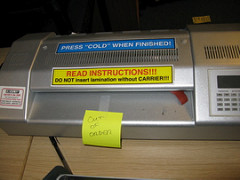
I love the idea of designing a project, affixing it to a sheet of clear plastic like an overhead transparency, and then laminating it with a standard heat laminator. As the offspring of two elementary school teachers, I had ready access to a laminator as a kid and have some fond memories of (mis)using these machines. These days desktop sized laminators and the plastic heat lamination films are quite inexpensive and good for lots of different applications besides small electronics projects. My favorite laminator electronics use, ever, is easily this amazing modular solar panel project from rcpederson.

This is an idea I’m really really looking forward to trying. Several years ago at a Benicia Mini Maker Faire I was introduced to the idea of fusing plastic bags together using a household clothes iron. The Makers showing this method let people cut scraps out of thin grocery and shopping bags, layer them between sheets of wax paper, and then fuse them together using an iron. They were using this process to create large colorful sheets of very durable plastic that could be cut and sewn like cloth.
While writing this post it occurred to me that this same method could be applied to paper circuitry, to embed a project within sheets of plastic. There are some interesting parallels to the process of using an iron to fuse aluminum foil to the toner on a laser printed page, described above. Additionally, by layering a project between sheets of plastic one might be able to dispense with some soldering since the fused sheets of plastic might be able to hold parts in direct physical contact with one another.
The project I tried involved using 8B soft graphite art pencil traces and HVAC aluminum tape contact pads on copier paper, “laminated” in place with inexpensive clear packing tape. I believe my experiment didn’t quite work out because the packing tape may have pulled up some of the pencil traces, causing a break in the circuits. If you try to mix pencil graphite and packing tape, just be on the lookout for this possible issue.
There are several self-adhesive lamination plastic sheets available. Basically, there are two sheets of plastic, each with a sticky coating, which sandwich over your desired material. These come in various sizes from business card up to full 8-1/2″ x 11″ sheets.
These tend to be much more expensive than the heat lamination options, but require no additional materials. However, this is a decent option if your project cannot be subjected heat or pressure.
As far as I know silicone rubber mold material comes in either a two-part liquid or two-part putty-like format. You mix the liquids in proportion, pour around desired object, cut apart and you get your mold. The putty kind is considerably less messy, but also much more expensive. You mix two balls of putty together well to activate them and they harden/cure into silicone rubber. I haven’t tried it, but I think either would work well to encapsulate a small electronics project.
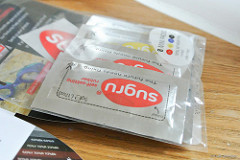
Sugru is a moldable silicone rubber which starts off as a sticky putty which then dries2 into a flexible rubber. It is incredibly useful but very expensive with a relatively short shelf life.3 At roughly $4 per 0.5 gram packet, it is ideal for small fixes around the house, but would be prohibitively expensive for all but the smallest projects.
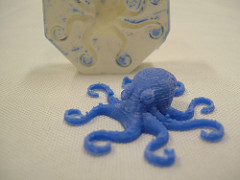
Oogoo is a DIY version of Sugru made from 100% Silicone caulking and corn starch.4 Silicone caulking dries from the outside in and takes about 24 hours. By mixing in corn starch5 the silicone will also dry from the inside out at the same time – in as little as 5 to 10 minutes. Corn starch is easily found in many kitchens and a tube of silicone is very inexpensive (around $4 for a large tube).
I haven’t tried this process yet, but I’ve purchased the silicone and am looking forward to giving it a go. A note of caution – drying silicone is smelly due to the acetic acid released as the silicone cures. It will smell strongly of vinegar while it cures, but should be harmless.
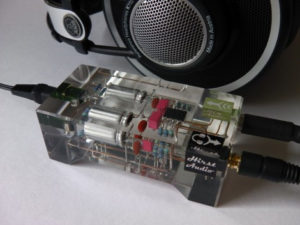
As I mentioned above, some of these ideas have been kicking around in my head for years just waiting for the right inspiration to bring them together. More than four years ago I saw an interesting article on Hackaday about someone who had designed a circuit and then embedded the entire thing within a block of clear resin. There’s so much to love about this process. A resin encased project shouts, “I have made this thing; it is perfect and eternal.”
As I was writing this blog post I began to run into a George R.R. Martin problem – I have so many inspirations, so many ideas, and written so much that I felt I was in danger of never hitting “Publish.”6 Finally I decided to break up the post so that I can share what I have so far. I hope you find it helpful and gives you some ideas of your own – and share them here.
Default Series TitleWhile I’m a big fan of paper and circuits, I’ve never really given paper circuits/circuitry a shot. Unfortunately, I have no good excuse for this. (Fair warning: I’ve been collecting links and ideas on this topic for several weeks now, and even though I intend to break up the post into more manageable chunks, I have a feeling this is going to be a doozy)
Years ago Chris Connors, a STEAM educator/maker and friend, had posted some photos and videos about something called, “TapeTricity” and helped hundreds of kids as young as 3 and 4 years old build their very first circuit at Maker Faire 2013. TapeTricity is all about making electronics accessible to people by showing them how to make real circuits using cheap and common components while removing the need for specialized tools and materials. This system of designing circuits made use of several very interesting innovations: aluminum HVAC tape and paperclips along the edges to form electrical contacts.
Back in 2013 copper tape was reasonably common in artistic settings for use with soldering stain glass. However, the copper tape wasn’t readily available with conductive adhesive and tended to be more expensive than the aluminum HVAC tape used in Chris’ projects. While the prices of copper tape with conductive adhesive have fallen over the last few years and conductive inks/paints have become more common, pretty much nothing is going to beat aluminum HVAC tape for price per project. However, HVAC tape is not without its limitations. The adhesive is a decent insulator rather than a conductor, the tape only comes in strips about 2 inches wide and must be torn or cut to much thinner strips, and has a tendency to curl at torn edges, and aluminum tape does not take solder well.1 I expect that the non-insulation properties of the underside of the aluminum tape could actually be very useful in conjunction with copper tape – to essentially make for circuit board traces that can cross over one another.

As you can see from some of the photos above, the edges of the cards had foil tape wrapped over some edges which were then connected to some of the components. The result is that the edges of the paper essentially become functional I/O pins. The nifty thing about this is that it could allow TapeTricity cards to be wired/rewired/networked together.
Another interesting feature of TapeTricity comes from the use of paperclips. Paperclips are ubiquitous and cheap23 and, with a little bit of wire, become cheap DIY alligator clips replacements. While individual alligator clips aren’t that expensive (let’s say around $0.25 each?), the cost of providing a number of them to a room full of students would quickly add up.
These TapeTricity cards allowed kids to color and draw on one side of an index card – then bring their designs to life with electronics on the back and through the card.
Evil Mad Scientist Labs is one of my all time favorite open source arts/electronics designers/manufacturers ever. Not only do they enable other people to realize their plans for world domination, they’re pretty cool people. I had the good fortune to be able to visit Evil Mad Scientist Labs (now celebrating their 10th birthday!) a few years ago.

While there Windell Oskay and Lenore Edman gave me a tour and showed off their awesome single sided mobiüs circuit board.4

More recently, while researching for this blog post I discovered their simpler, but perhaps more spectacular, origami balloon circuit. EMSL posted several possible methods for electrifying paper. Since the post explains each of these methods in detail, I’ll only list them:
This circuit is beautiful and eerily reminiscent of a certain other cube. If someone hasn’t made an origami LED paper circuitry companion cube, well, this is just a thing that needs to exist in the universe.

Another particularly cool post from EMSL is their piece on edge lit holiday cards. The electronics are essentially the same as a simple throwie or TapeTricity circuit, but the use of scored sheets of plastic allow incredibly interesting display possibilities.
In no particular order, here are some of the lessons I’ve learned from EMSL:
Just before Maker Faire 2016 I saw a tweet from Jeannine Huffman showing off her development of a paper circuitry robot panda which would cost about $5 per student.
I was astounded by what Jeannine was doing. Where TapeTricity was a great way to introduce kids to electronics, making those same electronics smart by adding a microcontroller could make those same pages smart and interactive. Moreover, a TapeTricity project could be “leveled” up by just wiring the aluminum contact pads to a microcontroller.
I was fortunate enough to be able to catch up with Jeannine at Maker Faire Bay Area 2016 this year and we compared notebooks. Here’s some pictures of her work:
I regret that I didn’t take more pictures of Jeannine’s notebook, she’s been kind enough to post much of her designs on her website, her Twitter account, her Google Plus page, and in the 21st Century Notebooking Google Plus community.
To just jot down some of the problem solving and ideas I noticed in the few moments when we compared notebooks:
The ideas shared in the 21st Century Notebooking Google Plus community are just too numerous for me to do justice. Since my blog posts are as much about me documenting my own discoveries as it is about sharing with you, gentle reader, perhaps you’ll forgive my jotting down just a few of the ideas found within a 30 second scan of this community:
Project Daffodil is the work of Sian Geraghty, Robert Foster, and Christine Ho as their graduate thesis project for the Masters in Multimedia Program at CSUEB. Their project combines pop-up books, paper circuitry techniques, and 3D printing to provide an interesting introduction to electronics for kids. When I saw them at Mini Maker Faire Rocklin on 10/5/2016 they had combined their work with an iPad app which could interact with some of their 3D printed models infused with conductive material. They’ve been interviewed on the Make Magazine website and published a tutorial on building pop up paper crafts with electronics.
I think what I learned most out of these projects is that there’s a lot of ways to combine paper circuitry with other interesting and creative ideas like origami, paper crafts, greeting cards, pop up books, and 3D printing.
Smart sketchbooks, electronic origami, and the ability to program anything. With all these incredible designs, pieces of code, and ideas – where can we go next?
Well, I have a few ideas…
Default Series Title
My old Toshiba laptop had been slowly dying for a while. Historically I would simply just go to CostCo and pick up one of their mid-range Windows machines for $500 which would last me 3 years.1
After looking over my various options, I figured I’d give a Chromebook a shot this time. If it’s good enough for Chris Anderson, it’s got to be good enough for me.2
After working with a Samsung Chromebook 2 for a few weeks now, I find that it excels at 70-80% of what I need a laptop to do. Email, blogging, office style software tasks, and ridiculous battery life at a price that almost doesn’t make any damn sense. It’s the last 20-30% uses that have been more challenging. So far, uses items include:
For these items I’ll go and use the old laptop or, more frequently, connect to that machine remotely from my Chromebook. The thing is, I’d like to eliminate my crappy laptop from the equation entirely. I think there’s two ways to go from here:

If you’ve got Comcast internet you’re probably “renting” their cable modem for something INSANE like $10 a month.1
Stop it. Just stop that nonsense right now.
You can buy a brand new modem off Amazon for $65 (shipped with prime!), hook up the modem in 5 minutes, and have Comcast authorize the new modem in about 15 minutes. It will pay for itself in about six months, last years, and as a bonus, you’ll almost certainly have faster internet access than your neighbor who is still using the rented modem. Here’s what you do:
Switching car insurance or brown bagging your lunch might save you a little money. But, I have to tell you, it was immensely satisfying to save money, not pay Comcast as much, and speed up my internet connection all in the same morning.