
Printing between prints

Sometimes after I finish a print I know I’m going to print something else in a few minutes.  In those cases I want to keep the heater warm rather than waiting to cool it down, warm it back up, and then start printing.  Here’s my new idea – I use the in between print time to print something quick, simple, useful, and relatively worry-free.

Insulator retainer rings.  I’m guessing you just can’t have too many of these.  As suggested by Cathal Garvey, this should be a high priority print.
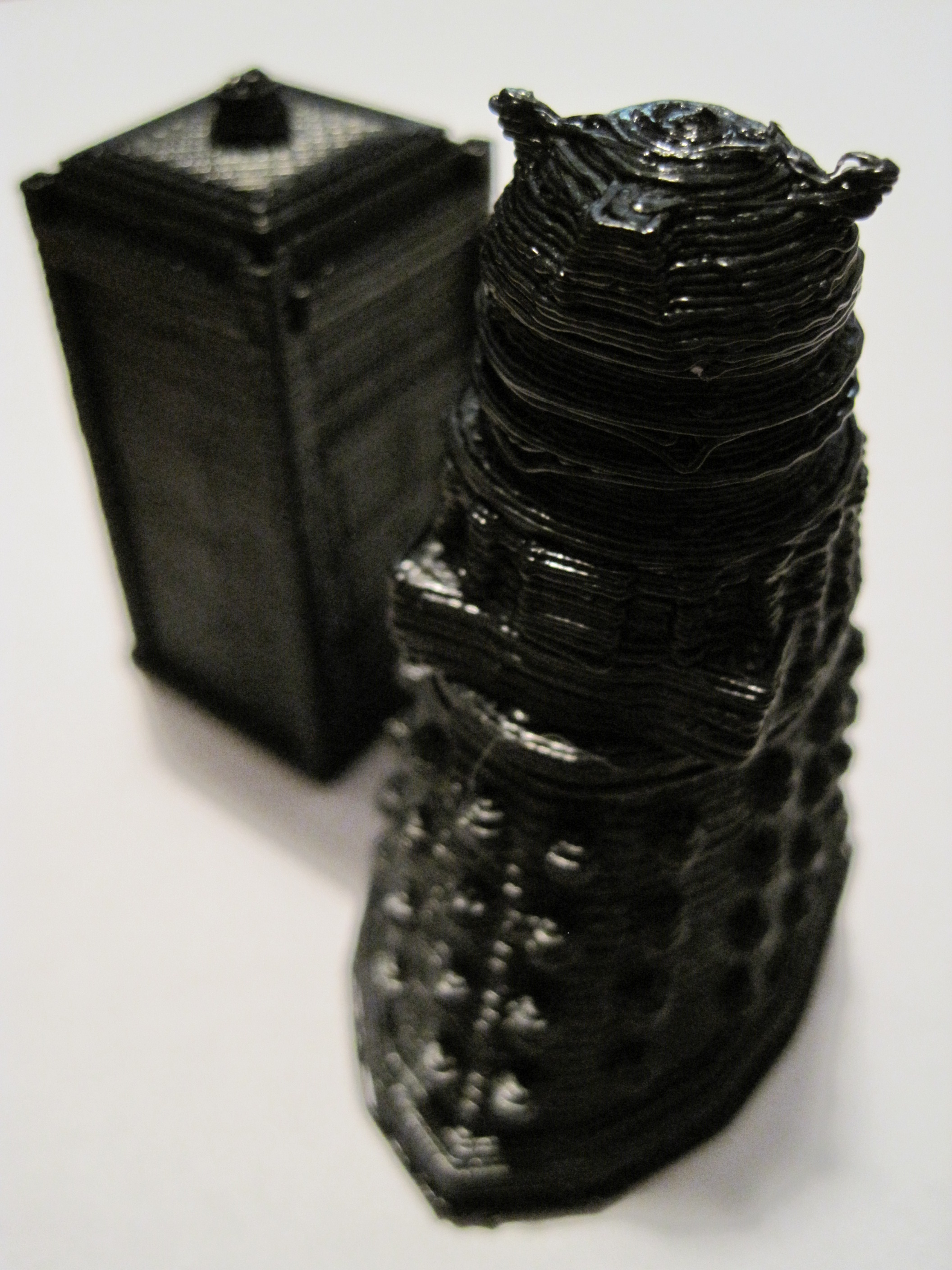
New print: Dalek

InnovationByLayers has done it again.  As soon as I saw he had uploaded a dalek STL, I downloaded, skeinforged it, and started printing.  1 hour and 28 minutes with a 50% infill:

Dalek operational
Dalek operational

Obviously you can’t print it with the arms and eye stalk as part of the body due to overhang issues.  However, I wrapped the unsharp end of my smallest drill bit (1/16″) in a thick rubber band to give it grip and drilled three holes for the arms and eye stalk.  I then used pieces of discarded filament that had been stretched as I backed it out of the extruder for the arms and eye stalk.  I wrapped the arms/eye stalk in small pieces of black electrical tape to finish the look.  Here’s what it looked like before I augmented it:

Dalek
Dalek

In fact, I was so pleased with this build that I printed up a second with a 0% infill.  FYI, that took 52 minutes and apparently had no affect on the final product.  Although, it does sound hollow.

How to update your Plastruder/Extruder firmware for the 1mm thermistor

Disclaimer:  This is only for Windows XP.  It worked for me and may not work for you.  I’m a complete novice, so use at your own risk.  That said, this procedure completely fixed the “avrdude: stk500_disable(): protocol error, expect=0x14, resp=0x51” errors I was getting in the Arduino environment.

  1. Download and install the Arduino IDE
  2. Download the Sanguino patch
  3. Apply the Sanguino patch to the Ardunio IDE (Directions copied from this page)
    1. Copy “\sanguino-software-1.x\cores\sanguino” to “\arduino-0017\hardware\cores\sanguino
    2. Copy “\sanguino-software-1.x\bootloaders\atmega644p” to “\arduino-0017\hardware\bootloaders\atmega644p
    3. Copy all the folders in “\sanguino-software-1.x\libraries\” to “\arduino-0017\hardware\libraries\” overwriting the existing libraries.
    4. Open the Arduino file located at “\arduino-0012\hardware\boards.txt” and append the text from “\sanguino-software-1.x\boards.txt
  4. Edit the “\reprap-gen3-firmware-1.6\ArduinoSlaveExtruder\ThermistorTable.cpp” file so that it reflects the new table information for the 1mm thermistor. (New table data courtesy of Jet)
  5. Copy the entire contents of “\reprap-gen3-firmware-1.6\libraries\” into “\arduino-0017\hardware\libraries\”
  6. Run the Arduino IDE
  7. Tools -> Board -> “Arduino Diecimila, Duemilanove, or Nano w/ ATmega168
  8. Open “\reprap-gen3-firmware-1.6\ArduinoSlaveExtruder\ArduinoSlaveExtruder.pde
  9. Sketch -> Verify/ Compile
  10. Wait for “Done compiling.
  11. Hold down the reset button on your extruder board.
  12. Click “Upload
  13. Wait for 3 seconds after you’ve clicked “Upload” and then let go of the reset button.

Congratulations!

A huge thank you to Jet and Rick Pollack for walking me through this procedure step by step.

Test